ACASIS / Enclosures
ACASIS 80Gbps M 2 NVMe SSD Enclosure with Cooling Fan Compatible with USB4 V2 0 USB4 V1 0
 1 / 9
Prices are shown for browsing. Purchases are currently unavailable.
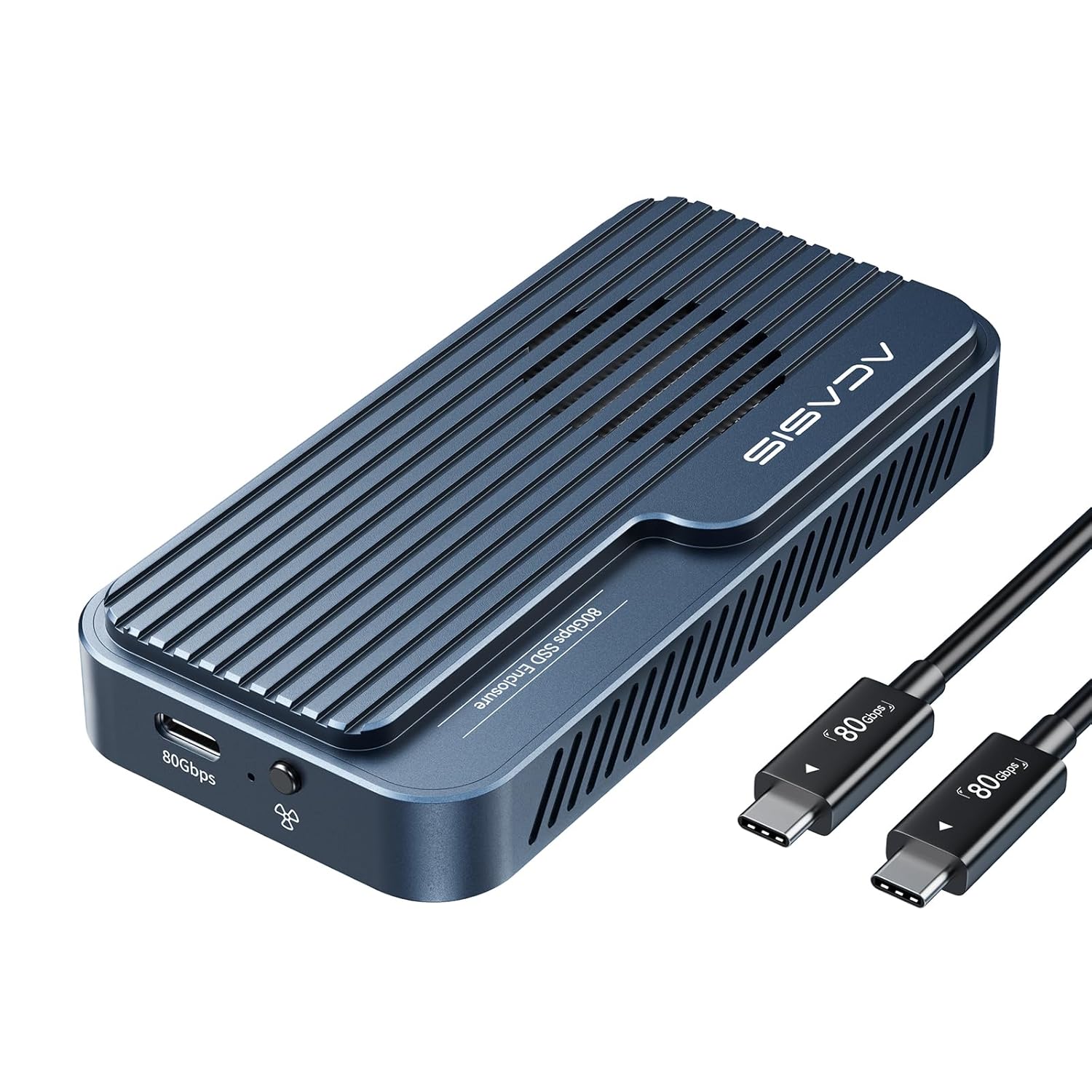
ACASIS 80Gbps M 2 NVMe SSD Enclosure with Cooling Fan Compatible with USB4 V2 0 USB4 V1 0, $319.98, Availability unknown. Image 1 of 9.
- Selected option
- ACASIS 80Gbps M 2 NVMe SSD Enclosure with Cooling Fan Compatible with USB4 V2 0 USB4 V1 0
- SKU
- JC2707
Source specifications
- Hardware Interface
- Thunderbolt
- Brand
- ACASIS
- Color
- Phantom Gray
- Hardware Platform
- x86_64
- Material
- Aluminum
- Item Weight
- 10.7 ounces
- Memory Storage Capacity
- 8 TB
- Compatible Devices
- Desktop, Laptop, Tablet
- Max Number of Supported Devices
- 1
- Data Transfer Rate
- 80 Gigabits Per Second
- Manufacturer
- ACASIS
- UPC
- 781108279825
- Product Dimensions
- 4.58 x 2.22 x 0.76 inches
- Item model number
- TB501Pro
The details
About this item
Product description Previous page Next page 1 Steps to troubleshoot 2 Compatible SSDs 3 Compatible host devices 4 Tool-free Installation Previous page Next page 1 How the fan works? 2 TB 3 Device Issue Report 3 Advantage 【Oct 2025 Release: Upgraded 80Gbps SSD Enclosure】Powered by the advanced JHL9480 chip, this enclosure supports PCIe 5.0 SSDs and most laptops, delivering fast, stable, and future-proof performance.; 【Blazing-Fast Speeds】Enjoy read and write speeds up to 6000 MB/s. Perfect for content creators, gamers, and professionals handling large files or data-heavy tasks. ⚠️ To exceed 3000 MB/s, use a PCIe 4.0 x4 NVMe 1.4 or higher SSD.; 【Smart Cooling Fan】The built-in fan auto-starts at 55°C and stops at 40°C to keep your SSD stable and extend its life. Manual mode is easy: press and hold the switch for 1 second to force it on; system resumes auto mode when turned off.; 【Heat Choose your platform/edition, then jump in—story, missions, and extras depend on the version. Rated 4.1 out of 5. Customers find the SSD enclosure fast, hitting speeds up to 6200/5800, and appreciate its quality and ease of installation.
- 【Oct 2025 Release: Upgraded 80Gbps SSD Enclosure】Powered by the advanced JHL9480 chip, this enclosure supports PCIe 5.0 SSDs and most laptops, delivering fast, stable, and future-proof performance.
- 【Blazing-Fast Speeds】Enjoy read and write speeds up to 6000 MB/s. Perfect for content creators, gamers, and professionals handling large files or data-heavy tasks. ⚠️ To exceed 3000 MB/s, use a PCIe 4.0 x4 NVMe 1.4 or higher SSD.
- 【Smart Cooling Fan】The built-in fan auto-starts at 55°C and stops at 40°C to keep your SSD stable and extend its life. Manual mode is easy: press and hold the switch for 1 second to force it on; system resumes auto mode when turned off.
- 【Heat Management for Enclosure】During large file transfers, the enclosure may heat up, which is normal. For stable performance, manually activate the fan, place the enclosure in a ventilated area, and avoid long continuous transfers of large files.
- 【Plug & Play, No Drivers Needed, Tool-less Design】Just connect and go—simple setup lets you focus on your work without delays.
- 【Packaging List】80Gbps M.2 NVMe SSD Enclosure x 1, 80Gbps Cable (19.68 in) x 1, Silicone Stoppers x 2, SSD Size Adapter x1, Thermal Pads x 2, User Manual x1.
- 【Wide Compatibility】Works with USB4 V2.0 / 80Gbps at full speed, and backward compatible with 40Gbps, USB4 V1.0, and USB 3.2/3.1/3.0.
Product information
Materials and care
- Material
- Aluminum
From the manufacturer
Product details
Product description Previous page Next page 1 Steps to troubleshoot 2 Compatible SSDs 3 Compatible host devices 4 Tool-free Installation Previous page Next page 1 How the fan works? 2 TB 3 Device Issue Report 3 Advantage
Highlights: 【Oct 2025 Release: Upgraded 80Gbps SSD Enclosure】Powered by the advanced JHL9480 chip, this enclosure supports PCIe 5.0 SSDs and most laptops, delivering fast, stable, and future-proof performance. 【Blazing-Fast Speeds】Enjoy read and write speeds up to 6000 MB/s. Perfect for content creators, gamers, and professionals handling large files or data-heavy tasks. ⚠️ To exceed 3000 MB/s, use a PCIe 4.0 x4 NVMe 1.4 or higher SSD. 【Smart Cooling Fan】The built-in fan auto-starts at 55°C and stops at 40°C to keep your SSD stable and extend its life. Manual mode is easy: press and hold the switch for 1 second to force it on; system resumes auto mode when turned off. 【Heat Management for Enclosure】During large file transfers, the enclosure may heat up, which is normal. For stable performance, manually activate the fan, place the enclosure in a ventilated area, and avoid long continuous transfers of large files. 【Plug & Play, No Drivers Needed, Tool-less Design】Just connect and go—simple setup lets you focus on your work without delays. 【Packaging List】80Gbps M.2 NVMe SSD Enclosure x 1, 80Gbps Cable (19.68 in) x 1, Silicone Stoppers x 2, SSD Size Adapter x1, Thermal Pads x 2, User Manual x1. 【Wide Compatibility】Works with USB4 V2.0 / 80Gbps at full speed, and backward compatible with 40Gbps, USB4 V1.0, and USB 3.2/3.1/3.0.
Key details: Item Weight: 10.7 ounces | Memory Storage Capacity: 8 TB | Compatible Devices: Desktop, Laptop, Tablet | Max Number of Supported Devices: 1 | Data Transfer Rate: 80 Gigabits Per Second | UPC: 781108279825 | Product Dimensions: 4.58 x 2.22 x 0.76 inches | Customer Reviews: 4.1 4.1 out of 5 stars (194) 4.1 out of 5 stars
What you can expect: 【Oct 2025 Release: Upgraded 80Gbps SSD Enclosure】Powered by the advanced JHL9480 chip, this enclosure supports PCIe 5.0 SSDs and most laptops, delivering fast, stable, and future-proof performance. 【Blazing-Fast Speeds】Enjoy read and write speeds up to 6000 MB/s. Perfect for content creators, gamers, and professionals handling large files or data-heavy tasks. ⚠️ To exceed 3000 MB/s, use a PCIe 4.0 x4 NVMe 1.4 or higher SSD. 【Smart Cooling Fan】The built-in fan auto-starts at 55°C and stops at 40°C to keep your SSD stable and extend its life. Manual mode is easy: press and hold the switch for 1 second to force it on; system resumes auto mode when turned off. 【Heat Management for Enclosure】During large file transfers, the enclosure may heat up, which is normal. For stable performance, manually activate the fan, place the enclosure in a ventilated area, and avoid long continuous transfers of large files. 【Plug & Play, No Drivers Needed, Tool-less Design】Just connect and go—simple setup lets you focus on your work without delays. 【Packaging List】80Gbps M.2 NVMe SSD Enclosure x 1, 80Gbps Cable (19.68 in) x 1, Silicone Stoppers x 2, SSD Size Adapter x1, Thermal Pads x 2, User Manual x1. 【Wide Compatibility】Works with USB4 V2.0 / 80Gbps at full speed, and backward compatible with 40Gbps, USB4 V1.0, and USB 3.2/3.1/3.0.
Customer feedback: 4.1/5 average rating.
Customers say: Customers find the SSD enclosure fast, hitting speeds up to 6200/5800, and appreciate its quality and ease of installation.
Review snippets: This is a great TB5 enclosure. This enclosure with the right NVME is fast. I have used both the Samsung 990 Pro and Western Digital Black 850X NVME and the Western Digital was the better performer when transferring large files. / this is really fast, is super convenient, you dont need screws only your hands, tested with a Samsung SSD 9100 4tb and works perfectly, currently using for parallels vms Read more
Product description Previous page Next page 1 Steps to troubleshoot 2 Compatible SSDs 3 Compatible host devices 4 Tool-free Installation Previous page Next page 1 How the fan works? 2 TB 3 Device Issue Report 3 Advantage