acer / Thunderbolt Cables
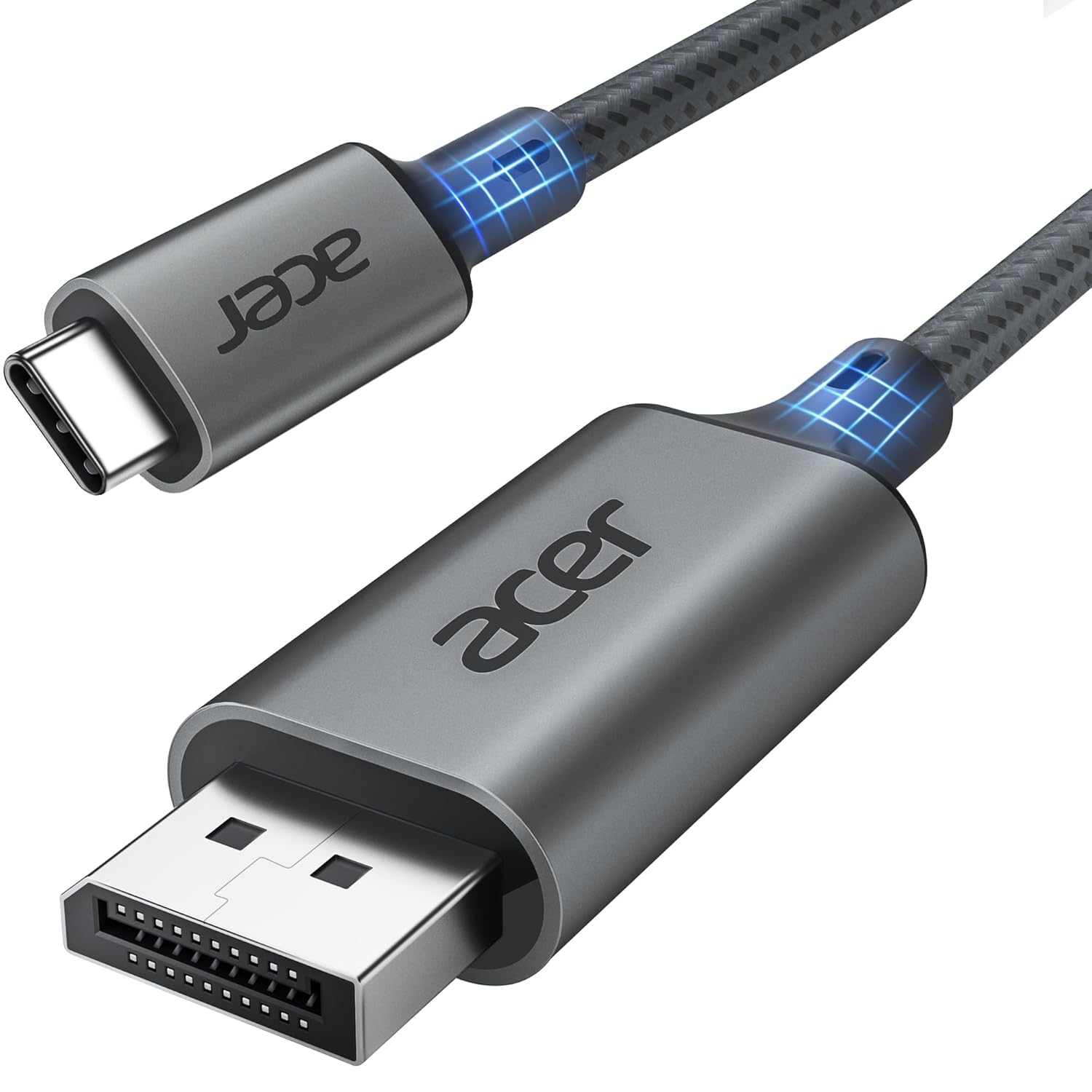
acer USB C to DisplayPort Cable 6 6 FT 4K 60HZ 2K 165Hz Type-C to DisplayPort Cord Sturdy
 1 / 9
Prices are shown for browsing. Purchases are currently unavailable.
acer USB C to DisplayPort Cable 6 6 FT 4K 60HZ 2K 165Hz Type-C to DisplayPort Cord Sturdy, $27.58, Availability unknown. Image 1 of 9.
- Selected option
- acer USB C to DisplayPort Cable 6 6 FT 4K 60HZ 2K 165Hz Type-C to DisplayPort Cord Sturdy
- SKU
- JC16326
Source specifications
- Brand
- acer
- Connector Type
- Input: Usb Type C(male), Output:displayport (Male), 【✘not Hdmi】,【✘no Charge】
- Cable Type
- (One Way) Only USB Type-C Source to DP1.2 Port Display
- Compatible Devices
- iPhone 16 Pro Max/16 Pro/16 Plus/15 Pro Max/15 Pro/15 Plus, Mac Mini M4/M4 Pro, MacBook Pro M4/M4 Pro/M4 Max, MacBook Air 2024, Galaxy S24/23 Ultra, iPad Pro 2024, iPad Air 2024, XPS 17/15/13, Dell, HP Chromebook x360, Surface Book 3/2, Samsung Tablet S9, Note 20, LG V40, Odyssey G8 G9, Nvidia RTX 3090 graphics cards, HDTV See more
- Special Feature
- 【✘NOT HDMI】, only support USB-C to DP, Uni-Directional Cable
The details
About this item
Product description USB C to DisplayPort Cable (NOT DP to USB C) The video showcases the product in use. The video guides you through product setup. The video compares multiple products. The video shows the product being unpacked. USB C to DP Merchant Video Previous page Next page 1 4K Ultra High Definition 2 165Hz High-Refresh Rate 3 Enable Adaptive SYNC ON 4 Aluminum Previous page Three Different Modes MST Daisy Chain The monitor must have two DisplayPorts. Mac OS does not support it. Next page Previous page Next page 1 For Office Meetings 2 For Online Conferences 3 For Home Theater 4 For Gaming 5 For Camping Previous page Next page 1 USB-C to DP 2 QA—Set Up Extend & Mirror 3 QA-Set Up Audio 4 Compatibility Port 5 Compatibility Compatibility list (partial) ✔️ Compatible With USBC or thunderbolt Enjoy Crisp 4K Resolution: This USB C to DisplayPort cable allows you to easily connect USB-C (Thunderbolt 3/4 compatible) laptops, tablets, Android phones, and other devices to a DP monitor or projector. It supports up to 4K@60Hz (2K@144Hz, 2K@165Hz, 2K@170Hz, 1080p, 720p) resolution, providing you with a smooth and stable visual experience. 📌𝐍𝐨𝐭𝐞: 𝐎𝐧𝐥𝐲 𝐬𝐮𝐩𝐩𝐨𝐫𝐭𝐬 𝐮𝐧𝐢𝐝𝐢𝐫𝐞𝐜𝐭𝐢𝐨𝐧𝐚𝐥 𝐔𝐒𝐁-𝐂 𝐭𝐨 𝐃𝐢
- Enjoy Crisp 4K Resolution: This USB C to DisplayPort cable allows you to easily connect USB-C (Thunderbolt 3/4 compatible) laptops, tablets, Android phones, and other devices to a DP monitor or projector. It supports up to 4K@60Hz (2K@144Hz, 2K@165Hz, 2K@170Hz, 1080p, 720p) resolution, providing you with a smooth and stable visual experience. 📌𝐍𝐨𝐭𝐞: 𝐎𝐧𝐥𝐲 𝐬𝐮𝐩𝐩𝐨𝐫𝐭𝐬 𝐮𝐧𝐢𝐝𝐢𝐫𝐞𝐜𝐭𝐢𝐨𝐧𝐚𝐥 𝐔𝐒𝐁-𝐂 𝐭𝐨 𝐃𝐢𝐬𝐩𝐥𝐚𝐲 𝐏𝐨𝐫𝐭, 𝐍𝐨 𝐬𝐮𝐩𝐩𝐨𝐫𝐭 𝐃𝐏 𝐭𝐨 𝐔𝐒𝐁-𝐂.
- Stable & Lag-Free Signal: With FreeSync & G-Sync support, this USBC to DisplayPort cable ensures smooth, gaming and video playback. Equipped with DP 1.2, it delivers high-bandwidth data transfer of 21.6Gbps without delays. HDCP 1.3 compatibility guarantees secure content protection, and plug-and-play functionality means no software or drivers required—just connect and enjoy a lag-free performance.📌𝗡𝗼𝘁𝗲: 𝗡𝗢𝗧 𝗦𝘂𝗽𝗽𝗼𝗿𝘁 𝗛𝗨𝗕 𝗼𝗿 𝗗𝗼𝗰𝗸,𝗡𝗼𝘁 𝗰𝗼𝗺𝗽𝗮𝘁𝗶𝗯𝗹𝗲 𝘄𝗶𝘁𝗵 𝗨𝗹𝘁𝗿𝗮-𝗪𝗶𝗱𝗲 𝗠𝗼𝗻𝗶𝘁𝗼𝗿𝘀
- Multi-Screen Display: The USBC to DP cable lets you enjoy Mirror Mode and Extend Mode, whether you're duplicating your screen to another display or expanding your desktop space, while also offering Clamshell Mode for MacBook Pro/MacBook users. It is also compatible with Windows MST Mode for multi-screen setups on Windows PCs. The final resolution and refresh rate are determined by the specifications of the USB-C device and the attached display. 📌𝗡𝗼𝘁𝗲: 𝗜𝗻 𝗖𝗹𝗮𝗺𝘀𝗵𝗲𝗹𝗹 𝗺𝗼𝗱𝗲, 𝗽𝗼𝘄𝗲𝗿 𝗰𝗼𝗻𝗻𝗲𝗰𝘁𝗶𝗼𝗻 𝗶𝘀 𝗿𝗲𝗾𝘂𝗶𝗿𝗲𝗱.
- Superior Quality: The USB Type-C to DP cable features a durable aluminum alloy casing and robust nylon braided wiring, enhancing its durability and resistance to wear and tear for a longer lifespan. Equipped with an efficient heat dissipation system, it prevents overheating and ensures stable, long-term performance, providing you with a reliable and lasting user experience. And there is an additional Velcro tie for travel.
- Wide Compatibility: This Thunderbolt 4 to DisplayPort cable is designed to meet the demands of high-end devices, supporting USB-C ports (📌DP Alt Mode) and Thunderbolt 3/4/5 interfaces. It is compatible with top-tier devices like iPhone 16/15 Pro Max, Galaxy S24 Ultra, MacBook Pro/Air 2024, iPad Pro/Air 2024, Surface Book, and more. It seamlessly connects to DP monitors, Nvidia RTX 3090/AMD Radeon RX 6900 graphics cards, Odyssey G8/G9 displays, HDTVs, and more.
From the manufacturer
Product details
Product description USB C to DisplayPort Cable (NOT DP to USB C) The video showcases the product in use. The video guides you through product setup. The video compares multiple products. The video shows the product being unpacked. USB C to DP Merchant Video Previous page Next page 1 4K Ultra High Definition 2 165Hz High-Refresh Rate 3 Enable Adaptive SYNC ON 4 Aluminum Previous page Three Different Modes MST Daisy Chain The monitor must have two DisplayPorts. Mac OS does not support it. Next page Previous page Next page 1 For Office Meetings 2 For Online Conferences 3 For Home Theater 4 For Gaming 5 For Camping Previous page Next page 1 USB-C to DP 2 QA—Set Up Extend & Mirror 3 QA-Set Up Audio 4 Compatibility Port 5 Compatibility Compatibility list (partial) ✔️ Compatible With USBC or thunderbolt 3/4 port interfaces which support "DisplayPort Alternate Mode". ✔️iPhone iPhone 16 Pro Max/16 Pro/16 Plus/iPhone 15 Pro Max/15 Pro/15 Plus ✔️MacBook MacBook Pro 2024/2023/2022/2021/2020/2019, MacBook Air 2024/2022/2021/2020/2019, iMac (mid-2017 and newer), iMac Pro,Mac Mini ✔️Galaxy Galaxy S25 Ultra/S24 Ultra/S23/S24+/S23 Ultra/S23/S23+/S22/S22+/S22 Ultra/S21/S21 Plus/S21 Ultra/Note 20/S10/S10+/S9/S9 Plus/Tab S8/Tab S6, etc. ✔️Samsung Samsung Galaxy S24/ S23 / S22 / S21 / S20 / S20+ / S20 Ultra / S10e / S10 / S10+ / Note 20 / Note 9; S8 / S8+ /
Highlights: Enjoy Crisp 4K Resolution: This USB C to DisplayPort cable allows you to easily connect USB-C (Thunderbolt 3/4 compatible) laptops, tablets, Android phones, and other devices to a DP monitor or projector. It supports up to 4K@60Hz (2K@144Hz, 2K@165Hz, 2K@170Hz, 1080p, 720p) resolution, providing you with a smooth and stable visual experience. 📌𝐍𝐨𝐭𝐞: 𝐎𝐧𝐥𝐲 𝐬𝐮𝐩𝐩𝐨𝐫𝐭𝐬 𝐮𝐧𝐢𝐝𝐢𝐫𝐞𝐜𝐭𝐢𝐨𝐧𝐚𝐥 𝐔𝐒𝐁-𝐂 𝐭𝐨 𝐃𝐢𝐬𝐩𝐥𝐚𝐲 𝐏𝐨𝐫𝐭, 𝐍𝐨 𝐬𝐮𝐩𝐩𝐨𝐫𝐭 𝐃𝐏 𝐭𝐨 𝐔𝐒𝐁-𝐂. Stable & Lag-Free Signal: With FreeSync & G-Sync support, this USBC to DisplayPort cable ensures smooth, gaming and video playback. Equipped with DP 1.2, it delivers high-bandwidth data transfer of 21.6Gbps without delays. HDCP 1.3 compatibility guarantees secure content protection, and plug-and-play functionality means no software or drivers required—just connect and enjoy a lag-free performance.📌𝗡𝗼𝘁𝗲: 𝗡𝗢𝗧 𝗦𝘂𝗽𝗽𝗼𝗿𝘁 𝗛𝗨𝗕 𝗼𝗿 𝗗𝗼𝗰𝗸,𝗡𝗼𝘁 𝗰𝗼𝗺𝗽𝗮𝘁𝗶𝗯𝗹𝗲 𝘄𝗶𝘁𝗵 𝗨𝗹𝘁𝗿𝗮-𝗪𝗶𝗱𝗲 𝗠𝗼𝗻𝗶𝘁𝗼𝗿𝘀 Multi-Screen Display: The USBC to DP cable lets you enjoy Mirror Mode and Extend Mode, whether you're duplicating your screen to another display or expanding your desktop space, while also offering Clamshell Mode for MacBook Pro/MacBook users. It is also compatible with Windows MST Mode for multi-screen setups on Windows PCs. The final resolution and refresh rate are determined by the specifications of the USB-C device and the attached display. 📌𝗡𝗼𝘁𝗲: 𝗜𝗻 𝗖𝗹𝗮𝗺𝘀𝗵𝗲𝗹𝗹 𝗺𝗼𝗱𝗲, 𝗽𝗼𝘄𝗲𝗿 𝗰𝗼𝗻𝗻𝗲𝗰𝘁𝗶𝗼𝗻 𝗶𝘀 𝗿𝗲𝗾𝘂𝗶𝗿𝗲𝗱. Superior Quality: The USB Type-C to DP cable features a durable aluminum alloy
How it fits your day: Use the key specs and highlights above to match it to your setup, space, or routine before you check out.
Customer feedback: 4.6/5 average rating.
Customers say: Customers find the USB-C to DisplayPort cable works well with Samsung monitors and appreciate its high build quality, good picture clarity, and ease of use as a plug-and-play solution.
Review snippets: Using a USB-C to DisplayPort cable is one of the smartest ways to get the most out of a modern monitor. Since many devices now use USB-C as a standard interface, this cable makes it easy to connect laptops, tablets, / Very easy to use these are wonderful very durable make sound quality excellent their functional they are compatible with pretty much everything super flexible. It connects through USB-C and as long as your computer has USBC connectivity it will be