ULYXON / Glasses
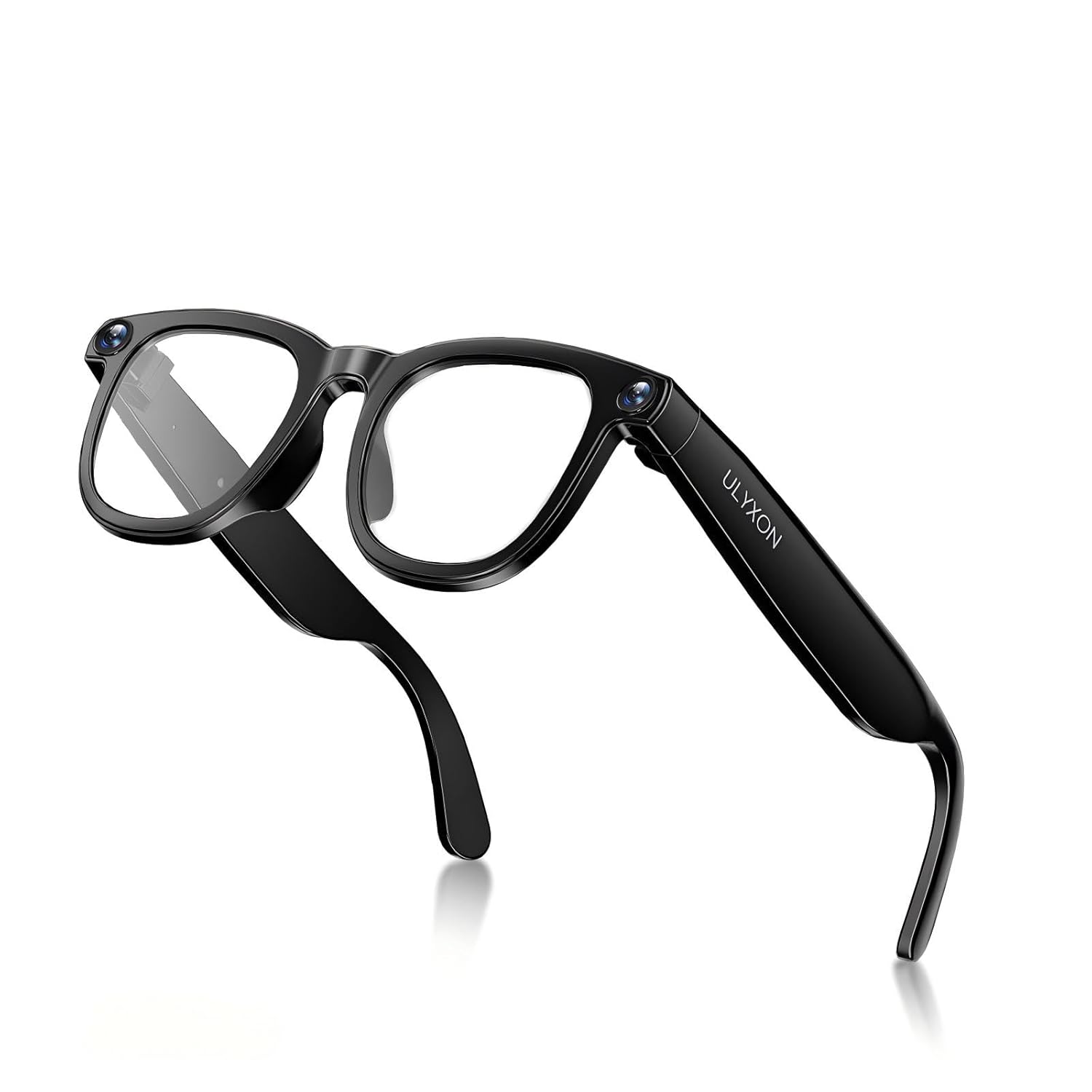
AI Smart Glasses with Camera 800W HD Camera Glasses 1080P Anti-shake Video Recording Sunglasses Real Time Translation Video
 1 / 8
Prices are shown for browsing. Purchases are currently unavailable.
AI Smart Glasses with Camera 800W HD Camera Glasses 1080P Anti-shake Video Recording Sunglasses Real Time Translation Video, $295.99, Availability unknown. Image 1 of 8.
- Selected option
- AI Smart Glasses with Camera 800W HD Camera Glasses 1080P Anti-shake Video Recording Sunglasses Real Time Translation Video
- SKU
- JC3015
Source specifications
- Package Dimensions
- 5.5 x 5.5 x 2 inches; 2.4 ounces
- Item model number
- CY01
- Department
- Unisex
- Batteries
- 2 Lithium Ion batteries required. (included)
- Manufacturer
- ULYXON
- Product Warranty
- For warranty information about this product, please click here
The details
About this item
Product description Previous page Next page Previous page Next page Previous page Next page How do I set up these glasses for the first time? For your first-time setup, please begin by turning on your smart glasses. Next, switch on your phone's Bluetooth, locate and connect to the glasses' Bluetooth listing. Finally, launch the "HeyCyan" app and complete the setup by following the prompts. Why isn‘t my AI assistant functioning? Using the AI voice assistant is easy: 1.Just say the wake phrase “Hey Cyan” (in English) to activate it. 2.Then, ask your question in any language you like. 3.Remember, you'll need to say “Hey Cyan” again for each new question. How many languages does the real-time translation work with? And how do I switch or pick a different one? We support 26 languages for live translation.1.Open the HeyCyan app and Rated 5.0 out of 5.
From the manufacturer
Product details
Product description Previous page Next page Previous page Next page Previous page Next page How do I set up these glasses for the first time? For your first-time setup, please begin by turning on your smart glasses. Next, switch on your phone's Bluetooth, locate and connect to the glasses' Bluetooth listing. Finally, launch the "HeyCyan" app and complete the setup by following the prompts. Why isn‘t my AI assistant functioning? Using the AI voice assistant is easy: 1.Just say the wake phrase “Hey Cyan” (in English) to activate it. 2.Then, ask your question in any language you like. 3.Remember, you'll need to say “Hey Cyan” again for each new question. How many languages does the real-time translation work with? And how do I switch or pick a different one? We support 26 languages for live translation.1.Open the HeyCyan app and find the “AI Translate” feature.2.Tap to select your translation mode.3.Pick your languages from the two dropdown menus — one for the original language, one for the translation. What’s the max recording time for one video? Also, about how many videos can fit on the glasses? A single video records for 3 minutes by default. You can extend it to 12 minutes in the app. While total recording can reach 40 minutes, just move videos to your phone app to save
Key details: Package Dimensions: 5.5 x 5.5 x 2 inches; 2.4 ounces | Department: Unisex | Batteries: 2 Lithium Ion batteries required. (included) | Product Warranty: For warranty information about this product, please click here
How it fits your day: Use the key specs and highlights above to match it to your setup, space, or routine before you check out.
Customer feedback: 5.0/5 average rating.
Product description Previous page Next page Previous page Next page Previous page Next page How do I set up these glasses for the first time? For your first-time setup, please begin by turning on your smart glasses. Next, switch on your phone's Bluetooth, locate and connect to the glasses' Bluetooth listing. Finally, launch the "HeyCyan" app and complete the setup by following the prompts. Why isn‘t my AI assistant functioning? Using the AI voice assistant is easy: 1.Just say the wake phrase “Hey Cyan” (in English) to activate it. 2.Then, ask your question in any language you like. 3.Remember, you'll need to say “Hey Cyan” again for each new question. How many languages does the real-time translation work with? And how do I switch or pick a different one? We support 26 languages for live translation.1.Open the HeyCyan app and find the “AI Translate” feature.2.Tap to select your translation mode.3.Pick your languages from the two dropdown menus — one for the original language, one for the translation. What’s the max recording time for one video? Also, about how many videos can fit on the glasses? A single video records for 3 minutes by default. You can extend it to 12 minutes in the app. While total recording can reach 40 minutes, just move videos to your phone app to save space and keep recording. Why does the battery depletes at a noticeably rapid rate? The 270mAh battery provides up to 24H standby, 8H music, or 1.5H continuous recording.High-power operations, such as video recording and data export, significantly accelerate battery consumption.