Amazon Basics / Mice
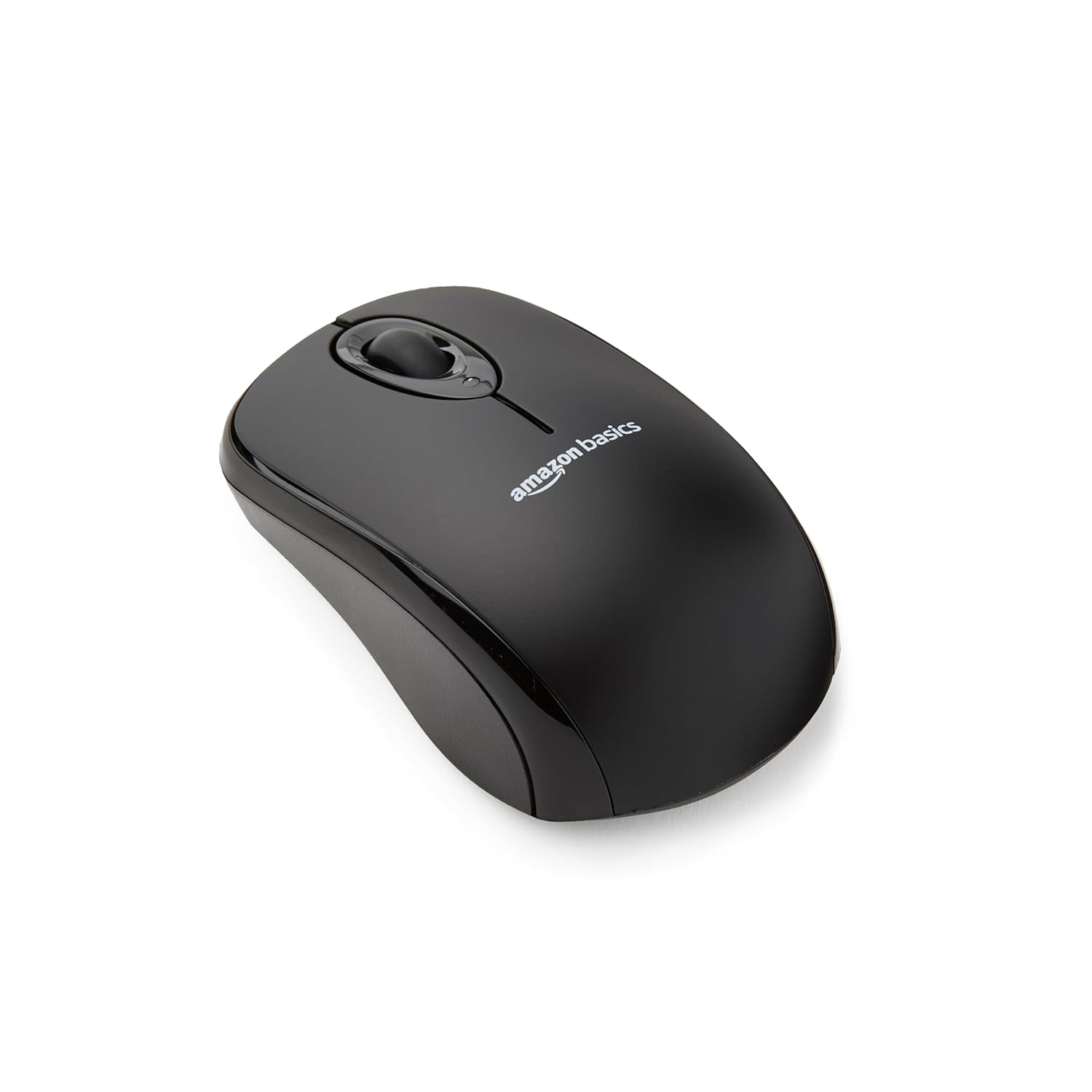
Amazon Basics 2 4 Ghz Wireless Optical Computer Mouse with USB Nano Receiver Black
 1 / 6
Prices are shown for browsing. Purchases are currently unavailable.
Amazon Basics 2 4 Ghz Wireless Optical Computer Mouse with USB Nano Receiver Black, $22.98, Availability unknown. Image 1 of 6.
- Selected option
- Amazon Basics 2 4 Ghz Wireless Optical Computer Mouse with USB Nano Receiver Black
- SKU
- JC3377
Source specifications
- Brand
- Amazon Basics
- Color
- Black
- Connectivity Technology
- USB
- Special Feature
- Wireless
- Movement Detection Technology
- Optical
- Item model number
- MGR0975
- Hardware Platform
- PC/Mac
- Operating System
- Windows 2000
- Item Weight
- 3.52 ounces
- Product Dimensions
- 3.97 x 2.28 x 1.57 inches
- Item Dimensions LxWxH
- 3.97 x 2.28 x 1.57 inches
- Power Source
- Battery Powered
- Batteries
- 2 AAA batteries required. (included)
- Manufacturer
- Amazon
The details
About this item
Product Description Basics Wireless Computer Mouse with USB Nano Receiver - Black From the Manufacturer Basics Smooth, precise and affordable wireless optical 3-button mouse with USB nano receiver for laptop, desktop and netbook PCs; 2.4 GHz wireless (not Bluetooth) provides a powerful, reliable connection; Nano-receiver stays in the PC USB port or stows conveniently inside the wireless mouse when not in use (note: Receiver is stored within the mouse from production and needs to be removed upon setup); Compatible with Windows 2000, XP, Vista, 7, 8, and 10; Easy installation - refer to user manual for instructions Choose your platform/edition, then jump in—story, missions, and extras depend on the version. Rated 4.5 out of 5.
- Smooth, precise and affordable wireless optical 3-button mouse with USB nano receiver for laptop, desktop and netbook PCs
- 2.4 GHz wireless (not Bluetooth) provides a powerful, reliable connection
- Nano-receiver stays in the PC USB port or stows conveniently inside the wireless mouse when not in use (note: Receiver is stored within the mouse from production and needs to be removed upon setup)
- Compatible with Windows 2000, XP, Vista, 7, 8, and 10
- Easy installation - refer to user manual for instructions
From the manufacturer
Product details
Product Description Basics Wireless Computer Mouse with USB Nano Receiver - Black From the Manufacturer Basics
Highlights: Smooth, precise and affordable wireless optical 3-button mouse with USB nano receiver for laptop, desktop and netbook PCs 2.4 GHz wireless (not Bluetooth) provides a powerful, reliable connection Nano-receiver stays in the PC USB port or stows conveniently inside the wireless mouse when not in use (note: Receiver is stored within the mouse from production and needs to be removed upon setup) Compatible with Windows 2000, XP, Vista, 7, 8, and 10 Easy installation - refer to user manual for instructions
Key details: Brand: Basics | Hardware Platform: PC/Mac | Operating System: Windows 2000 | Item Weight: 3.52 ounces | Product Dimensions: 3.97 x 2.28 x 1.57 inches | Item Dimensions LxWxH: 3.97 x 2.28 x 1.57 inches | Color: Black | Power Source: Battery Powered | Batteries: 2 AAA batteries required. (included) | Is Discontinued By Manufacturer: No
What you can expect: Smooth, precise and affordable wireless optical 3-button mouse with USB nano receiver for laptop, desktop and netbook PCs 2.4 GHz wireless (not Bluetooth) provides a powerful, reliable connection Nano-receiver stays in the PC USB port or stows conveniently inside the wireless mouse when not in use (note: Receiver is stored within the mouse from production and needs to be removed upon setup) Compatible with Windows 2000, XP, Vista, 7, 8, and 10 Easy installation - refer to user manual for instructions
Customer feedback: 4.5/5 average rating.
Review snippets: ⭐️⭐️⭐️⭐️⭐️ Great everyday mouse I’ve been using this Basics wireless mouse for a while, and it works perfectly. The connection is stable, setup took just a few seconds — just plug in the USB receiver and go. The size / Several months ago when the keys on my laptop mouse pad started to go out, I was really irritated because I have gotten so used to using the mouse pad that I was worried that I wouldn't be able to
From the brand Previous page Household Needs Visit the Store Electronics Visit the Store Pet Supplies Visit the Store Next page