Complete product information
{
  "id": "gl-inet-comet-gl-rm1-remote-kvm-over-internet-4k-30hz-tailscale-support-remote-keyboard-video-mouse-install-os",
  "handle": "gl-inet-comet-gl-rm1-remote-kvm-over-internet-4k-30hz-tailscale-support-remote-keyboard-video-mouse-install-os",
  "sku": "JC10387",
  "asin": "B0F21SQ4S8",
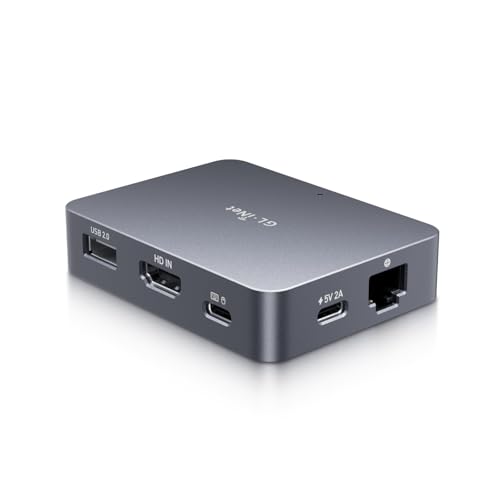
  "title": "GL iNet Comet GL-RM1 Remote KVM Over Internet 4K 30Hz Tailscale Support Remote Keyboard Video Mouse Install OS",
  "title_original": "GL.iNet Comet (GL-RM1) Remote KVM Over Internet, 4K@30Hz Tailscale Support,Remote Keyboard, Video, Mouse, Install OS Via BIOS Control, Adapted KVM Switches for Home Offices,Data Center",
  "brand": "GL.iNet",
  "price": 174.98,
  "social_proof": {
    "bought_past_month": 118,
    "text": "118+ bought in the past month"
  },
  "images": [
    "https://m.media-amazon.com/images/I/51OtDmQhdoL._SL1500_.jpg",
    "https://m.media-amazon.com/images/I/61AZBJM4y5L._SL1500_.jpg",
    "https://m.media-amazon.com/images/I/511rBW+ZGxL._SL1500_.jpg",
    "https://m.media-amazon.com/images/I/71KL9qEhw7L._SL1500_.jpg",
    "https://m.media-amazon.com/images/I/51Kb764n1vL._SL1500_.jpg",
    "https://m.media-amazon.com/images/I/71QAGLG7JUL._SL1500_.jpg",
    "https://m.media-amazon.com/images/I/71gEZdmp0dL._SL1500_.jpg",
    "https://m.media-amazon.com/images/I/61RljF+iCIL._SL1500_.jpg"
  ],
  "aplus_images": [
    "https://m.media-amazon.com/images/S/aplus-media-library-service-media/291a761f-3bc8-4073-9511-a4f1dd036060.__CR0,0,1464,600_PT0_SX1464_V1___.jpg",
    "https://m.media-amazon.com/images/S/aplus-media-library-service-media/af758dfa-0145-47b0-8551-5bb3b7558303.__CR0,0,1464,600_PT0_SX1464_V1___.jpg",
    "https://m.media-amazon.com/images/S/aplus-media-library-service-media/01b09731-d27d-4d35-8a64-db9c78781139.__CR0,0,1464,600_PT0_SX1464_V1___.jpg",
    "https://m.media-amazon.com/images/S/aplus-media-library-service-media/2e2e5af0-c4e0-4e5b-a3d7-b2887a8a7be7.__CR0,0,1464,600_PT0_SX1464_V1___.jpg",
    "https://m.media-amazon.com/images/S/aplus-media-library-service-media/9ed6243b-e98d-4867-bcf1-e60c30bb4962.__CR0,0,1464,600_PT0_SX1464_V1___.jpg",
    "https://m.media-amazon.com/images/S/aplus-media-library-service-media/1595aab5-dafe-4e9c-802a-8f6519bdab33.__CR0,0,1464,600_PT0_SX1464_V1___.jpg",
    "https://m.media-amazon.com/images/S/aplus-media-library-service-media/fc17d5f8-c7e2-4f9f-92fc-a31907fcead3.__CR0,0,1464,600_PT0_SX1464_V1___.jpg",
    "https://m.media-amazon.com/images/S/aplus-media-library-service-media/2a04079f-bd60-4167-9d45-3ca46153ee9d.__CR0,0,1464,600_PT0_SX1464_V1___.jpg",
    "https://m.media-amazon.com/images/S/aplus-media-library-service-media/b92eff54-28a9-405f-8c18-23ce1b573dfb.__CR0,0,1464,625_PT0_SX1464_V1___.jpg",
    "https://m.media-amazon.com/images/I/31VEyee0-LL._SL1500_.jpg",
    "https://m.media-amazon.com/images/I/214iNW4w8GL._SL1500_.jpg",
    "https://m.media-amazon.com/images/I/31nErBMAvSL._SL1500_.jpg",
    "https://m.media-amazon.com/images/I/21BgU0gPgQL._SL1500_.jpg",
    "https://m.media-amazon.com/images/S/aplus-media-library-service-media/153dee47-05e2-4653-96e8-5c1847388fd7.__CR0,0,362,453_PT0_SX362_V1___.jpg",
    "https://m.media-amazon.com/images/S/aplus-media-library-service-media/13297e40-8c50-4aa8-9002-50458158c07c.__CR0,0,362,453_PT0_SX362_V1___.jpg",
    "https://m.media-amazon.com/images/S/aplus-media-library-service-media/45125a9c-5ee2-40d5-9a0e-df61e48a4d9c.__CR0,0,362,453_PT0_SX362_V1___.jpg",
    "https://m.media-amazon.com/images/S/aplus-media-library-service-media/f2ecccb5-d92b-4cf9-861f-cacaffe700f8.__CR0,0,362,453_PT0_SX362_V1___.jpg",
    "https://m.media-amazon.com/images/S/aplus-media-library-service-media/178a082b-ffcd-4083-960f-88626c8181b8.__CR0,0,362,453_PT0_SX362_V1___.jpg",
    "https://m.media-amazon.com/images/S/aplus-media-library-service-media/a6574a6f-3cf5-40be-b0f9-154f45c17973.__CR0,0,362,453_PT0_SX362_V1___.jpg",
    "https://m.media-amazon.com/images/S/aplus-media-library-service-media/adbc0b45-8d8e-4f68-8ff6-0d05ec36e79f.__CR0,0,362,453_PT0_SX362_V1___.jpg",
    "https://m.media-amazon.com/images/S/aplus-media-library-service-media/2da9da79-1422-41ad-b08e-aa98533975a4.__CR0,0,362,453_PT0_SX362_V1___.jpg"
  ],
  "bullets": [
    "【Effortless Remote Device Control】 Remotely reboot, install operating systems via BIOS interface, and power on computers – all without ever setting foot in the data center. Ideal for IT professionals and smart home users alike. (Note: PD adapters cannot be used.)",
    "【Universal Compatibility & Easy Setup】 Seamlessly connect to laptops, desktops, servers, and more. Simple one-click connection via app – the computer being controlled requires no additional software.",
    "【Crystal-Clear Remote Experience】 Enjoy desktop-quality visuals (3840x2160@30Hz resolution, low latency) Remote audio output for immersive and complete remote control.",
    "【Instant File Transfer】 Transfer files between computers effortlessly. No more tedious synchronization issues when working remotely.",
    "【Access Anytime Anywhere】 Maintain constant remote access to your computers, boosting productivity whether you're at home or on the go. Perfect for remote work and managing multiple computers.",
    "【Versatile Hardware Solution】 With H.264 Hardware Encoding, this hardware-based KVM solution is ideal for remote work, offline device management, technical support, and server maintenance."
  ],
  "specs": {
    "Product Dimensions": "3.15 x 2.36 x 0.69 inches",
    "Item Weight": "3 ounces",
    "ASIN": "B0F21SQ4S8",
    "Item model number": "GL-RM1",
    "Customer Reviews": "4.5 4.5 out of 5 stars (514) 4.5 out of 5 stars",
    "Best Sellers Rank": "#4 in KVM Switches",
    "Date First Available": "March 20, 2025",
    "Manufacturer": "GL.iNet",
    "Language": "English"
  },
  "category": "Electronics > Computers & Accessories > Computer Components > External Components > KVM Switches",
  "category_path": [
    "Electronics",
    "Computers & Accessories",
    "Computer Components",
    "External Components",
    "KVM Switches"
  ],
  "category_slug": "electronics/computers-accessories/computer-components/external-components/kvm-switches",
  "category_leaf": "KVM Switches",
  "variations": {
    "sizes": [],
    "colors": [],
    "size_chart": null
  },
  "reviews": {
    "average_rating": 4.5,
    "customers_say": "Customers find the KVM hub works well with Lorex NVR recorders and is easy to set up and use. Customers report little to no lag and high FPS performance.",
    "items": [
      {
        "title": "5.0 out of 5 stars A cheap, flexible and reliable hardware solution to allow remote KVM access.",
        "body": "There were two primary functions I wanted to test this KVM for: 1. Using WOL to wake up a headless host and then be able to remotely connect to it both via LAN and WAN. Previously I had to use one utility to do the WOL and have a client loaded onto the host which meant that you couldn't remote to it until the OS had booted. The KVM allows me to use a single interface to WOL and then connect to the device. Having no client means you can also connect during POST if needed. 2. Connect to a Chromebook remotely Previously to connect to a Chromebook remotely you needed to have Chrome Remote Desktop installed and you had to enter a code to allow remote access at the host meaning someone had to be at the host Chromebook. The KVM allows full access to the Chromebook now but with the caveat that the Chromebook is turned on as Chromebooks don't support WOL. (You could do with a remote power switch if you need to as most Chromebook will boot on power up). The unit is well made with an aluminum body which does get a bit warm even when in standby. You can connect via the app but that's only available for Windows and Mac at the moment and as primarily a Chromebook user, I use a Wireguard VPN into my home Flint 2 and then just use the web interface direct to the KVM. I can't seem to see any major differences in performance using the different connection methods ( Windows app vs Chromebook VPN). For remote access this unit works wonders. There's no software client or subscription fees which is a huge bonus and initial capital cost is low. The ability to do whatever I need to on the remote host is great and I can even stream videos with audio. There's a heap of settings to play with to get the most optimal solution for your requirements so it's pretty flexible. At the moment I don't have any use for the more advance functions like ATX or Fingerbot control but nice to know they're there if I ever need it. Well worth the money if you need simple, clientless and easy remote access. Read more",
        "author": "zoonie",
        "rating": 5,
        "date": "June 6, 2025",
        "verified": false,
        "images": []
      },
      {
        "title": "5.0 out of 5 stars This is the answer or at least one of them...",
        "body": "I love this so far. We've dubbed our office one the 'gizmo' and I got one for home as well. If you built or used a pikvm, it's identical and I'm sure it's just a fork of that software. But for the cost and size, perfect. It's also been actively updated the last couple weeks, so support seems pretty good on it. The only thing I've noticed, is in Firefox, pressing the back button on the mouse will make Firefox itself go back which isn't a terrible deal but Chrome/Edge/Brave (likely any Chromium browser) all seem to pass that command through. But when this happens in Firefox, going back into the page is a little hit or miss on the video stream picking back up. A quick restart has always corrected this but I haven't seen this in Chromium browsers so they seem to work a little better between that and the back button on the mouse. Not a big deal, still 5 stars. This also works decently well through mobile browsers as well since it has a virtual keyboard option. Phenomenal item for the same price as the pikvm kit that doesn't include the pi itself. I've retired my pikvm for this already to use for other projects so that was another plus. The Tailscale support is also great. Quick update -- I've pretty much used this exclusively through Brave and Edge browser since they continue to work with the webrtc video and the back and forward mouse buttons as we all intend it to. Firefox works with webrtc but has the same behavior if you reload the page or go back and video has a hard time coming back. Firefox works okay with the direct h264 option but every couple minutes, the whole browser will freeze, including other open windows. The SIpeed nano kvm doesn't seem to do this when using their direct h264 option, so I can't put my finger on what the issue is with the Comet specifically. Using a Chromium based browser solves all of that for me at least. I want to add that text selection in Linux Mint specifically brings up an icon based menu first. Pressing right click again will bring up the normal menu but just something to be aware of. Lastly, I think the UI should be consolidated into a floating bar, like the sipeed nano. Not the biggest deal but when using these in the browser as a web-app, the top bar takes up a fair amount of space. Otherwise I'll continue to use this until the Pro version gets delivered with that sweet HDMI pass-through so I can stop using an HDMI splitter. ;) Read more",
        "author": "j",
        "rating": 5,
        "date": "August 25, 2025",
        "verified": false,
        "images": []
      }
    ]
  },
  "short_description": "Product description Previous page Next page Previous page Next page What is KVM over Internet,and how does it differ from traditional KVM switch? A traditional KVM switch allows local control of multiple computers via a single keyboard, video, and mouse. KVM over Internet allows for actions like BIOS access and Operation System reinstallation, as if you were directly at the device. How does Comet differ from remote desktop software? Comet, a remote KVM offers hardware-level control, functioning even if the computer crashes or lacks an operating system. While remote desktop software unusable during system failures or a power-off device. Do I need to know how to code to use it?",
  "about_this_item": "Product description Previous page Next page Previous page Next page What is KVM over Internet,and how does it differ from traditional KVM switch? A traditional KVM switch allows local control of multiple computers via a single keyboard, video, and mouse. KVM over Internet allows for actions like BIOS access and Operation System reinstallation, as if you were directly at the device. How does Comet differ from remote desktop software? Comet, a remote KVM offers hardware-level control, functioning even if the computer crashes or lacks an operating system. While remote desktop software unusable during system failures or a power-off device. Do I need to know how to code to use it? No.Set up is quick and easy-all you need to do is connect the cables and bind Comet to the APP. That's it! You're ready to control your devices. Is Comet 【Effortless Remote Device Control】 Remotely reboot, install operating systems via BIOS interface, and power on computers – all without ever setting foot in the data center. Ideal for IT professionals and smart home users alike. (Note: PD adapters cannot be used.); 【Universal Compatibility & Easy Setup】 Seamlessly connect to laptops, desktops, servers, and mor",
  "long_description": "Product description Previous page Next page Previous page Next page What is KVM over Internet,and how does it differ from traditional KVM switch? A traditional KVM switch allows local control of multiple computers via a single keyboard, video, and mouse. KVM over Internet allows for actions like BIOS access and Operation System reinstallation, as if you were directly at the device. How does Comet differ from remote desktop software? Comet, a remote KVM offers hardware-level control, functioning even if the computer crashes or lacks an operating system. While remote desktop software unusable during system failures or a power-off device. Do I need to know how to code to use it? No.Set up is quick and easy-all you need to do is connect the cables and bind Comet to the APP. That's it! You're ready to control your devices. Is Comet suitable for personal use at home? Yes, especially for:Remote office、Remote Workers、Casual Users\n\nHighlights: 【Effortless Remote Device Control】 Remotely reboot, install operating systems via BIOS interface, and power on computers – all without ever setting foot in the data center. Ideal for IT professionals and smart home users alike. (Note: PD adapters cannot be used.) 【Universal Compatibility & Easy Setup】 Seamlessly connect to laptops, desktops, servers, and more. Simple one-click connection via app – the computer being controlled requires no additional software. 【Crystal-Clear Remote Experience】 Enjoy desktop-quality visuals (3840x2160@30Hz resolution, low latency) Remote audio output for immersive and complete remote control. 【Instant File Transfer】 Transfer files between computers effortlessly. No more tedious synchronization issues when working remotely. 【Access Anytime Anywhere】 Maintain constant remote access to your computers, boosting productivity whether you're at home or on the go. Perfect for remote work and managing multiple computers. 【Versatile Hardware Solution】 With H.264 Hardware Encoding, this hardware-based KVM solution is ideal for remote work, offline device management, technical support, and server maintenance.\n\nKey details: Product Dimensions: 3.15 x 2.36 x 0.69 inches | Item Weight: 3 ounces | Customer Reviews: 4.5 4.5 out of 5 stars (514) 4.5 out of 5 stars | Language: English\n\nHow it fits your day: Use the key specs and highlights above to match it to your setup, space, or routine before you check out.\n\nCustomer feedback: 4.5/5 average rating.\n\nCustomers say: Customers find the KVM hub works well with Lorex NVR recorders and is easy to set up and use. Customers report little to no lag and high FPS performance.\n\nReview snippets: There were two primary functions I wanted to test this KVM for: 1. Using WOL to wake up a headless host and then be able to remotely connect to it both via LAN and WAN. Previously I had to use / I love this so far. We've dubbed our office one the 'gizmo' and I got one for home as well. If you built or used a pikvm, it's identical and I'm sure it's just a fork of that software. But\n\nProduct description Previous page Next page Previous page Next page What is KVM over Internet,and how does it differ from traditional KVM switch? A traditional KVM switch allows local control of multiple computers via a single keyboard, video, and mouse. KVM over Internet allows for actions like BIOS access and Operation System reinstallation, as if you were directly at the device. How does Comet differ from remote desktop software? Comet, a remote KVM offers hardware-level control, functioning even if the computer crashes or lacks an operating system. While remote desktop software unusable during system failures or a power-off device. Do I need to know how to code to use it? No.Set up is quick and easy-all you need to do is connect the cables and bind Comet to the APP. That's it! You're ready to control your devices. Is Comet suitable for personal use at home? Yes, especially for:Remote office、Remote Workers、Casual Users",
  "long_description_blocks": [
    {
      "type": "p",
      "text": "Product description Previous page Next page Previous page Next page What is KVM over Internet,and how does it differ from traditional KVM switch? A traditional KVM switch allows local control of multiple computers via a single keyboard, video, and mouse. KVM over Internet allows for actions like BIOS access and Operation System reinstallation, as if you were directly at the device. How does Comet differ from remote desktop software? Comet, a remote KVM offers hardware-level control, functioning even if the computer crashes or lacks an operating system. While remote desktop software unusable during system failures or a power-off device. Do I need to know how to code to use it? No.Set up is quick and easy-all you need to do is connect the cables and bind Comet to the APP. That's it! You're ready to control your devices. Is Comet suitable for personal use at home? Yes, especially for:Remote office、Remote Workers、Casual Users"
    },
    {
      "type": "p",
      "text": "Highlights: 【Effortless Remote Device Control】 Remotely reboot, install operating systems via BIOS interface, and power on computers – all without ever setting foot in the data center. Ideal for IT professionals and smart home users alike. (Note: PD adapters cannot be used.) 【Universal Compatibility & Easy Setup】 Seamlessly connect to laptops, desktops, servers, and more. Simple one-click connection via app – the computer being controlled requires no additional software. 【Crystal-Clear Remote Experience】 Enjoy desktop-quality visuals (3840x2160@30Hz resolution, low latency) Remote audio output for immersive and complete remote control. 【Instant File Transfer】 Transfer files between computers effortlessly. No more tedious synchronization issues when working remotely. 【Access Anytime Anywhere】 Maintain constant remote access to your computers, boosting productivity whether you're at home or on the go. Perfect for remote work and managing multiple computers. 【Versatile Hardware Solution】 With H.264 Hardware Encoding, this hardware-based KVM solution is ideal for remote work, offline device management, technical support, and server maintenance."
    },
    {
      "type": "p",
      "text": "Key details: Product Dimensions: 3.15 x 2.36 x 0.69 inches | Item Weight: 3 ounces | Customer Reviews: 4.5 4.5 out of 5 stars (514) 4.5 out of 5 stars | Language: English"
    },
    {
      "type": "p",
      "text": "How it fits your day: Use the key specs and highlights above to match it to your setup, space, or routine before you check out."
    },
    {
      "type": "p",
      "text": "Customer feedback: 4.5/5 average rating."
    },
    {
      "type": "p",
      "text": "Customers say: Customers find the KVM hub works well with Lorex NVR recorders and is easy to set up and use. Customers report little to no lag and high FPS performance."
    },
    {
      "type": "p",
      "text": "Review snippets: There were two primary functions I wanted to test this KVM for: 1. Using WOL to wake up a headless host and then be able to remotely connect to it both via LAN and WAN. Previously I had to use / I love this so far. We've dubbed our office one the 'gizmo' and I got one for home as well. If you built or used a pikvm, it's identical and I'm sure it's just a fork of that software. But"
    },
    {
      "type": "p",
      "text": "Product description Previous page Next page Previous page Next page What is KVM over Internet,and how does it differ from traditional KVM switch? A traditional KVM switch allows local control of multiple computers via a single keyboard, video, and mouse. KVM over Internet allows for actions like BIOS access and Operation System reinstallation, as if you were directly at the device. How does Comet differ from remote desktop software? Comet, a remote KVM offers hardware-level control, functioning even if the computer crashes or lacks an operating system. While remote desktop software unusable during system failures or a power-off device. Do I need to know how to code to use it? No.Set up is quick and easy-all you need to do is connect the cables and bind Comet to the APP. That's it! You're ready to control your devices. Is Comet suitable for personal use at home? Yes, especially for:Remote office、Remote Workers、Casual Users"
    },
    {
      "type": "img",
      "src": "https://m.media-amazon.com/images/S/aplus-media-library-service-media/291a761f-3bc8-4073-9511-a4f1dd036060.__CR0,0,1464,600_PT0_SX1464_V1___.jpg",
      "alt": "GL iNet Comet GL-RM1 Remote KVM Over Internet 4K 30Hz Tailscale Support Remote Keyboard Video Mouse Install OS details image 1"
    },
    {
      "type": "img",
      "src": "https://m.media-amazon.com/images/S/aplus-media-library-service-media/af758dfa-0145-47b0-8551-5bb3b7558303.__CR0,0,1464,600_PT0_SX1464_V1___.jpg",
      "alt": "GL iNet Comet GL-RM1 Remote KVM Over Internet 4K 30Hz Tailscale Support Remote Keyboard Video Mouse Install OS details image 2"
    },
    {
      "type": "img",
      "src": "https://m.media-amazon.com/images/S/aplus-media-library-service-media/01b09731-d27d-4d35-8a64-db9c78781139.__CR0,0,1464,600_PT0_SX1464_V1___.jpg",
      "alt": "GL iNet Comet GL-RM1 Remote KVM Over Internet 4K 30Hz Tailscale Support Remote Keyboard Video Mouse Install OS details image 3"
    },
    {
      "type": "img",
      "src": "https://m.media-amazon.com/images/S/aplus-media-library-service-media/2e2e5af0-c4e0-4e5b-a3d7-b2887a8a7be7.__CR0,0,1464,600_PT0_SX1464_V1___.jpg",
      "alt": "GL iNet Comet GL-RM1 Remote KVM Over Internet 4K 30Hz Tailscale Support Remote Keyboard Video Mouse Install OS details image 4"
    },
    {
      "type": "img",
      "src": "https://m.media-amazon.com/images/S/aplus-media-library-service-media/9ed6243b-e98d-4867-bcf1-e60c30bb4962.__CR0,0,1464,600_PT0_SX1464_V1___.jpg",
      "alt": "GL iNet Comet GL-RM1 Remote KVM Over Internet 4K 30Hz Tailscale Support Remote Keyboard Video Mouse Install OS details image 5"
    },
    {
      "type": "img",
      "src": "https://m.media-amazon.com/images/S/aplus-media-library-service-media/1595aab5-dafe-4e9c-802a-8f6519bdab33.__CR0,0,1464,600_PT0_SX1464_V1___.jpg",
      "alt": "GL iNet Comet GL-RM1 Remote KVM Over Internet 4K 30Hz Tailscale Support Remote Keyboard Video Mouse Install OS details image 6"
    },
    {
      "type": "img",
      "src": "https://m.media-amazon.com/images/S/aplus-media-library-service-media/fc17d5f8-c7e2-4f9f-92fc-a31907fcead3.__CR0,0,1464,600_PT0_SX1464_V1___.jpg",
      "alt": "GL iNet Comet GL-RM1 Remote KVM Over Internet 4K 30Hz Tailscale Support Remote Keyboard Video Mouse Install OS details image 7"
    },
    {
      "type": "img",
      "src": "https://m.media-amazon.com/images/S/aplus-media-library-service-media/2a04079f-bd60-4167-9d45-3ca46153ee9d.__CR0,0,1464,600_PT0_SX1464_V1___.jpg",
      "alt": "GL iNet Comet GL-RM1 Remote KVM Over Internet 4K 30Hz Tailscale Support Remote Keyboard Video Mouse Install OS details image 8"
    },
    {
      "type": "img",
      "src": "https://m.media-amazon.com/images/S/aplus-media-library-service-media/b92eff54-28a9-405f-8c18-23ce1b573dfb.__CR0,0,1464,625_PT0_SX1464_V1___.jpg",
      "alt": "GL iNet Comet GL-RM1 Remote KVM Over Internet 4K 30Hz Tailscale Support Remote Keyboard Video Mouse Install OS details image 9"
    },
    {
      "type": "img",
      "src": "https://m.media-amazon.com/images/I/31VEyee0-LL._SL1500_.jpg",
      "alt": "GL iNet Comet GL-RM1 Remote KVM Over Internet 4K 30Hz Tailscale Support Remote Keyboard Video Mouse Install OS details image 10"
    },
    {
      "type": "img",
      "src": "https://m.media-amazon.com/images/I/214iNW4w8GL._SL1500_.jpg",
      "alt": "GL iNet Comet GL-RM1 Remote KVM Over Internet 4K 30Hz Tailscale Support Remote Keyboard Video Mouse Install OS details image 11"
    },
    {
      "type": "img",
      "src": "https://m.media-amazon.com/images/I/31nErBMAvSL._SL1500_.jpg",
      "alt": "GL iNet Comet GL-RM1 Remote KVM Over Internet 4K 30Hz Tailscale Support Remote Keyboard Video Mouse Install OS details image 12"
    },
    {
      "type": "img",
      "src": "https://m.media-amazon.com/images/I/21BgU0gPgQL._SL1500_.jpg",
      "alt": "GL iNet Comet GL-RM1 Remote KVM Over Internet 4K 30Hz Tailscale Support Remote Keyboard Video Mouse Install OS details image 13"
    },
    {
      "type": "img",
      "src": "https://m.media-amazon.com/images/S/aplus-media-library-service-media/153dee47-05e2-4653-96e8-5c1847388fd7.__CR0,0,362,453_PT0_SX362_V1___.jpg",
      "alt": "GL iNet Comet GL-RM1 Remote KVM Over Internet 4K 30Hz Tailscale Support Remote Keyboard Video Mouse Install OS details image 14"
    },
    {
      "type": "img",
      "src": "https://m.media-amazon.com/images/S/aplus-media-library-service-media/13297e40-8c50-4aa8-9002-50458158c07c.__CR0,0,362,453_PT0_SX362_V1___.jpg",
      "alt": "GL iNet Comet GL-RM1 Remote KVM Over Internet 4K 30Hz Tailscale Support Remote Keyboard Video Mouse Install OS details image 15"
    },
    {
      "type": "img",
      "src": "https://m.media-amazon.com/images/S/aplus-media-library-service-media/45125a9c-5ee2-40d5-9a0e-df61e48a4d9c.__CR0,0,362,453_PT0_SX362_V1___.jpg",
      "alt": "GL iNet Comet GL-RM1 Remote KVM Over Internet 4K 30Hz Tailscale Support Remote Keyboard Video Mouse Install OS details image 16"
    },
    {
      "type": "img",
      "src": "https://m.media-amazon.com/images/S/aplus-media-library-service-media/f2ecccb5-d92b-4cf9-861f-cacaffe700f8.__CR0,0,362,453_PT0_SX362_V1___.jpg",
      "alt": "GL iNet Comet GL-RM1 Remote KVM Over Internet 4K 30Hz Tailscale Support Remote Keyboard Video Mouse Install OS details image 17"
    },
    {
      "type": "img",
      "src": "https://m.media-amazon.com/images/S/aplus-media-library-service-media/178a082b-ffcd-4083-960f-88626c8181b8.__CR0,0,362,453_PT0_SX362_V1___.jpg",
      "alt": "GL iNet Comet GL-RM1 Remote KVM Over Internet 4K 30Hz Tailscale Support Remote Keyboard Video Mouse Install OS details image 18"
    },
    {
      "type": "img",
      "src": "https://m.media-amazon.com/images/S/aplus-media-library-service-media/a6574a6f-3cf5-40be-b0f9-154f45c17973.__CR0,0,362,453_PT0_SX362_V1___.jpg",
      "alt": "GL iNet Comet GL-RM1 Remote KVM Over Internet 4K 30Hz Tailscale Support Remote Keyboard Video Mouse Install OS details image 19"
    },
    {
      "type": "img",
      "src": "https://m.media-amazon.com/images/S/aplus-media-library-service-media/adbc0b45-8d8e-4f68-8ff6-0d05ec36e79f.__CR0,0,362,453_PT0_SX362_V1___.jpg",
      "alt": "GL iNet Comet GL-RM1 Remote KVM Over Internet 4K 30Hz Tailscale Support Remote Keyboard Video Mouse Install OS details image 20"
    },
    {
      "type": "img",
      "src": "https://m.media-amazon.com/images/S/aplus-media-library-service-media/2da9da79-1422-41ad-b08e-aa98533975a4.__CR0,0,362,453_PT0_SX362_V1___.jpg",
      "alt": "GL iNet Comet GL-RM1 Remote KVM Over Internet 4K 30Hz Tailscale Support Remote Keyboard Video Mouse Install OS details image 21"
    }
  ],
  "videos": [
    {
      "id": "f7110143-1629-40b0-a957-58c8c50b79b5",
      "src": "https://m.media-amazon.com/images/S/vse-vms-transcoding-artifact-us-east-1-prod/f7110143-1629-40b0-a957-58c8c50b79b5/default.jobtemplate.hls.m3u8",
      "sources": [
        {
          "type": "application/x-mpegURL",
          "src": "https://m.media-amazon.com/images/S/vse-vms-transcoding-artifact-us-east-1-prod/f7110143-1629-40b0-a957-58c8c50b79b5/default.jobtemplate.hls.m3u8"
        }
      ],
      "poster": "https://m.media-amazon.com/images/S/al-na-9d5791cf-3faf/498392ee-d03e-49c2-b9ac-0dd400b1d63f.mp4/r/THUMBNAIL_360P_FRAME_3_CAPTURE_2.JPG"
    },
    {
      "id": "56afb4c4-29a9-4fe5-947f-cf850fd407b6",
      "src": "https://m.media-amazon.com/images/S/vse-vms-transcoding-artifact-us-east-1-prod/56afb4c4-29a9-4fe5-947f-cf850fd407b6/default.jobtemplate.hls.m3u8",
      "sources": [
        {
          "type": "application/x-mpegURL",
          "src": "https://m.media-amazon.com/images/S/vse-vms-transcoding-artifact-us-east-1-prod/56afb4c4-29a9-4fe5-947f-cf850fd407b6/default.jobtemplate.hls.m3u8"
        }
      ],
      "poster": "https://m.media-amazon.com/images/S/al-na-9d5791cf-3faf/498392ee-d03e-49c2-b9ac-0dd400b1d63f.mp4/r/THUMBNAIL_360P_FRAME_3_CAPTURE_2.JPG"
    },
    {
      "id": "e5484de8-1b1a-4d69-a239-887556b6051b",
      "src": "https://m.media-amazon.com/images/S/vse-vms-transcoding-artifact-us-east-1-prod/e5484de8-1b1a-4d69-a239-887556b6051b/default.vertical.jobtemplate.hls.m3u8",
      "sources": [
        {
          "type": "application/x-mpegURL",
          "src": "https://m.media-amazon.com/images/S/vse-vms-transcoding-artifact-us-east-1-prod/e5484de8-1b1a-4d69-a239-887556b6051b/default.vertical.jobtemplate.hls.m3u8"
        }
      ],
      "poster": "https://m.media-amazon.com/images/S/al-na-9d5791cf-3faf/498392ee-d03e-49c2-b9ac-0dd400b1d63f.mp4/r/THUMBNAIL_360P_FRAME_3_CAPTURE_2.JPG"
    },
    {
      "id": "fe6adb87-29ed-4237-bd4d-85c1cccdddc6",
      "src": "https://m.media-amazon.com/images/S/vse-vms-transcoding-artifact-us-east-1-prod/fe6adb87-29ed-4237-bd4d-85c1cccdddc6/default.jobtemplate.hls.m3u8",
      "sources": [
        {
          "type": "application/x-mpegURL",
          "src": "https://m.media-amazon.com/images/S/vse-vms-transcoding-artifact-us-east-1-prod/fe6adb87-29ed-4237-bd4d-85c1cccdddc6/default.jobtemplate.hls.m3u8"
        }
      ],
      "poster": "https://m.media-amazon.com/images/S/al-na-9d5791cf-3faf/498392ee-d03e-49c2-b9ac-0dd400b1d63f.mp4/r/THUMBNAIL_360P_FRAME_3_CAPTURE_2.JPG"
    },
    {
      "id": "9319c3f5-190f-4b6f-b30c-84dff87b507b",
      "src": "https://m.media-amazon.com/images/S/vse-vms-transcoding-artifact-us-east-1-prod/9319c3f5-190f-4b6f-b30c-84dff87b507b/default.jobtemplate.hls.m3u8",
      "sources": [
        {
          "type": "application/x-mpegURL",
          "src": "https://m.media-amazon.com/images/S/vse-vms-transcoding-artifact-us-east-1-prod/9319c3f5-190f-4b6f-b30c-84dff87b507b/default.jobtemplate.hls.m3u8"
        }
      ],
      "poster": "https://m.media-amazon.com/images/S/al-na-9d5791cf-3faf/498392ee-d03e-49c2-b9ac-0dd400b1d63f.mp4/r/THUMBNAIL_360P_FRAME_3_CAPTURE_2.JPG"
    },
    {
      "id": "5afa8114-4fdc-47b2-a908-7f2cdf94b7cf",
      "src": "https://m.media-amazon.com/images/S/vse-vms-transcoding-artifact-us-east-1-prod/5afa8114-4fdc-47b2-a908-7f2cdf94b7cf/default.jobtemplate.hls.m3u8",
      "sources": [
        {
          "type": "application/x-mpegURL",
          "src": "https://m.media-amazon.com/images/S/vse-vms-transcoding-artifact-us-east-1-prod/5afa8114-4fdc-47b2-a908-7f2cdf94b7cf/default.jobtemplate.hls.m3u8"
        }
      ],
      "poster": "https://m.media-amazon.com/images/S/al-na-9d5791cf-3faf/498392ee-d03e-49c2-b9ac-0dd400b1d63f.mp4/r/THUMBNAIL_360P_FRAME_3_CAPTURE_2.JPG"
    },
    {
      "id": "1580d69f-a489-4b28-8eeb-6dd5ced859da",
      "src": "https://m.media-amazon.com/images/S/vse-vms-transcoding-artifact-us-east-1-prod/1580d69f-a489-4b28-8eeb-6dd5ced859da/default.jobtemplate.hls.m3u8",
      "sources": [
        {
          "type": "application/x-mpegURL",
          "src": "https://m.media-amazon.com/images/S/vse-vms-transcoding-artifact-us-east-1-prod/1580d69f-a489-4b28-8eeb-6dd5ced859da/default.jobtemplate.hls.m3u8"
        }
      ],
      "poster": "https://m.media-amazon.com/images/S/al-na-9d5791cf-3faf/498392ee-d03e-49c2-b9ac-0dd400b1d63f.mp4/r/THUMBNAIL_360P_FRAME_3_CAPTURE_2.JPG"
    },
    {
      "id": "77d5d99b-797e-409b-82b3-e35182926827",
      "src": "https://m.media-amazon.com/images/S/vse-vms-transcoding-artifact-us-east-1-prod/77d5d99b-797e-409b-82b3-e35182926827/default.jobtemplate.hls.m3u8",
      "sources": [
        {
          "type": "application/x-mpegURL",
          "src": "https://m.media-amazon.com/images/S/vse-vms-transcoding-artifact-us-east-1-prod/77d5d99b-797e-409b-82b3-e35182926827/default.jobtemplate.hls.m3u8"
        }
      ],
      "poster": "https://m.media-amazon.com/images/S/al-na-9d5791cf-3faf/498392ee-d03e-49c2-b9ac-0dd400b1d63f.mp4/r/THUMBNAIL_360P_FRAME_3_CAPTURE_2.JPG"
    },
    {
      "id": "fc5fb81f-f703-403e-ae02-d77c93391bc2",
      "src": "https://m.media-amazon.com/images/S/vse-vms-transcoding-artifact-us-east-1-prod/fc5fb81f-f703-403e-ae02-d77c93391bc2/default.jobtemplate.hls.m3u8",
      "sources": [
        {
          "type": "application/x-mpegURL",
          "src": "https://m.media-amazon.com/images/S/vse-vms-transcoding-artifact-us-east-1-prod/fc5fb81f-f703-403e-ae02-d77c93391bc2/default.jobtemplate.hls.m3u8"
        }
      ],
      "poster": "https://m.media-amazon.com/images/S/al-na-9d5791cf-3faf/498392ee-d03e-49c2-b9ac-0dd400b1d63f.mp4/r/THUMBNAIL_360P_FRAME_3_CAPTURE_2.JPG"
    },
    {
      "id": "28249628-5d22-4e35-a0a1-cfa0eb155873",
      "src": "https://m.media-amazon.com/images/S/vse-vms-transcoding-artifact-us-east-1-prod/28249628-5d22-4e35-a0a1-cfa0eb155873/default.jobtemplate.hls.m3u8",
      "sources": [
        {
          "type": "application/x-mpegURL",
          "src": "https://m.media-amazon.com/images/S/vse-vms-transcoding-artifact-us-east-1-prod/28249628-5d22-4e35-a0a1-cfa0eb155873/default.jobtemplate.hls.m3u8"
        }
      ],
      "poster": "https://m.media-amazon.com/images/S/al-na-9d5791cf-3faf/498392ee-d03e-49c2-b9ac-0dd400b1d63f.mp4/r/THUMBNAIL_360P_FRAME_3_CAPTURE_2.JPG"
    },
    {
      "id": "720805a3-dd74-41c5-819a-1dc375771a01",
      "src": "https://m.media-amazon.com/images/S/vse-vms-transcoding-artifact-us-east-1-prod/720805a3-dd74-41c5-819a-1dc375771a01/videopreview.jobtemplate.mp4.default.mp4",
      "sources": [
        {
          "type": "video/mp4",
          "src": "https://m.media-amazon.com/images/S/vse-vms-transcoding-artifact-us-east-1-prod/720805a3-dd74-41c5-819a-1dc375771a01/videopreview.jobtemplate.mp4.default.mp4"
        }
      ],
      "poster": "https://m.media-amazon.com/images/S/al-na-9d5791cf-3faf/498392ee-d03e-49c2-b9ac-0dd400b1d63f.mp4/r/THUMBNAIL_360P_FRAME_3_CAPTURE_2.JPG"
    },
    {
      "id": "76dcacaa-4bd0-4a29-86e2-e953cff1b628",
      "src": "https://m.media-amazon.com/images/S/vse-vms-transcoding-artifact-us-east-1-prod/76dcacaa-4bd0-4a29-86e2-e953cff1b628/videopreview.jobtemplate.mp4.default.mp4",
      "sources": [
        {
          "type": "video/mp4",
          "src": "https://m.media-amazon.com/images/S/vse-vms-transcoding-artifact-us-east-1-prod/76dcacaa-4bd0-4a29-86e2-e953cff1b628/videopreview.jobtemplate.mp4.default.mp4"
        }
      ],
      "poster": "https://m.media-amazon.com/images/S/al-na-9d5791cf-3faf/498392ee-d03e-49c2-b9ac-0dd400b1d63f.mp4/r/THUMBNAIL_360P_FRAME_3_CAPTURE_2.JPG"
    }
  ],
  "color_swatches": {},
  "color_image_key": {},
  "color_images": {},
  "description_sources": {
    "meta": "Amazon.com: GL.iNet Comet (GL-RM1) Remote KVM Over Internet, 4K@30Hz Tailscale Support,Remote Keyboard, Video, Mouse, Install OS Via BIOS Control, Adapted KVM Switches for Home Offices,Data Center : Electronics",
    "product": "Product description Previous page Next page Previous page Next page What is KVM over Internet,and how does it differ from traditional KVM switch? A traditional KVM switch allows local control of multiple computers via a single keyboard, video, and mouse. KVM over Internet allows for actions like BIOS access and Operation System reinstallation, as if you were directly at the device. How does Comet differ from remote desktop software? Comet, a remote KVM offers hardware-level control, functioning even if the computer crashes or lacks an operating system. While remote desktop software unusable during system failures or a power-off device. Do I need to know how to code to use it? No.Set up is quick and easy-all you need to do is connect the cables and bind Comet to the APP. That's it! You're ready to control your devices. Is Comet suitable for personal use at home? Yes, especially for:Remote office、Remote Workers、Casual Users",
    "aplus": "Product description Previous page Next page Previous page Next page What is KVM over Internet,and how does it differ from traditional KVM switch? A traditional KVM switch allows local control of multiple computers via a single keyboard, video, and mouse. KVM over Internet allows for actions like BIOS access and Operation System reinstallation, as if you were directly at the device. How does Comet differ from remote desktop software? Comet, a remote KVM offers hardware-level control, functioning even if the computer crashes or lacks an operating system. While remote desktop software unusable during system failures or a power-off device. Do I need to know how to code to use it? No.Set up is quick and easy-all you need to do is connect the cables and bind Comet to the APP. That's it! You're ready to control your devices. Is Comet suitable for personal use at home? Yes, especially for:Remote office、Remote Workers、Casual Users"
  },
  "variant_seo": {
    "variant_dimensions": [],
    "variant_current": {},
    "variant_options": {},
    "item_group_id_candidate": "B0F21SQ4S8",
    "unavailable_options": {}
  },
  "normalized_offer": {
    "price": 99.99,
    "currency": "USD",
    "list_price": null,
    "sale_price": null,
    "availability": "InStock",
    "condition": "New",
    "seller_raw": "Microuter Technologies",
    "shipping_raw": "FREE delivery Sunday, January 11 Or Prime members get FREE delivery Overnight 4 AM - 8 AM . Order within 4 hrs 57 mins . Join Prime",
    "delivery_raw": "FREE delivery Sunday, January 11 Or Prime members get FREE delivery Overnight 4 AM - 8 AM . Order within 4 hrs 57 mins . Join Prime"
  },
  "specs_raw": {
    "Product Dimensions": "3.15 x 2.36 x 0.69 inches",
    "Item Weight": "3 ounces",
    "ASIN": "B0F21SQ4S8",
    "Item model number": "GL-RM1",
    "Customer Reviews": "4.5 4.5 out of 5 stars (514) 4.5 out of 5 stars",
    "Best Sellers Rank": "#4 in KVM Switches",
    "Date First Available": "March 20, 2025",
    "Manufacturer": "GL.iNet",
    "Language": "English"
  },
  "specs_normalized": {
    "product_dimensions": "3.15 x 2.36 x 0.69 inches",
    "item_weight": "3 ounces",
    "asin": "B0F21SQ4S8",
    "item_model_number": "GL-RM1",
    "customer_reviews": "4.5 4.5 out of 5 stars (514) 4.5 out of 5 stars",
    "best_sellers_rank": "#4 in KVM Switches",
    "date_first_available": "March 20, 2025",
    "manufacturer": "GL.iNet",
    "language": "English"
  },
  "attributes_normalized": {
    "material": null,
    "dimensions": "3.15 x 2.36 x 0.69 inches",
    "weight": "3 ounces",
    "fabric": null,
    "closure": null,
    "care": null,
    "fit_type": null,
    "rise": null,
    "inseam": null,
    "sleeve": null,
    "neckline": null,
    "pattern": null,
    "color_spec": null
  },
  "product_overview_rows": [
    {
      "key": "Brand",
      "value": "GL.iNet"
    },
    {
      "key": "Color",
      "value": "black"
    },
    {
      "key": "Hardware Interface",
      "value": "Ethernet, HDMI, USB 2.0, USB Type C"
    },
    {
      "key": "Special Feature",
      "value": "Hardware Encoding"
    },
    {
      "key": "Compatible Devices",
      "value": "Computers (PCs, laptops, servers), keyboards, mice, displays"
    },
    {
      "key": "Brand",
      "value": "GL.iNet"
    },
    {
      "key": "Color",
      "value": "black"
    },
    {
      "key": "Hardware Interface",
      "value": "Ethernet, HDMI, USB 2.0, USB Type C"
    },
    {
      "key": "Special Feature",
      "value": "Hardware Encoding"
    },
    {
      "key": "Compatible Devices",
      "value": "Computers (PCs, laptops, servers), keyboards, mice, displays"
    }
  ],
  "breadcrumb_items": [
    {
      "text": "Electronics",
      "href": "https://www.amazon.com/electronics-store/b/ref=dp_bc_1?ie=UTF8&node=172282"
    },
    {
      "text": "Computers & Accessories",
      "href": "https://www.amazon.com/computer-pc-hardware-accessories-add-ons/b/ref=dp_bc_2?ie=UTF8&node=541966"
    },
    {
      "text": "Computer Components",
      "href": "https://www.amazon.com/PC-Parts-Components/b/ref=dp_bc_3?ie=UTF8&node=193870011"
    },
    {
      "text": "External Components",
      "href": "https://www.amazon.com/External-Components/b/ref=dp_bc_4?ie=UTF8&node=3012292011"
    },
    {
      "text": "KVM Switches",
      "href": "https://www.amazon.com/KVM-Switches/b/ref=dp_bc_5?ie=UTF8&node=13983771"
    }
  ],
  "department_store": "electronics",
  "rating_average": 4.5,
  "rating_count": 514,
  "ratings_histogram": null,
  "review_summary_raw": "Customers find the KVM hub works well with Lorex NVR recorders and is easy to set up and use. Customers report little to no lag and high FPS performance.",
  "customers_say_raw": "Customers find the KVM hub works well with Lorex NVR recorders and is easy to set up and use. Customers report little to no lag and high FPS performance.",
  "media_seo": {
    "images_hero": "https://m.media-amazon.com/images/I/51OtDmQhdoL._SL1500_.jpg",
    "images_gallery": [
      "https://m.media-amazon.com/images/I/61AZBJM4y5L._SL1500_.jpg",
      "https://m.media-amazon.com/images/I/511rBW+ZGxL._SL1500_.jpg",
      "https://m.media-amazon.com/images/I/71KL9qEhw7L._SL1500_.jpg",
      "https://m.media-amazon.com/images/I/51Kb764n1vL._SL1500_.jpg",
      "https://m.media-amazon.com/images/I/71QAGLG7JUL._SL1500_.jpg",
      "https://m.media-amazon.com/images/I/71gEZdmp0dL._SL1500_.jpg",
      "https://m.media-amazon.com/images/I/61RljF+iCIL._SL1500_.jpg"
    ],
    "images_variant_map": null,
    "images_aplus": [
      "https://m.media-amazon.com/images/S/aplus-media-library-service-media/291a761f-3bc8-4073-9511-a4f1dd036060.__CR0,0,1464,600_PT0_SX1464_V1___.jpg",
      "https://m.media-amazon.com/images/S/aplus-media-library-service-media/af758dfa-0145-47b0-8551-5bb3b7558303.__CR0,0,1464,600_PT0_SX1464_V1___.jpg",
      "https://m.media-amazon.com/images/S/aplus-media-library-service-media/01b09731-d27d-4d35-8a64-db9c78781139.__CR0,0,1464,600_PT0_SX1464_V1___.jpg",
      "https://m.media-amazon.com/images/S/aplus-media-library-service-media/2e2e5af0-c4e0-4e5b-a3d7-b2887a8a7be7.__CR0,0,1464,600_PT0_SX1464_V1___.jpg",
      "https://m.media-amazon.com/images/S/aplus-media-library-service-media/9ed6243b-e98d-4867-bcf1-e60c30bb4962.__CR0,0,1464,600_PT0_SX1464_V1___.jpg",
      "https://m.media-amazon.com/images/S/aplus-media-library-service-media/1595aab5-dafe-4e9c-802a-8f6519bdab33.__CR0,0,1464,600_PT0_SX1464_V1___.jpg",
      "https://m.media-amazon.com/images/S/aplus-media-library-service-media/fc17d5f8-c7e2-4f9f-92fc-a31907fcead3.__CR0,0,1464,600_PT0_SX1464_V1___.jpg",
      "https://m.media-amazon.com/images/S/aplus-media-library-service-media/2a04079f-bd60-4167-9d45-3ca46153ee9d.__CR0,0,1464,600_PT0_SX1464_V1___.jpg",
      "https://m.media-amazon.com/images/S/aplus-media-library-service-media/b92eff54-28a9-405f-8c18-23ce1b573dfb.__CR0,0,1464,625_PT0_SX1464_V1___.jpg",
      "https://m.media-amazon.com/images/I/31VEyee0-LL._SL1500_.jpg",
      "https://m.media-amazon.com/images/I/214iNW4w8GL._SL1500_.jpg",
      "https://m.media-amazon.com/images/I/31nErBMAvSL._SL1500_.jpg",
      "https://m.media-amazon.com/images/I/21BgU0gPgQL._SL1500_.jpg",
      "https://m.media-amazon.com/images/S/aplus-media-library-service-media/153dee47-05e2-4653-96e8-5c1847388fd7.__CR0,0,362,453_PT0_SX362_V1___.jpg",
      "https://m.media-amazon.com/images/S/aplus-media-library-service-media/13297e40-8c50-4aa8-9002-50458158c07c.__CR0,0,362,453_PT0_SX362_V1___.jpg",
      "https://m.media-amazon.com/images/S/aplus-media-library-service-media/45125a9c-5ee2-40d5-9a0e-df61e48a4d9c.__CR0,0,362,453_PT0_SX362_V1___.jpg",
      "https://m.media-amazon.com/images/S/aplus-media-library-service-media/f2ecccb5-d92b-4cf9-861f-cacaffe700f8.__CR0,0,362,453_PT0_SX362_V1___.jpg",
      "https://m.media-amazon.com/images/S/aplus-media-library-service-media/178a082b-ffcd-4083-960f-88626c8181b8.__CR0,0,362,453_PT0_SX362_V1___.jpg",
      "https://m.media-amazon.com/images/S/aplus-media-library-service-media/a6574a6f-3cf5-40be-b0f9-154f45c17973.__CR0,0,362,453_PT0_SX362_V1___.jpg",
      "https://m.media-amazon.com/images/S/aplus-media-library-service-media/adbc0b45-8d8e-4f68-8ff6-0d05ec36e79f.__CR0,0,362,453_PT0_SX362_V1___.jpg",
      "https://m.media-amazon.com/images/S/aplus-media-library-service-media/2da9da79-1422-41ad-b08e-aa98533975a4.__CR0,0,362,453_PT0_SX362_V1___.jpg"
    ],
    "videos": [
      "https://m.media-amazon.com/images/S/vse-vms-transcoding-artifact-us-east-1-prod/f7110143-1629-40b0-a957-58c8c50b79b5/default.jobtemplate.hls.m3u8",
      "https://m.media-amazon.com/images/S/vse-vms-transcoding-artifact-us-east-1-prod/56afb4c4-29a9-4fe5-947f-cf850fd407b6/default.jobtemplate.hls.m3u8",
      "https://m.media-amazon.com/images/S/vse-vms-transcoding-artifact-us-east-1-prod/e5484de8-1b1a-4d69-a239-887556b6051b/default.vertical.jobtemplate.hls.m3u8",
      "https://m.media-amazon.com/images/S/vse-vms-transcoding-artifact-us-east-1-prod/fe6adb87-29ed-4237-bd4d-85c1cccdddc6/default.jobtemplate.hls.m3u8",
      "https://m.media-amazon.com/images/S/vse-vms-transcoding-artifact-us-east-1-prod/9319c3f5-190f-4b6f-b30c-84dff87b507b/default.jobtemplate.hls.m3u8",
      "https://m.media-amazon.com/images/S/vse-vms-transcoding-artifact-us-east-1-prod/5afa8114-4fdc-47b2-a908-7f2cdf94b7cf/default.jobtemplate.hls.m3u8",
      "https://m.media-amazon.com/images/S/vse-vms-transcoding-artifact-us-east-1-prod/1580d69f-a489-4b28-8eeb-6dd5ced859da/default.jobtemplate.hls.m3u8",
      "https://m.media-amazon.com/images/S/vse-vms-transcoding-artifact-us-east-1-prod/77d5d99b-797e-409b-82b3-e35182926827/default.jobtemplate.hls.m3u8",
      "https://m.media-amazon.com/images/S/vse-vms-transcoding-artifact-us-east-1-prod/fc5fb81f-f703-403e-ae02-d77c93391bc2/default.jobtemplate.hls.m3u8",
      "https://m.media-amazon.com/images/S/vse-vms-transcoding-artifact-us-east-1-prod/28249628-5d22-4e35-a0a1-cfa0eb155873/default.jobtemplate.hls.m3u8",
      "https://m.media-amazon.com/images/S/vse-vms-transcoding-artifact-us-east-1-prod/720805a3-dd74-41c5-819a-1dc375771a01/videopreview.jobtemplate.mp4.default.mp4",
      "https://m.media-amazon.com/images/S/vse-vms-transcoding-artifact-us-east-1-prod/76dcacaa-4bd0-4a29-86e2-e953cff1b628/videopreview.jobtemplate.mp4.default.mp4"
    ],
    "media_counts": {
      "gallery": 8,
      "aplus": 21,
      "variant_colors_with_images": 0,
      "videos": 12
    }
  },
  "page_metadata": {
    "canonical_url": "https://www.amazon.com/GL-iNet-GL-RM1-Internet-Tailscale-Keyboard/dp/B0F21SQ4S8",
    "meta_title_raw": "Amazon.com: GL.iNet Comet (GL-RM1) Remote KVM Over Internet, 4K@30Hz Tailscale Support,Remote Keyboard, Video, Mouse, Install OS Via BIOS Control, Adapted KVM Switches for Home Offices,Data Center : Electronics",
    "meta_description_raw": "Amazon.com: GL.iNet Comet (GL-RM1) Remote KVM Over Internet, 4K@30Hz Tailscale Support,Remote Keyboard, Video, Mouse, Install OS Via BIOS Control, Adapted KVM Switches for Home Offices,Data Center : Electronics",
    "og_title": null,
    "og_description": null,
    "og_image": null,
    "robots_meta": null
  },
  "schema_inputs": {
    "name_candidate": "GL.iNet Comet (GL-RM1) Remote KVM Over Internet, 4K@30Hz Tailscale Support,Remote Keyboard, Video, Mouse, Install OS Via BIOS Control, Adapted KVM Switches for Home Offices,Data Center",
    "brand": "GL.iNet",
    "sku": "B0F21SQ4S8",
    "identifiers": {
      "asin": "B0F21SQ4S8",
      "upc": null,
      "ean": null,
      "gtin": null,
      "mpn": "GL-RM1",
      "isbn": null
    },
    "image_urls": [
      "https://m.media-amazon.com/images/I/51OtDmQhdoL._SL1500_.jpg",
      "https://m.media-amazon.com/images/I/61AZBJM4y5L._SL1500_.jpg",
      "https://m.media-amazon.com/images/I/511rBW+ZGxL._SL1500_.jpg",
      "https://m.media-amazon.com/images/I/71KL9qEhw7L._SL1500_.jpg",
      "https://m.media-amazon.com/images/I/51Kb764n1vL._SL1500_.jpg"
    ],
    "offer": {
      "price": 99.99,
      "currency": "USD",
      "availability": "InStock"
    },
    "aggregate_rating": {
      "rating_value": 4.5,
      "review_count": 514
    },
    "variant_candidates": {}
  },
  "merchant_inputs": {
    "title_parts": {
      "brand": "GL.iNet",
      "product_type": "KVM Switches",
      "model": "GL-RM1"
    },
    "description_facts": [
      "【Effortless Remote Device Control】 Remotely reboot, install operating systems via BIOS interface, and power on computers – all without ever setting foot in the data center. Ideal for IT professionals and smart home users alike. (Note: PD adapters cannot be used.)",
      "【Universal Compatibility & Easy Setup】 Seamlessly connect to laptops, desktops, servers, and more. Simple one-click connection via app – the computer being controlled requires no additional software.",
      "【Crystal-Clear Remote Experience】 Enjoy desktop-quality visuals (3840x2160@30Hz resolution, low latency) Remote audio output for immersive and complete remote control.",
      "【Instant File Transfer】 Transfer files between computers effortlessly. No more tedious synchronization issues when working remotely.",
      "【Access Anytime Anywhere】 Maintain constant remote access to your computers, boosting productivity whether you're at home or on the go. Perfect for remote work and managing multiple computers.",
      "【Versatile Hardware Solution】 With H.264 Hardware Encoding, this hardware-based KVM solution is ideal for remote work, offline device management, technical support, and server maintenance."
    ],
    "color": null,
    "size": null,
    "material": null,
    "pattern": null,
    "gender": null,
    "age_group": "adult",
    "item_group_id_candidate": "B0F21SQ4S8",
    "image_link": "https://m.media-amazon.com/images/I/51OtDmQhdoL._SL1500_.jpg",
    "additional_image_links": [
      "https://m.media-amazon.com/images/I/61AZBJM4y5L._SL1500_.jpg",
      "https://m.media-amazon.com/images/I/511rBW+ZGxL._SL1500_.jpg",
      "https://m.media-amazon.com/images/I/71KL9qEhw7L._SL1500_.jpg",
      "https://m.media-amazon.com/images/I/51Kb764n1vL._SL1500_.jpg"
    ],
    "price": 99.99,
    "availability": "InStock"
  },
  "qa": {
    "asin_filename": null,
    "asin_html_detected": "B0F21SQ4S8",
    "asin_match": true,
    "qa_flags": [],
    "qa_score": 100,
    "parse_warnings": [],
    "identity_warnings": [
      "Could not extract ASIN from filename"
    ],
    "field_sources": {
      "title": "og:title",
      "review_avg": "acrPopover"
    },
    "field_confidence": {
      "title": "high",
      "brand": "high",
      "price": "high",
      "images": "high",
      "reviews": "high"
    }
  },
  "brand_info": {
    "brand": "GL.iNet",
    "brand_raw": "GL.iNet",
    "creator_raw": null,
    "author_raw": null,
    "format_raw": null,
    "brand_confidence": "high",
    "brand_qa_flags": []
  },
  "related": [
    {
      "id": "steelseries-apex-3-rgb-gaming-keyboard-10-zone-rgb-illumination-ip32-water-resistant-premium-magnetic-wrist-rest-whisper-quiet-2",
      "title": "SteelSeries Apex 3 RGB Gaming Keyboard 10-Zone RGB Illumination IP32 Water Resistant Premium Magnetic Wrist Rest Whisper Quiet",
      "price": 47.99,
      "category": "Video Games > PC > Accessories > Gaming Keyboards",
      "images": [
        "https://m.media-amazon.com/images/I/61is2ZwnHEL._SL1500_.jpg"
      ]
    },
    {
      "id": "mdd-maxdigitaldata-mdd-16tb-7200rpm-256mb-cache-sata-6-0gb-s-3-5-inch-internal-hard-drive-for-surveillance",
      "title": "MDD MAXDIGITALDATA MDD 16TB 7200RPM 256MB Cache SATA 6 0Gb s 3 5-inch Internal Hard Drive for Surveillance",
      "price": 219.99,
      "category": "Electronics > Computers & Accessories > Data Storage > Internal Hard Drives",
      "images": [
        "https://m.media-amazon.com/images/I/51Ee+Ob0hVL._SL1500_.jpg"
      ]
    },
    {
      "id": "classic-chinese-cooks-knife",
      "title": "CLASSIC Chinese Cooks Knife",
      "price": 300,
      "category": "Home & Kitchen > Kitchen & Dining > Kitchen Utensils & Gadgets > Kitchen Knives & Accessories > Chef's Knives",
      "images": [
        "https://m.media-amazon.com/images/I/51dzWlAw3uL._SL1500_.jpg"
      ]
    },
    {
      "id": "anker-usb-c-charger-30w-711-charger-compact-fast-charger-not-foldable-for-macbook-air-iphone-13-13",
      "title": "Anker USB C Charger 30W 711 Charger Compact Fast Charger Not Foldable for MacBook Air iPhone 13 13",
      "price": 23.99,
      "category": "Cell Phones & Accessories > Accessories > Chargers & Power Adapters > Wall Chargers",
      "images": [
        "https://m.media-amazon.com/images/I/61RwsJsTS-L._SL1500_.jpg"
      ]
    },
    {
      "id": "handmade-stone-jaisalmer-habur-stone-made-drinking-water-bottle-125-112-million-years-old-habhur-fossil-stone-9",
      "title": "Handmade Stone Jaisalmer Habur stone made drinking water bottle 125 112 Million Years Old habhur Fossil stone 9",
      "price": 199,
      "category": "Sports & Outdoors > Sports & Outdoor Recreation Accessories > Sports Water Bottles",
      "images": [
        "https://m.media-amazon.com/images/I/61V1fqXmtcL._SL1500_.jpg"
      ]
    }
  ],
  "customer_also_viewed": [
    {
      "id": "label-provence-savon-de-marseille-french-soap-made-with-fresh-organic-donkey-milk-lavender-fragrance",
      "title": "Label Provence Savon de Marseille - French Soap Made With Fresh Organic Donkey Milk - Lavender Fragrance -",
      "price": 2.95,
      "category": "Beauty & Personal Care > Skin Care > Body > Cleansers > Soaps",
      "images": [
        "https://m.media-amazon.com/images/I/51IrOMhfRwL._SL1500_.jpg"
      ]
    },
    {
      "id": "2-pack-128gb-usb-c-flash-drive-dual-flash-drive-type-c-usb-a-memory-stick-jump-drive-2-in-1",
      "title": "2-Pack 128GB USB C Flash Drive Dual Flash Drive Type C USB A Memory Stick Jump Drive 2-in-1",
      "price": 21.99,
      "category": "Electronics > Computers & Accessories > Data Storage > USB Flash Drives",
      "images": [
        "https://m.media-amazon.com/images/I/51Z3u2SmWyL._SL1500_.jpg"
      ]
    },
    {
      "id": "calcium-gummies-for-women-1500mg-calcium-citrate-with-vitamin-d3-k2-magnesium-zinc-boron-soy-isoflavones-calcium-supplement",
      "title": "Calcium Gummies for Women 1500mg Calcium Citrate with Vitamin D3 K2 Magnesium Zinc Boron Soy Isoflavones Calcium Supplement",
      "price": 29.99,
      "category": "Health & Household > Vitamins, Minerals & Supplements > Minerals > Calcium",
      "images": [
        "https://m.media-amazon.com/images/I/71aTBIH-WNL._SL1500_.jpg"
      ]
    },
    {
      "id": "al-smart-glasses-with-chatgpt-800w-camera-video-recording-sunglasses-for-real-timetranslation-musiccontrol-els-stabilization-wifi-bluetooth-5",
      "title": "Al Smart Glasses with ChatGPT 800W Camera Video Recording Sunglasses for Real-TimeTranslation MusicControl ElS Stabilization WiFi Bluetooth 5",
      "price": 109.99,
      "category": "Electronics > Wearable Technology > Glasses",
      "images": [
        "https://m.media-amazon.com/images/I/51oqe956Z+L._SL1500_.jpg"
      ]
    },
    {
      "id": "dji-18-w-usb-charger",
      "title": "DJI 18 W USB Charger",
      "price": 17.95,
      "category": "Cell Phones & Accessories > Accessories > Chargers & Power Adapters > Wall Chargers",
      "images": [
        "https://m.media-amazon.com/images/I/51DpfxQ1NtL._SL1500_.jpg"
      ]
    },
    {
      "id": "philips-sonicare-diamondclean-connected-electric-toothbrush-2-pack-x2-sonic-toothbrushes-x2-charging-travel-cases-x2-a3-brush",
      "title": "Philips Sonicare DiamondClean Connected Electric Toothbrush 2 Pack x2 Sonic Toothbrushes x2 Charging Travel Cases x2 A3 Brush",
      "price": 199.99,
      "category": "Health & Household > Oral Care > Toothbrushes & Accessories > Powered Toothbrushes & Accessories > Powered Toothbrushes > Sonic",
      "images": [
        "https://m.media-amazon.com/images/I/616PwH82SGL._SL1500_.jpg"
      ]
    },
    {
      "id": "method-gel-hand-soap-vanilla-raspberry-reusable-pink-aluminum-bottle-12-oz-pack-of-3",
      "title": "Method Gel Hand Soap Vanilla Raspberry Reusable Pink Aluminum Bottle 12 oz Pack of 3",
      "price": 20.97,
      "category": "Beauty & Personal Care > Skin Care > Body > Cleansers > Hand Wash",
      "images": [
        "https://m.media-amazon.com/images/I/71cKSgOgLWL._SL1500_.jpg"
      ]
    },
    {
      "id": "colgate-kids-manual-minecraft-toothbrush-minecraft-extra-soft-bristles-for-children-with-suction-cup-kids-5-years-old",
      "title": "Colgate Kids Manual Minecraft Toothbrush Minecraft Extra Soft Bristles for Children with Suction Cup Kids 5 Years Old",
      "price": 15.99,
      "category": "Health & Household > Oral Care > Baby & Child Dental Care > Children's Dental Care > Manual Toothbrushes",
      "images": [
        "https://m.media-amazon.com/images/I/41NshifIAaL._SL1500_.jpg"
      ]
    }
  ],
  "title_seo": "Gl.Inet Comet (Gl Rm1) Remote Kvm Over Internet 4K@30Hz Tailscale Support Remote Keyboard Video Mouse Install",
  "title_seo_family": "electronics",
  "title_seo_product_type": "Mouse",
  "title_seo_type_source": "fallback"
}