InnoView / Monitors
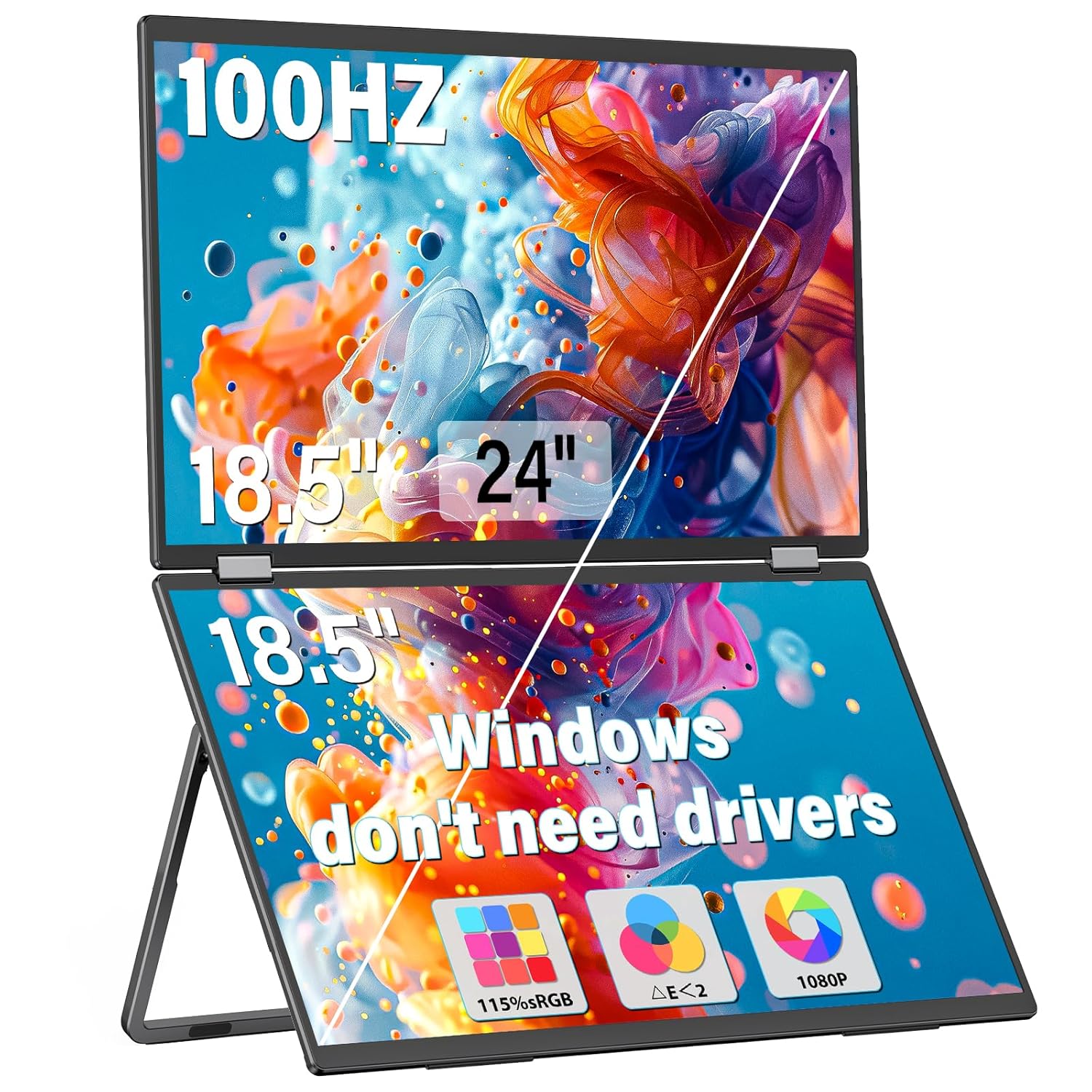
InnoView 18 5 100Hz Dual Portable Monitor Built-in Speakers 115 sRGB 315 Adjustable Dual Stacked Folding Monitor Wins
 1 / 8
Prices are shown for browsing. Purchases are currently unavailable.
InnoView 18 5 100Hz Dual Portable Monitor Built-in Speakers 115 sRGB 315 Adjustable Dual Stacked Folding Monitor Wins, $524.99, Availability unknown. Image 1 of 8.
- Selected option
- InnoView 18 5 100Hz Dual Portable Monitor Built-in Speakers 115 sRGB 315 Adjustable Dual Stacked Folding Monitor Wins
- SKU
- JC11991
Source specifications
- Brand
- InnoView
- Screen Size
- 18.5 Inches
- Resolution
- FHD 1080p
- Aspect Ratio
- 16:9
- Screen Surface Description
- Matte
- Product Dimensions
- 10.1 x 16.65 x 0.96 inches
- Item Weight
- 7.09 pounds
- Manufacturer
- InnoView
- Item model number
- INVPM509-02B
- Standing screen display size
- 18.5 Inches
- Resolution
- 1920 x 1080 Pixels
The details
About this item
Product description The video showcases the product in use. The video guides you through product setup. The video compares multiple products. The video shows the product being unpacked. 18.5 Inch Dual Portable Monitor Merchant Video Previous page Next page 1 Easy Learning 2 Multiplayer Collaboration 3 Work Efficiently 4 Compatible Brackets 5 No driver required Previous page Next page 1 115% sRGB 2 100Hz Refresh Rate 3 Wide Perspective 4 Dual Speaker 5 Reduced Visual Fatigue Previous page Next page 1 Multimodal 2 Type-C Connection 3 HDMI Connection 4 Compatible Devices Previous page Next page The video showcases the product in use. The video guides you through product setup. The video compares multiple products. The video shows the product being unpacked. How to install driver&sep up triple screens on Mac Merchant Video How to install driver&sep up triple screens on 【Easily Connect for Increased Productivity】This InnoView Portable Notebook Monitor connects to Windows and MacOS systems for use without installing drivers, reducing the need for complicated installation steps, and connects to the device with one Type-C cable for signal and another c cable for power, whether you're openi
- 【Easily Connect for Increased Productivity】This InnoView Portable Notebook Monitor connects to Windows and MacOS systems for use without installing drivers, reducing the need for complicated installation steps, and connects to the device with one Type-C cable for signal and another c cable for power, whether you're opening multiple spreadsheets or browsing the web on a large screen, it's easy.Note: HDMI connection devices only support splicing and copy modes. Windows can use Type-C to achieve extension mode, Mac needs to download the driver system to use it through Type-C.
- 【Smooth Operation Experience】Laptop Screen Extender features a combination of two 18.5-inch screens, 1080P resolution, Full HD IPS A+ screen, 115% sRGB color gamut and 100Hz refresh rate, providing users with excellent color perception and silky smooth operation experience.
- 【Humanized Design for Enhanced Comfort】 The dual monitors come with a 180° adjustable stand and 180° gravity sensor, and support 180° auto-rotation when connected to Windows or Mac. This notebook monitor also supports 90° screen rotation, but you need to set it manually in the system.
- 【Multiple display modes】The laptop monitor has expansion mode, splicing mode and duplication mode, Type-C full-featured cable to connect the device can realize three different display content, which can bring you an efficient working experience Note: HDMI connecting device only supports splicing and duplication mode.
- 【Purchase with Confidence, Reliable Support】Enjoy peace of mind with our 30-day return policy, 18-month guarantee(Excluding damage caused by misuse) and accessible customer service. If you have any questions or concerns, please don't hesitate to contact INNOVIEW (displayed on the back of the monitor).Note:Please make sure you’re powering the monitor by the original power adapter we provided in the package.
From the manufacturer
Product details
Product description The video showcases the product in use. The video guides you through product setup. The video compares multiple products. The video shows the product being unpacked. 18.5 Inch Dual Portable Monitor Merchant Video Previous page Next page 1 Easy Learning 2 Multiplayer Collaboration 3 Work Efficiently 4 Compatible Brackets 5 No driver required Previous page Next page 1 115% sRGB 2 100Hz Refresh Rate 3 Wide Perspective 4 Dual Speaker 5 Reduced Visual Fatigue Previous page Next page 1 Multimodal 2 Type-C Connection 3 HDMI Connection 4 Compatible Devices Previous page Next page The video showcases the product in use. The video guides you through product setup. The video compares multiple products. The video shows the product being unpacked. How to install driver&sep up triple screens on Mac Merchant Video How to install driver&sep up triple screens on Mac Note:To use Extended Mode on your Mac, please download the driver via Type-C. The video showcases the product in use. The video guides you through product setup. The video compares multiple products. The video shows the product being unpacked. How to set up three modes on Windows Merchant Video How to set up three modes on Windows Note: 1.Windows can implement extended mode using Type-C. 2.Extended mode is not supported over HDMI connections. What should l know before buying?
Highlights: 【Easily Connect for Increased Productivity】This InnoView Portable Notebook Monitor connects to Windows and MacOS systems for use without installing drivers, reducing the need for complicated installation steps, and connects to the device with one Type-C cable for signal and another c cable for power, whether you're opening multiple spreadsheets or browsing the web on a large screen, it's easy.Note: HDMI connection devices only support splicing and copy modes. Windows can use Type-C to achieve extension mode, Mac needs to download the driver system to use it through Type-C. 【Smooth Operation Experience】Laptop Screen Extender features a combination of two 18.5-inch screens, 1080P resolution, Full HD IPS A+ screen, 115% sRGB color gamut and 100Hz refresh rate, providing users with excellent color perception and silky smooth operation experience. 【Humanized Design for Enhanced Comfort】 The dual monitors come with a 180° adjustable stand and 180° gravity sensor, and support 180° auto-rotation when connected to Windows or Mac. This notebook monitor also supports 90° screen rotation, but you need to set it manually in the system. 【Multiple display modes】The laptop monitor has expansion mode, splicing mode and duplication mode, Type-C full-featured cable to connect the device can realize three different display content, which can bring you an efficient working experience Note: HDMI connecting device only supports splicing and duplication mode. 【Purchase with Confidence, Reliable
Key details: Product Dimensions: 10.1 x 16.65 x 0.96 inches | Item Weight: 7.09 pounds | Customer Reviews: 4.3 4.3 out of 5 stars (1,498) 4.3 out of 5 stars | Standing screen display size: 18.5 Inches | Aspect Ratio: 16:9 | Resolution: 1920 x 1080 Pixels
What you can expect: 【Easily Connect for Increased Productivity】This InnoView Portable Notebook Monitor connects to Windows and MacOS systems for use without installing drivers, reducing the need for complicated installation steps, and connects to the device with one Type-C cable for signal and another c cable for power, whether you're opening multiple spreadsheets or browsing the web on a large screen, it's easy.Note: HDMI connection devices only support splicing and copy modes. Windows can use Type-C to achieve extension mode, Mac needs to download the driver system to use it through Type-C. 【Smooth Operation Experience】Laptop Screen Extender features a combination of two 18.5-inch screens, 1080P resolution, Full HD IPS A+ screen, 115% sRGB color gamut and 100Hz refresh rate, providing users with excellent color perception and silky smooth operation experience. 【Humanized Design for Enhanced Comfort】 The dual monitors come with a 180° adjustable stand and 180° gravity sensor, and support 180° auto-rotation when connected to Windows or Mac. This notebook monitor also supports 90° screen rotation, but you need to set it manually in the system. 【Multiple display modes】The laptop monitor has expansion mode, splicing mode and duplication mode, Type-C full-featured cable to connect the device can realize three different display content, which can bring you an efficient working experience Note: HDMI connecting device only supports splicing and duplication mode. 【Purchase with Confidence, Reliable Support】Enjoy peace of mind with our 30-day return policy, 18-month guarantee(Excluding damage caused by misuse) and accessible customer service. If
Customer feedback: 4.3/5 average rating.
Customers say: Customers find the portable monitor works well with Chromebooks and appreciate its clarity, with one noting its solid IPS displays.
Review snippets: I bought a competing industrial/portable dual display from another OEM last month, it was okay - but plagued with sleep mode issues, not supporting MST USB C on my intel chipset - and was only 1080p This 4K innoview has / Since starting my business, I work with a lot of spreadsheets, and traveling with only a 14-inch laptop screen was a real struggle. This InnoView 23.8" Dual Portable 4K Monitor completely changed that. The image quality is crisp, sharp, and
Product description The video showcases the product in use. The video guides you through product setup. The video compares multiple products. The video shows the product being unpacked. 18.5 Inch Dual Portable Monitor Merchant Video Previous page Next page 1 Easy Learning 2 Multiplayer Collaboration 3 Work Efficiently 4 Compatible Brackets 5 No driver required Previous page Next page 1 115% sRGB 2 100Hz Refresh Rate 3 Wide Perspective 4 Dual Speaker 5 Reduced Visual Fatigue Previous page Next page 1 Multimodal 2 Type-C Connection 3 HDMI Connection 4 Compatible Devices Previous page Next page The video showcases the product in use. The video guides you through product setup. The video compares multiple products. The video shows the product being unpacked. How to install driver&sep up triple screens on Mac Merchant Video How to install driver&sep up triple screens on Mac Note:To use Extended Mode on your Mac, please download the driver via Type-C. The video showcases the product in use. The video guides you through product setup. The video compares multiple products. The video shows the product being unpacked. How to set up three modes on Windows Merchant Video How to set up three modes on Windows Note: 1.Windows can implement extended mode using Type-C. 2.Extended mode is not supported over HDMI connections. What should l know before buying? Without touchscreen, Bluetooth, Wi-Fi, or battery. Insufficient power from connected devices may cause screen flickering due to high power requirement. We provide a high-wattage charger for optimal display quality. Please use it for best performance. Do I need to install