j5create / Webcams
j5create 360 Degree All Around Meeting Webcam - 1080P HD Video Conference Camera with High Fidelity Microphone USB-C
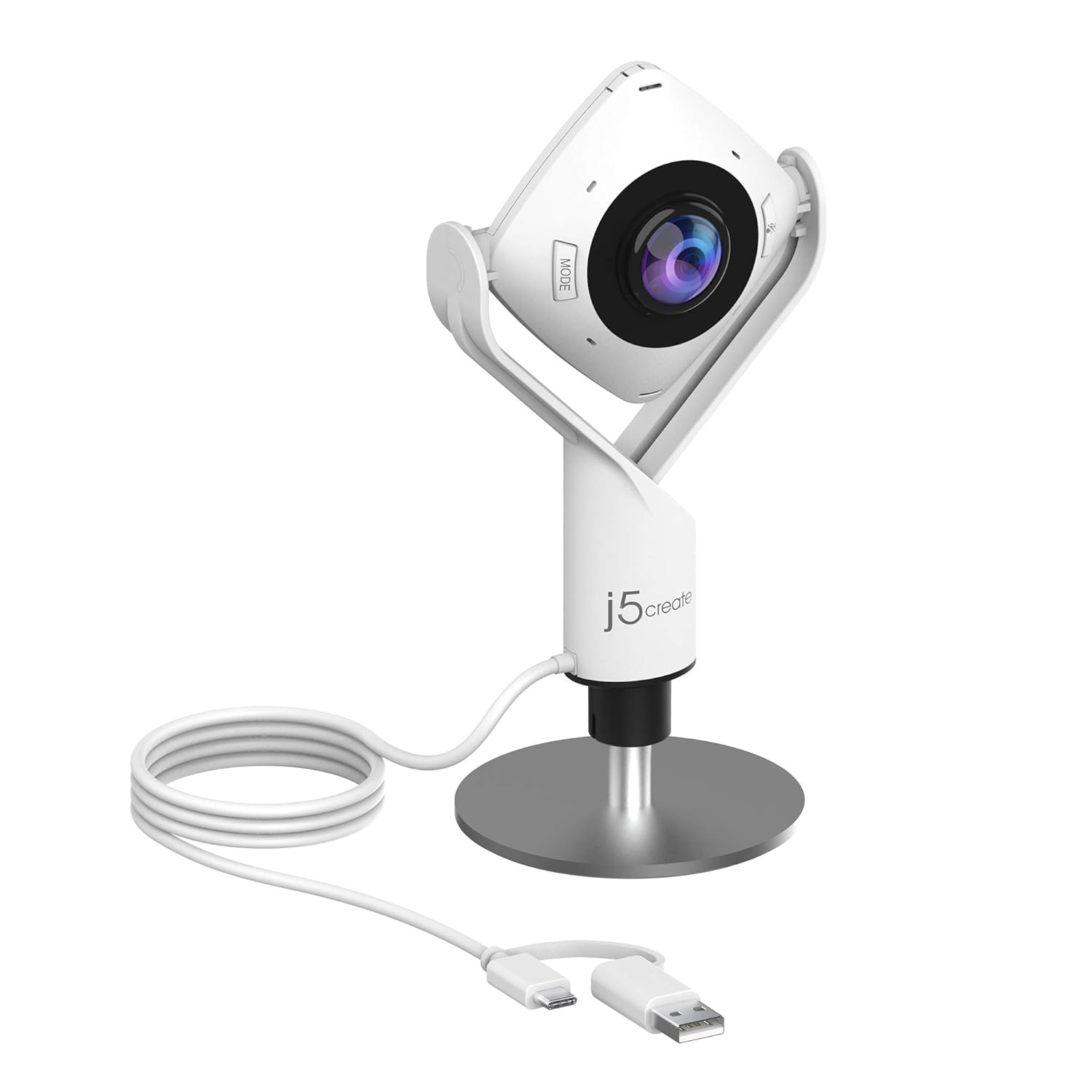 1 / 7
Prices are shown for browsing. Purchases are currently unavailable.
j5create 360 Degree All Around Meeting Webcam - 1080P HD Video Conference Camera with High Fidelity Microphone USB-C, $106.99, Availability unknown. Image 1 of 7.
- Selected option
- j5create 360 Degree All Around Meeting Webcam - 1080P HD Video Conference Camera with High Fidelity Microphone USB-C
- SKU
- JC11041
Source specifications
- Brand
- j5create
- Photo Sensor Technology
- CMOS
- Video Capture Resolution
- 1080p
- Maximum Focal Length
- 1
- Maximum Aperture
- 2 f
- Flash Memory Type
- SDHC
- Video Capture Format
- MP4
- Supported Audio Format
- PCM
- Screen Size
- 360 Inches
- Connectivity Technology
- USB
- Product Dimensions
- 1.46 x 3.68 x 7.6 inches
- Item Weight
- 0.01 ounces
- Item model number
- JVCU360
- Manufacturer
- j5create
The details
About this item
Product description A Better Webcam for Better Video Calls All-in-one virtual meeting device combines HD video with business-grade audio clarity. Built-in Omnidirectional Microphone Gives you the ability to capture every person in the room with clarity. With an audio pickup radius of 10 feet, every participant can be heard. Ultra-Wide Angle Lens with Six Display Modes In addition to the generously wide field of view that the ultra-wide angle lens delivers, the versatile display modes provide a flexible and effective virtual meeting solution, whether it's for remote conferencing, online classes, socially distant events or personal meetings. FAQ Q: Why I get an unexpectedly lower image quality when using Skype or other conferencing software? A: Normally, conferencing softwares like Skype, Zoom, or Teams only support up to 720p for video calls (Skype for Business supports up to 1080p). Furthermore, these programs/apps 360° video conferencing camera with built in ominidirectional microphone; Six display modes deliver exceptional viewing angles with flexibility and versatility; Full HD 1080p video playback @ 30 Hz; USB UVC/UAC plug-and-play with touch bar to specify participants’ locati
- 360° video conferencing camera with built in ominidirectional microphone
- Six display modes deliver exceptional viewing angles with flexibility and versatility
- Full HD 1080p video playback @ 30 Hz
- USB UVC/UAC plug-and-play with touch bar to specify participants’ location. *Note: App permissions may need to be authorized in order to use the camera. An upgrade of the firmware to the latest version may be required in order to optimize the webcam's functionality and resolution.
- Supports your favorite video conferencing apps: Compatible with Skype, Microsoft Teams, Google Meet, Cisco, Zoom, BlueJeans, Amazon Chime, GoToMeeting, Slack
From the manufacturer
Product details
Product description A Better Webcam for Better Video Calls All-in-one virtual meeting device combines HD video with business-grade audio clarity. Built-in Omnidirectional Microphone Gives you the ability to capture every person in the room with clarity. With an audio pickup radius of 10 feet, every participant can be heard. Ultra-Wide Angle Lens with Six Display Modes In addition to the generously wide field of view that the ultra-wide angle lens delivers, the versatile display modes provide a flexible and effective virtual meeting solution, whether it's for remote conferencing, online classes, socially distant events or personal meetings. FAQ Q: Why I get an unexpectedly lower image quality when using Skype or other conferencing software? A: Normally, conferencing softwares like Skype, Zoom, or Teams only support up to 720p for video calls (Skype for Business supports up to 1080p). Furthermore, these programs/apps will adjust image quality based on the internet connection speed. If the connection speed is low, the image quality will be automatically lowered to 480p, 360p, or even less. Touch Bar Control Touch bar control is enabled in Host mode or Dual Host mode. Simply swipe on the touch bar to select the host or to control the viewing angle. USB Plug-and-Play No driver required for Windows, macOS, or Chrome OS! Simply connect the computer/laptop and you're good to go.
Highlights: 360° video conferencing camera with built in ominidirectional microphone Six display modes deliver exceptional viewing angles with flexibility and versatility Full HD 1080p video playback @ 30 Hz USB UVC/UAC plug-and-play with touch bar to specify participants’ location. *Note: App permissions may need to be authorized in order to use the camera. An upgrade of the firmware to the latest version may be required in order to optimize the webcam's functionality and resolution. Supports your favorite video conferencing apps: Compatible with Skype, Microsoft Teams, Google Meet, Cisco, Zoom, BlueJeans, Chime, GoToMeeting, Slack
Key details: Product Dimensions: 1.46 x 3.68 x 7.6 inches | Item Weight: 0.01 ounces | Customer Reviews: 4.4 4.4 out of 5 stars (647) 4.4 out of 5 stars | Is Discontinued By Manufacturer: No
How it fits your day: Use the key specs and highlights above to match it to your setup, space, or routine before you check out.
Customer feedback: 4.4/5 average rating.
Customers say: Customers find the 360-degree camera works well for meetings and is easy to use, being plug-and-play and simple to operate.
Review snippets: I tested this 360-degree all-around camera and was impressed by how much area it covers. The panoramic view eliminates blind spots, making it feel like you’re getting multiple camera angles from a single device. Setup was quick, the app was / Good sound and view. Works well in multiple size rooms. Read more
Product description A Better Webcam for Better Video Calls All-in-one virtual meeting device combines HD video with business-grade audio clarity. Built-in Omnidirectional Microphone Gives you the ability to capture every person in the room with clarity. With an audio pickup radius of 10 feet, every participant can be heard. Ultra-Wide Angle Lens with Six Display Modes In addition to the generously wide field of view that the ultra-wide angle lens delivers, the versatile display modes provide a flexible and effective virtual meeting solution, whether it's for remote conferencing, online classes, socially distant events or personal meetings. FAQ Q: Why I get an unexpectedly lower image quality when using Skype or other conferencing software? A: Normally, conferencing softwares like Skype, Zoom, or Teams only support up to 720p for video calls (Skype for Business supports up to 1080p). Furthermore, these programs/apps will adjust image quality based on the internet connection speed. If the connection speed is low, the image quality will be automatically lowered to 480p, 360p, or even less. Touch Bar Control Touch bar control is enabled in Host mode or Dual Host mode. Simply swipe on the touch bar to select the host or to control the viewing angle. USB Plug-and-Play No driver required for Windows, macOS, or Chrome OS! Simply connect the computer/laptop and you're good to go. Equipped with a USB-C cable and a USB Type-A connector, the webcam works with both your older and newer devices. Works with Your Favorite Video Conferencing Software Compatible with BlueJeans, Cisco, GoToMeeting, Google Meet, Microsoft Teams, Skype, Slack, Zoom, and