Kinhank / Consoles
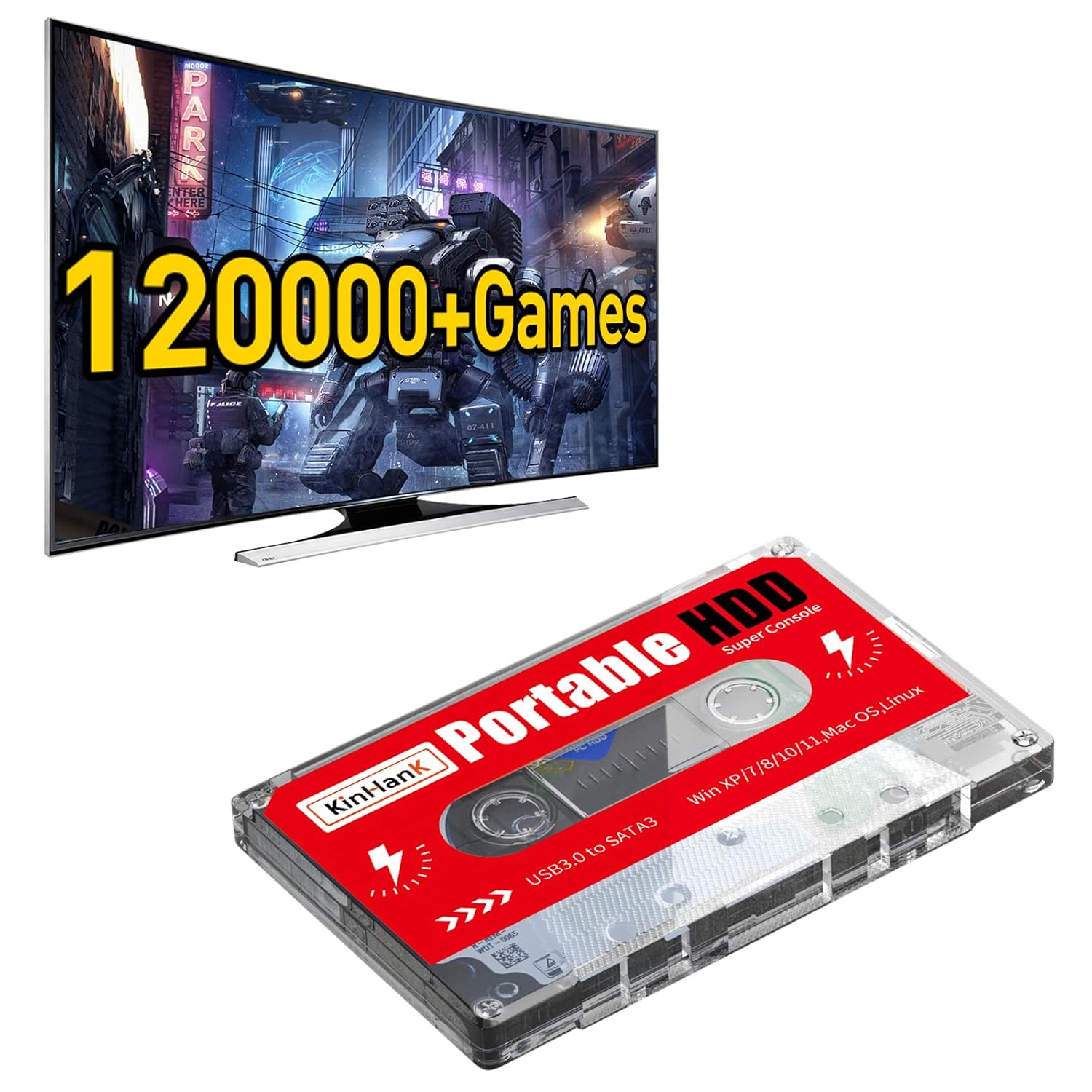
Kinhank 2TB Game Hard Drive Built-in 120000 Games Batocera 33 System External Hard Drive Compatible with Mac OS
 1 / 7
Prices are shown for browsing. Purchases are currently unavailable.
Kinhank 2TB Game Hard Drive Built-in 120000 Games Batocera 33 System External Hard Drive Compatible with Mac OS, $206.38, Availability unknown. Image 1 of 7.
- Selected option
- Kinhank 2TB Game Hard Drive Built-in 120000 Games Batocera 33 System External Hard Drive Compatible with Mac OS
- SKU
- JC13005
Source specifications
- Digital Storage Capacity
- 2 TB
- Hard Disk Interface
- USB 3.0
- Connectivity Technology
- USB
- Brand
- Kinhank
- Special Feature
- Portable
- Hard Disk Form Factor
- 5 Inches
- Hard Disk Description
- Mechanical Hard Disk
- Compatible Devices
- Gaming Console
- Installation Type
- External Hard Drive
- Hard Disk Size
- 2 TB
- Hard Drive
- 2 TB Mechanical Hard Disk
The details
About this item
Product description Super Console X PRO 256G built-in 65000+Games Super Console X Cube 256G Built-in 65000+Games Super Console X King Built-in 88000+Games Super Console X3 Pro Built-in 60000+Games Super Console X2, Built-in 65,000+Games Super Console Cube x3, Built-in 65,000+Games Add to Cart Buying Options Buying Options Buying Options Buying Options Add to Cart Customer Reviews 3.9 out of 5 stars 608 3.8 out of 5 stars 187 2.7 out of 5 stars 5 — — 3.4 out of 5 stars 69 Price $98.99 $ 98 . 99 — no data — no data — no data — no data $129.99 $ 129 . 99 System Android 7.1+Emuelec 3.9 Android 7.1+Emuelec 3.9 EmuELEC 4.5+Android 9.0+CoreELEC Android TV 9.0+EmuELEC 4.6+ CoreE Android TV 9.0+EmuELEC 4.6 EmuELEC 4.5+Android 9.0+CoreELEC Games 65000+Games 65000+Games 88000+Games 60000+Games 65000+Games 65000+Games Chip S905X S905 S922X S905X3 S905X2 S905X3 【Built-in 120000+ Games】:Pre-installed 108 game collections and emulators, built-in 120000+games, including 5000+3D games, (Please contact us for a list of games).; 【Plug and Play】:No driver is needed, just a data cable connection, your computer will instantly become a game console.(Warm Tips: For "how to enter the game system", please r
- 【Built-in 120000+ Games】:Pre-installed 108 game collections and emulators, built-in 120000+games, including 5000+3D games, (Please contact us for a list of games).
- 【Plug and Play】:No driver is needed, just a data cable connection, your computer will instantly become a game console.(Warm Tips: For "how to enter the game system", please refer to our user manual)
- 【Widely Compatible】:Compatible with all X86 system computers/Windows/Linux operating system, suitable for PC, laptop, car audio, and digital playback equipment.(warm tips: If you’d like Batocera as the default booting option, go to the Boot page and set the portable hard drive as Boot Option #1.)
- 【Powerful Performance】:Adopt SATA 3.0 main control chip, support UASP protocol, greatly reduce CPU occupancy rate, data delay, and waiting time.
- 【After-Sales Guarantee】:If you have any questions, you can contact us at any time, we will help you solve the problem, we have a professional technical department to serve you. Solve your worries.
From the manufacturer
Product details
Product description Super Console X PRO 256G built-in 65000+Games Super Console X Cube 256G Built-in 65000+Games Super Console X King Built-in 88000+Games Super Console X3 Pro Built-in 60000+Games Super Console X2, Built-in 65,000+Games Super Console Cube x3, Built-in 65,000+Games Add to Cart Buying Options Buying Options Buying Options Buying Options Add to Cart Customer Reviews 3.9 out of 5 stars 608 3.8 out of 5 stars 187 2.7 out of 5 stars 5 — — 3.4 out of 5 stars 69 Price $98.99 $ 98 . 99 — no data — no data — no data — no data $129.99 $ 129 . 99 System Android 7.1+Emuelec 3.9 Android 7.1+Emuelec 3.9 EmuELEC 4.5+Android 9.0+CoreELEC Android TV 9.0+EmuELEC 4.6+ CoreE Android TV 9.0+EmuELEC 4.6 EmuELEC 4.5+Android 9.0+CoreELEC Games 65000+Games 65000+Games 88000+Games 60000+Games 65000+Games 65000+Games Chip S905X S905 S922X S905X3 S905X2 S905X3 HD/AV Output ✓ ✓ ✓ ✓ ✓ ✓ Number of controllers 2 2 2 2 2 2 How to enter the game system? Connect the portable hard drive to the USB port on your PC or Mac when it’s off, USB 3.0 port is recommended. After pressing the power button, keep tapping ESC or Delete on your keyboard(wired or 2.4g wireless Keyboard, bluetooth keyboard does not work) to enter BIOS. For Mac users, simply hold Option and choose the portable
Highlights: 【Built-in 120000+ Games】:Pre-installed 108 game collections and emulators, built-in 120000+games, including 5000+3D games, (Please contact us for a list of games). 【Plug and Play】:No driver is needed, just a data cable connection, your computer will instantly become a game console.(Warm Tips: For "how to enter the game system", please refer to our user manual) 【Widely Compatible】:Compatible with all X86 system computers/Windows/Linux operating system, suitable for PC, laptop, car audio, and digital playback equipment.(warm tips: If you’d like Batocera as the default booting option, go to the Boot page and set the portable hard drive as Boot Option #1.) 【Powerful Performance】:Adopt SATA 3.0 main control chip, support UASP protocol, greatly reduce CPU occupancy rate, data delay, and waiting time. 【After-Sales Guarantee】:If you have any questions, you can contact us at any time, we will help you solve the problem, we have a professional technical department to serve you. Solve your worries.
Key details: Hard Drive: 2 TB Mechanical Hard Disk | Customer Reviews: 4.2 4.2 out of 5 stars (67) 4.2 out of 5 stars
What you can expect: 【Built-in 120000+ Games】:Pre-installed 108 game collections and emulators, built-in 120000+games, including 5000+3D games, (Please contact us for a list of games). 【Plug and Play】:No driver is needed, just a data cable connection, your computer will instantly become a game console.(Warm Tips: For "how to enter the game system", please refer to our user manual) 【Widely Compatible】:Compatible with all X86 system computers/Windows/Linux operating system, suitable for PC, laptop, car audio, and digital playback equipment.(warm tips: If you’d like Batocera as the default booting option, go to the Boot page and set the portable hard drive as Boot Option #1.) 【Powerful Performance】:Adopt SATA 3.0 main control chip, support UASP protocol, greatly reduce CPU occupancy rate, data delay, and waiting time. 【After-Sales Guarantee】:If you have any questions, you can contact us at any time, we will help you solve the problem, we have a professional technical department to serve you. Solve your worries.
Customer feedback: 4.2/5 average rating.
Customers say: Customers appreciate the hard drive's gaming capabilities, with one mentioning it's great for retro-gaming.
Review snippets: Just got the game drive. Immediately scanned it for viruses with malwarebytes. None found. The drive disconnected itself a few times during the scan (i guess the load was too much for it) It's a 2TB drive with two partitions. / Works exactly as described. Boots up and has so many games. There are duplicates but there are lots that I was supposed were on there. Overall not Abad deal. Sure you could buy a drive and download all of the
Product description Super Console X PRO 256G built-in 65000+Games Super Console X Cube 256G Built-in 65000+Games Super Console X King Built-in 88000+Games Super Console X3 Pro Built-in 60000+Games Super Console X2, Built-in 65,000+Games Super Console Cube x3, Built-in 65,000+Games Add to Cart Buying Options Buying Options Buying Options Buying Options Add to Cart Customer Reviews 3.9 out of 5 stars 608 3.8 out of 5 stars 187 2.7 out of 5 stars 5 — — 3.4 out of 5 stars 69 Price $98.99 $ 98 . 99 — no data — no data — no data — no data $129.99 $ 129 . 99 System Android 7.1+Emuelec 3.9 Android 7.1+Emuelec 3.9 EmuELEC 4.5+Android 9.0+CoreELEC Android TV 9.0+EmuELEC 4.6+ CoreE Android TV 9.0+EmuELEC 4.6 EmuELEC 4.5+Android 9.0+CoreELEC Games 65000+Games 65000+Games 88000+Games 60000+Games 65000+Games 65000+Games Chip S905X S905 S922X S905X3 S905X2 S905X3 HD/AV Output ✓ ✓ ✓ ✓ ✓ ✓ Number of controllers 2 2 2 2 2 2 How to enter the game system? Connect the portable hard drive to the USB port on your PC or Mac when it’s off, USB 3.0 port is recommended. After pressing the power button, keep tapping ESC or Delete on your keyboard(wired or 2.4g wireless Keyboard, bluetooth keyboard does not work) to enter BIOS. For Mac users, simply hold Option and choose the portable hard drive to boot into. Notice: This hard drive will only work with X86 hardware (32bit or 64bit), any ARM based device (Windows Surface series, Mac with power pc CPU or M1 CPU) will not work. The BIOS interface and