metapen / Stylus Pens
Metapen Stylus Pen M2 for Surface Premium 4096 Finest Control Eraser End - Compatible with Surface Pro 7
 1 / 8
Prices are shown for browsing. Purchases are currently unavailable.
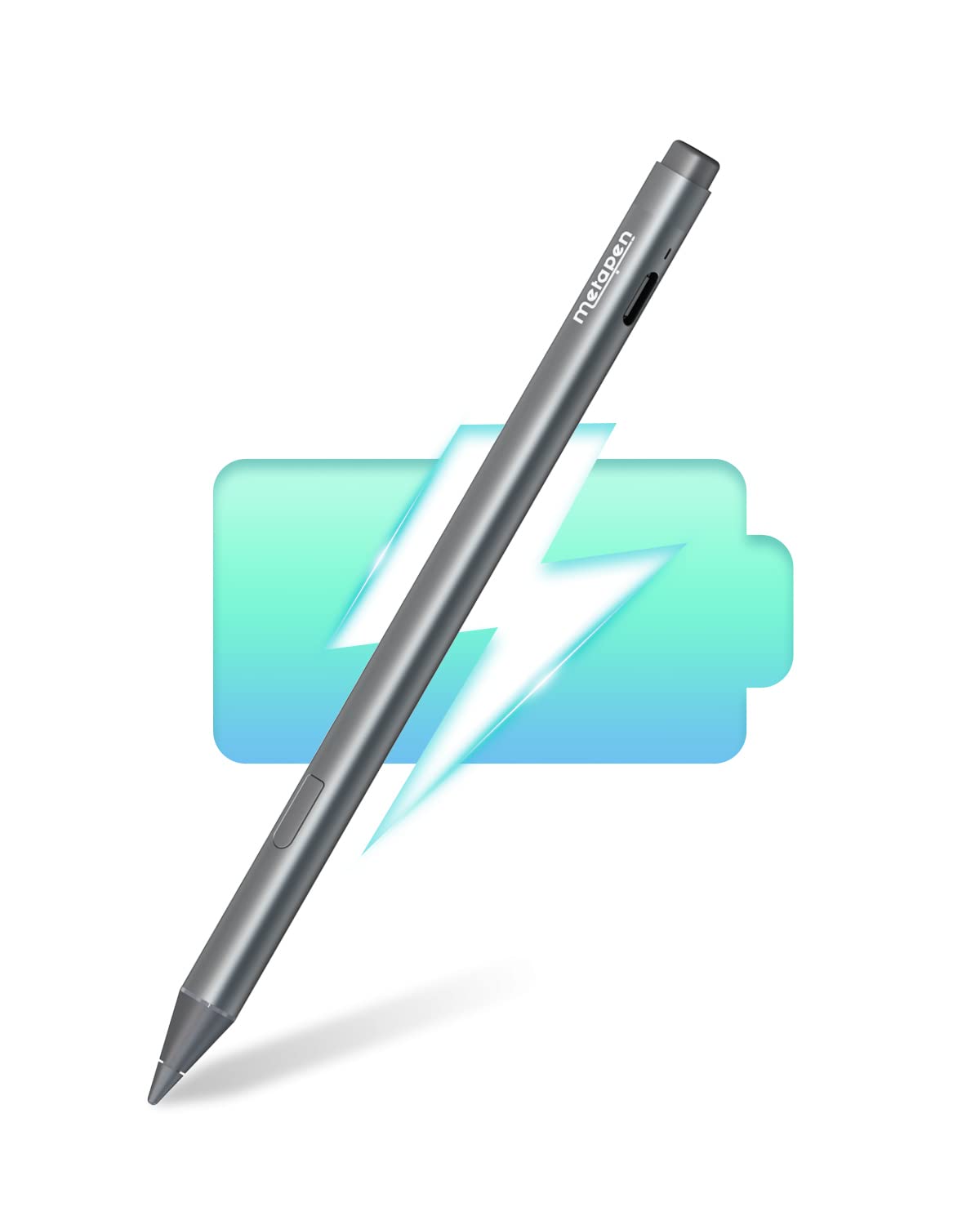
Metapen Stylus Pen M2 for Surface Premium 4096 Finest Control Eraser End - Compatible with Surface Pro 7, $73.98, Availability unknown. Image 1 of 8.
- Selected option
- Metapen Stylus Pen M2 for Surface Premium 4096 Finest Control Eraser End - Compatible with Surface Pro 7
- SKU
- JC15292
Source specifications
- Package Dimensions
- 7.36 x 2.32 x 0.67 inches; 0.49 ounces
- Type of item
- Personal Computers
- Item model number
- ME-MPP702
- Item Weight
- 0.494 ounces
- Manufacturer
- metapen
- Batteries
- 1 Lithium Metal batteries required. (included)
The details
About this item
Product description Previous page Next page Previous page Next page 1 Microsoft 2 ASUS 3 HP 4 DELL 5 KOBO 【Fast Charge & Longer Standby, No Panic】Enjoy Metapen’s leading USB-C fast charging and extended battery life. The M2 takes only 1 hour to fully charge, providing up to 100 hours of use. Charge 5 mins = work 24+ hours of standby time, outperforming most brands on . Perfect for creators, business professionals, and students who need to take notes or draw frequently; 【4096 Finest Control & Tail Eraser】With 4096 levels of pressure sensitivity, the Metapen Stylus M2 is ideal for artists, photographers, and designers. Accurately draw, write, or annotate in any supported app. The eraser on the tail end quickly removes mistakes, allowing you to edit with ease — just Choose your platform/edition, then jump in—story, missions, and extras depend on the version. Rated 4.4 out of 5. Customers find the stylus works well with various devices, including Kobo Libra, Surface Duo, and OneNote, and appreciate its rechargeable battery and strong magnetic attachment.
- 【Fast Charge & Longer Standby, No Panic】Enjoy Metapen’s leading USB-C fast charging and extended battery life. The M2 takes only 1 hour to fully charge, providing up to 100 hours of use. Charge 5 mins = work 24+ hours of standby time, outperforming most brands on Amazon. Perfect for creators, business professionals, and students who need to take notes or draw frequently
- 【4096 Finest Control & Tail Eraser】With 4096 levels of pressure sensitivity, the Metapen Stylus M2 is ideal for artists, photographers, and designers. Accurately draw, write, or annotate in any supported app. The eraser on the tail end quickly removes mistakes, allowing you to edit with ease — just like using a traditional graphite pencil. Windows Ink lets you create sticky notes, capture ideas instantly, and even take and edit screenshots with a single click
- 【Powerful Magnetic Attachment, Never Lose Again】The Metapen M2 firmly attaches to your Microsoft Surface tablets with two stronger built-in magnets, so it’s always ready when inspiration strikes. [Supported Magnetic Attachment Models] Surface Pro 3–Pro 11, Surface Book / Book 2 / Book 3, Surface 3, Surface Go / Go 2 / Go 3, Kobo Libra Colour, Kobo Sage, Kobo Elipsa, Kobo Elipsa 2E
- 【Advanced Cone-Shaped Tip & Premium Feel】Unlike old-fashioned styluses with tubular tips, the Metapen M2 features a cone-shaped tip for stronger signal detection and a streamlined design. The aluminum-alloy body with a rounded-square shape offers a comfortable grip and prevents it from rolling on your desk
- 【Tilt Function & Palm Rejection】The Metapen M2 accurately reproduces both the finest lines and the broadest brush strokes. Tilt the tip up to ±55° to add artistic shading to your drawings. With palm rejection technology, you can rest your hand naturally on the screen without fatigue or accidental touches — and enjoy smooth, uninterrupted writing or drawing
- 【Wide Compatibility】Contact us at support@metapen.com if you are unsure about compatibility. The M2 supports up to the MPP2.0 protocol, compatible with most Microsoft Surface devices and select models from HP, ASUS, Dell, Acer, Sony, and ViewSonic. [Surface Model List] ✔Surface Pro 3/Pro 4/Pro(5th Gen)/Pro 6/Pro 7/Pro 7+/Pro 8/Pro X, ✔Surface Book/Book 2/Book 3, ✔Surface Laptop/Laptop 2/Laptop 3/Laptop 4/Laptop Studio, ✔Surface 3, ✔Surface Go/Go 2/Go 3, ✔Surface Studio/Studio 2
From the manufacturer
Product details
Product description Previous page Next page Previous page Next page 1 Microsoft 2 ASUS 3 HP 4 DELL 5 KOBO
Highlights: 【Fast Charge & Longer Standby, No Panic】Enjoy Metapen’s leading USB-C fast charging and extended battery life. The M2 takes only 1 hour to fully charge, providing up to 100 hours of use. Charge 5 mins = work 24+ hours of standby time, outperforming most brands on . Perfect for creators, business professionals, and students who need to take notes or draw frequently 【4096 Finest Control & Tail Eraser】With 4096 levels of pressure sensitivity, the Metapen Stylus M2 is ideal for artists, photographers, and designers. Accurately draw, write, or annotate in any supported app. The eraser on the tail end quickly removes mistakes, allowing you to edit with ease — just like using a traditional graphite pencil. Windows Ink lets you create sticky notes, capture ideas instantly, and even take and edit screenshots with a single click 【Powerful Magnetic Attachment, Never Lose Again】The Metapen M2 firmly attaches to your Microsoft Surface tablets with two stronger built-in magnets, so it’s always ready when inspiration strikes. [Supported Magnetic Attachment Models] Surface Pro 3–Pro 11, Surface Book / Book 2 / Book 3, Surface 3, Surface Go / Go 2 / Go 3, Kobo Libra Colour, Kobo Sage, Kobo Elipsa, Kobo Elipsa 2E 【Advanced Cone-Shaped Tip & Premium Feel】Unlike old-fashioned styluses with tubular tips, the Metapen M2 features a cone-shaped tip for stronger signal
Key details: Customer Reviews: 4.4 4.4 out of 5 stars (2,073) 4.4 out of 5 stars | Package Dimensions: 7.36 x 2.32 x 0.67 inches; 0.49 ounces | Type of item: Personal Computers | Item Weight: 0.494 ounces | Batteries: 1 Lithium Metal batteries required. (included)
What you can expect: 【Fast Charge & Longer Standby, No Panic】Enjoy Metapen’s leading USB-C fast charging and extended battery life. The M2 takes only 1 hour to fully charge, providing up to 100 hours of use. Charge 5 mins = work 24+ hours of standby time, outperforming most brands on . Perfect for creators, business professionals, and students who need to take notes or draw frequently 【4096 Finest Control & Tail Eraser】With 4096 levels of pressure sensitivity, the Metapen Stylus M2 is ideal for artists, photographers, and designers. Accurately draw, write, or annotate in any supported app. The eraser on the tail end quickly removes mistakes, allowing you to edit with ease — just like using a traditional graphite pencil. Windows Ink lets you create sticky notes, capture ideas instantly, and even take and edit screenshots with a single click 【Powerful Magnetic Attachment, Never Lose Again】The Metapen M2 firmly attaches to your Microsoft Surface tablets with two stronger built-in magnets, so it’s always ready when inspiration strikes. [Supported Magnetic Attachment Models] Surface Pro 3–Pro 11, Surface Book / Book 2 / Book 3, Surface 3, Surface Go / Go 2 / Go 3, Kobo Libra Colour, Kobo Sage, Kobo Elipsa, Kobo Elipsa 2E 【Advanced Cone-Shaped Tip & Premium Feel】Unlike old-fashioned styluses with tubular tips, the Metapen M2 features a cone-shaped tip for stronger signal detection and a streamlined design. The aluminum-alloy body with a rounded-square shape offers a comfortable grip and prevents it from
Customer feedback: 4.4/5 average rating.
Customers say: Customers find the stylus works well with various devices, including Kobo Libra, Surface Duo, and OneNote, and appreciate its rechargeable battery and strong magnetic attachment.
Review snippets: I've been using this pen for several months now and I can definitely say this is a VERY good pen. The M2 feels quite comfortable in hand much like an apple pencil and writes with no lag. The nibs are / I bought a MS Surface Pro 11 and put a screen protector on it. I tried 3 different pens on it: the MS Surface Pen Slim, which was $100 on sale, and the HP Active Rechargeable Tilt Pen MPP 2,