PTGTO / Auxiliary Input Adapters
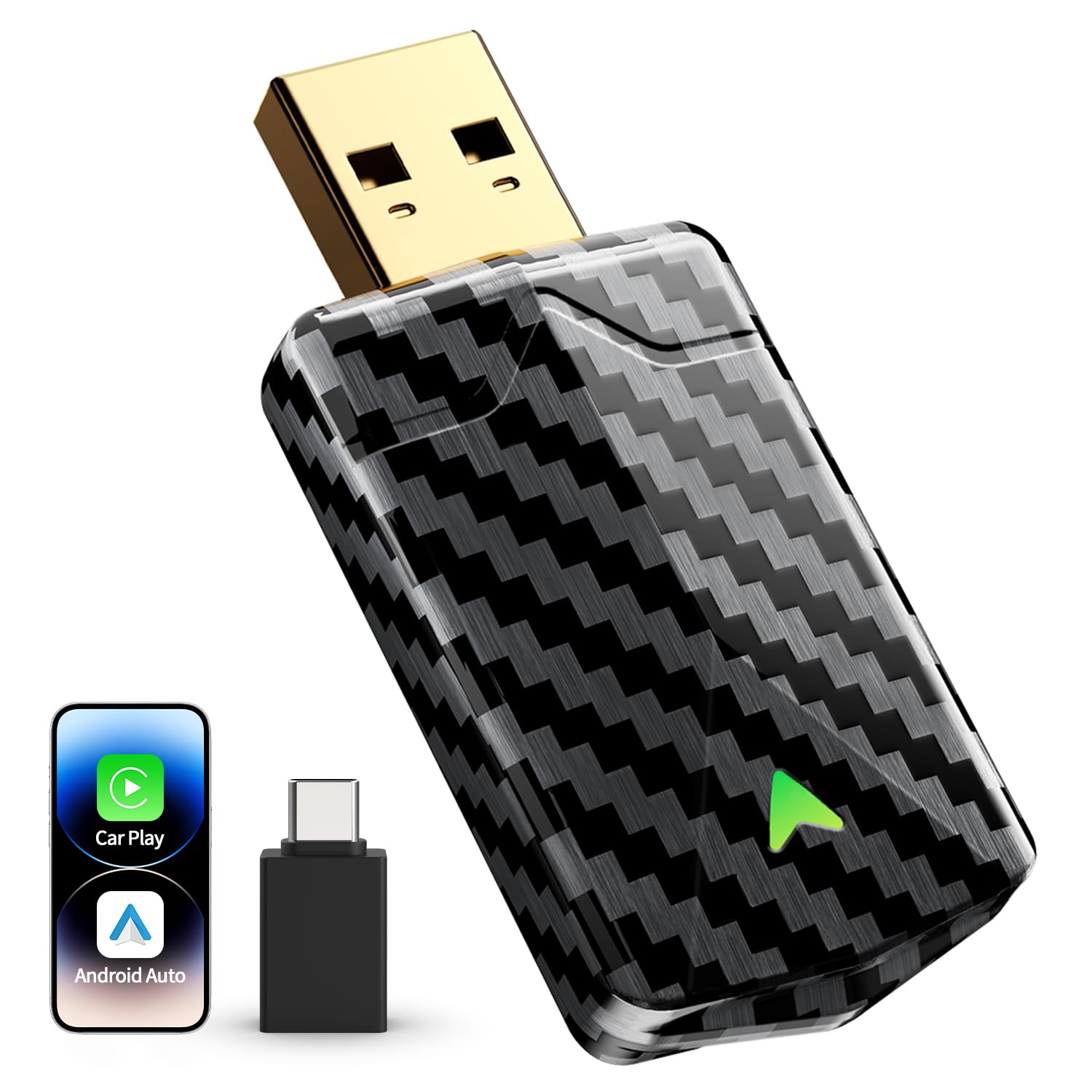
Mini Wireless CarPlay Adapter for iPhone Android Auto 2026 Upgrade No Delay Fast Stable Connection Plug Play Converts
 1 / 9
Prices are shown for browsing. Purchases are currently unavailable.
Mini Wireless CarPlay Adapter for iPhone Android Auto 2026 Upgrade No Delay Fast Stable Connection Plug Play Converts, $71.76, Availability unknown. Image 1 of 9.
- Selected option
- Mini Wireless CarPlay Adapter for iPhone Android Auto 2026 Upgrade No Delay Fast Stable Connection Plug Play Converts
- SKU
- JC14663
Source specifications
- Compatible Devices
- Android Phone(Android 11+), iPhone 6, iPhone 6 Plus, iPhone 6s, iPhone 6s Plus, iPhone 7, iPhone 7 Plus, iPhone 8, iPhone 8 Plus, iPhone X, iPhone XR, iPhone XS, iPhone XS Max, iPhone 11, iPhone 11 Pro, iPhone 11 Pro Max, iPhone SE (2nd generation), iPhone 12, iPhone 12 mini, iPhone 12 Pro, iPhone 12 Pro Max, iPhone 13, iPhone 13 mini, iPhone 13 Pro, iPhone 13 Pro Max, iPhone SE (3rd generation), iPhone 14, iPhone 14 Plus, iPhone 14 Pro, iPhone 14 Pro Max, iPhone 15, iPhone 15 Plus, iPhone 15 Pro, iPhone 15 Pro Max., Apple iPhone 6 and above series with iOS 10+ versions See more
- Connector Type
- USB Type A, USB Type C
- Color
- Black
- Item dimensions L x W x H
- 2.09 x 0.43 x 0.95 inches
- Brand
- PTGTO
- Product Dimensions
- 2.09 x 0.43 x 0.95 inches
- Item Weight
- 2.08 ounces
- Item model number
- Carplay CA6
- Manufacturer
- PTGTO
The details
About this item
Product description Previous page Next page Pre-Purchase Guide Confirm Wired CarPlay/AA in Your Car First Before purchasing the adapter, we strongly recommend you confirm if your vehicle has factory-installed wired CarPlay or Android Auto by connecting your phone to your car’s screen with a USB cable. Verify Phone-Car Compatibility Wireless CarPlay = Car with factory-original CarPlay + iPhone 6+ on iOS 10+ Wireless AA = Car with factory-original AA + Android phone on Android 10+ Most cars made after 2016 work with CarPlay or AA. But BMW, Tesla, and Nissan models (2022+) don’t support it. How to Perform Initial Setup For Android Phones & iPhones on iOS 17 or below Plug into car's USB data port Turn on your phone's Wi-Fi & Bluetooth, ensure Wi-Fi is unoccupied Pair with the adapter Bluetooth (smartBox-xxxx) Upon success, Wi-Fi auto-connects (no password needed) 🚀 Instant Play No Delay No Interruptions:Experience a connection that's not just stable, but instantly responsive. Our wireless CarPlay adapter delivers significantly faster speeds and near-zero latency, ensuring your navigation instructions, music, and calls are in perfect sync with no annoying delays. This unwavering stabili
- 🚀 Instant Play No Delay No Interruptions:Experience a connection that's not just stable, but instantly responsive. Our wireless CarPlay adapter delivers significantly faster speeds and near-zero latency, ensuring your navigation instructions, music, and calls are in perfect sync with no annoying delays. This unwavering stability comes from a gold-plated USB connector for superior signal integrity and a deep-seated design that locks securely in place—no more disconnections, even on bumpy roads
- 🏆 Stable on Long Drives No Overheating: Power your drives with our advanced Car Play wireless adapter! Its dual-core processor ensures ultra-no delay navigation, crystal-clear calls, and transfers data up to 3x faster than basic adapters. Crucially, intelligent engineering actively prevents overheating—enjoy consistently smooth, safe performance even on long drives. Worry-free connectivity starts here
- ⚡ Easy Setup & Quick Reconnect: Experience effortless connectivity with this Wireless CarPlay Adapter for iPhone. Just plug it into your car's USB-A or Type-C port, pair once, and enjoy automatic reconnection in about 5 seconds—every time. Truly intuitive and fuss-free: no apps needed, works seamlessly even with your phone in your pocket, delivering consistently easy, high-performance CarPlay on every drive
- 🔥 Ultra Compact & Sleek Carbon Fiber-Style Design: Elevate your drive with this premium Wireless CarPlay Adapter for Apple. Its ultra-compact size and striking carbon fiber-style housing seamlessly upgrade your wired CarPlay and Android Auto while blending with your car's interior. Eliminate cable tangles for a clean, sophisticated look, and enjoy the refined convenience of wireless freedom on every journey
- 🚗Cut the Cord True Wireless Freedom: Instantly transform your factory-wired CarPlay into wireless freedom with this bluetooth CarPlay adapter. Effortlessly control navigation, music, calls, and Siri voice commands using your car's native touchscreen, knobs, or steering wheel controls. Safety First: Designed for secure driving, the CarPlay wireless adapter intelligently restricts video playback apps like YouTube and Netflix while in motion
- ✅ Universal Fit for CarPlay & Android Auto Vehicles: This Android Auto wireless adapter is designed to work with most factory-wired CarPlay or Android Auto in vehicles from 2016+. It compatible with iPhone 6 and later (iOS 10+) and Android phones (Android 11+). The package includes both USB-A/C adapters for versatile, plug & play connectivity with nearly any setup. ⚠ Note: This adapter is not designed for use with BMW or Tesla vehicles
- 🛡️Worry-Free Safety & Expert Support: Drive with confidence knowing this Android Auto wireless adapter is rigorously FCC-certified for safe, interference-free operation. Backed by our dedicated based team, access 24/7 expert support, timeless firmware updates, and live troubleshooting—ensuring smooth performance from day one and throughout your ownership
From the manufacturer
Product details
Product description Previous page Next page Pre-Purchase Guide Confirm Wired CarPlay/AA in Your Car First Before purchasing the adapter, we strongly recommend you confirm if your vehicle has factory-installed wired CarPlay or Android Auto by connecting your phone to your car’s screen with a USB cable. Verify Phone-Car Compatibility Wireless CarPlay = Car with factory-original CarPlay + iPhone 6+ on iOS 10+ Wireless AA = Car with factory-original AA + Android phone on Android 10+ Most cars made after 2016 work with CarPlay or AA. But BMW, Tesla, and Nissan models (2022+) don’t support it. How to Perform Initial Setup For Android Phones & iPhones on iOS 17 or below Plug into car's USB data port Turn on your phone's Wi-Fi & Bluetooth, ensure Wi-Fi is unoccupied Pair with the adapter Bluetooth (smartBox-xxxx) Upon success, Wi-Fi auto-connects (no password needed) Caution: Since the adapter uses your phone’s Wi-Fi, your phone gets internet only via SIM For iPhones on iOS 18 or above Plug into car's USB data port Turn on your phone's Wi-Fi & Bluetooth, ensure Wi-Fi is unoccupied CarPlay Pairing: S ettings > General > CarPlay > smartBox-xxxx Upon success, Wi-Fi auto-connects (no password) Caution: If the adapter uses the phone’s Wi-Fi, your phone gets internet only via SIM How to Get After-Sales Support Online Update & Factory Reset
Highlights: 🚀 Instant Play No Delay No Interruptions:Experience a connection that's not just stable, but instantly responsive. Our wireless CarPlay adapter delivers significantly faster speeds and near-zero latency, ensuring your navigation instructions, music, and calls are in perfect sync with no annoying delays. This unwavering stability comes from a gold-plated USB connector for superior signal integrity and a deep-seated design that locks securely in place—no more disconnections, even on bumpy roads 🏆 Stable on Long Drives No Overheating: Power your drives with our advanced Car Play wireless adapter! Its dual-core processor ensures ultra-no delay navigation, crystal-clear calls, and transfers data up to 3x faster than basic adapters. Crucially, intelligent engineering actively prevents overheating—enjoy consistently smooth, safe performance even on long drives. Worry-free connectivity starts here ⚡ Easy Setup & Quick Reconnect: Experience effortless connectivity with this Wireless CarPlay Adapter for iPhone. Just plug it into your car's USB-A or Type-C port, pair once, and enjoy automatic reconnection in about 5 seconds—every time. Truly intuitive and fuss-free: no apps needed, works seamlessly even with your phone in your pocket, delivering consistently easy, high-performance CarPlay on every drive 🔥 Ultra Compact & Sleek Carbon Fiber-Style Design: Elevate your drive with this premium Wireless CarPlay Adapter for Apple. Its ultra-compact size and striking carbon fiber-style housing seamlessly upgrade your wired CarPlay and Android Auto
Key details: Product Dimensions: 2.09 x 0.43 x 0.95 inches | Item Weight: 2.08 ounces | Customer Reviews: 4.5 4.5 out of 5 stars (439) 4.5 out of 5 stars
How it fits your day: Use the key specs and highlights above to match it to your setup, space, or routine before you check out.
Customer feedback: 4.5/5 average rating.
Customers say: Customers find the car adapter easy to set up with a foolproof plug-and-play design, and appreciate its mini size that disappears into the dashboard. Customers consider it worth the price, with one noting it's an affordable way to modernize older vehicles.
Review snippets: This wireless CarPlay adapter is amazing! It was super easy to set up and the compact size means it fits perfectly without cluttering anything. CarPlay connects quickly and works flawlessly every time—no lag, no issues. It makes using CarPlay an / My parents aren’t tech-savvy at all, but they had this adapter working in minutes. The plug-and-play design is truly foolproof — no apps, no settings, just plug it in and pair once. Now it connects automatically every time they start
Product description Previous page Next page Pre-Purchase Guide Confirm Wired CarPlay/AA in Your Car First Before purchasing the adapter, we strongly recommend you confirm if your vehicle has factory-installed wired CarPlay or Android Auto by connecting your phone to your car’s screen with a USB cable. Verify Phone-Car Compatibility Wireless CarPlay = Car with factory-original CarPlay + iPhone 6+ on iOS 10+ Wireless AA = Car with factory-original AA + Android phone on Android 10+ Most cars made after 2016 work with CarPlay or AA. But BMW, Tesla, and Nissan models (2022+) don’t support it. How to Perform Initial Setup For Android Phones & iPhones on iOS 17 or below Plug into car's USB data port Turn on your phone's Wi-Fi & Bluetooth, ensure Wi-Fi is unoccupied Pair with the adapter Bluetooth (smartBox-xxxx) Upon success, Wi-Fi auto-connects (no password needed) Caution: Since the adapter uses your phone’s Wi-Fi, your phone gets internet only via SIM For iPhones on iOS 18 or above Plug into car's USB data port Turn on your phone's Wi-Fi & Bluetooth, ensure Wi-Fi is unoccupied CarPlay Pairing: S ettings > General > CarPlay > smartBox-xxxx Upon success, Wi-Fi auto-connects (no password) Caution: If the adapter uses the phone’s Wi-Fi, your phone gets internet only via SIM How to Get After-Sales Support Online Update & Factory Reset Online update & Factory Reset can solve 98% of the issue. Plug the adapter into a phone charger with 5V 1A output. Turn on your phone’s Wi-Fi, then connect it to the adapter’s Wi-Fi. Password: 88888888 Go to the URL