Pixio / Monitors
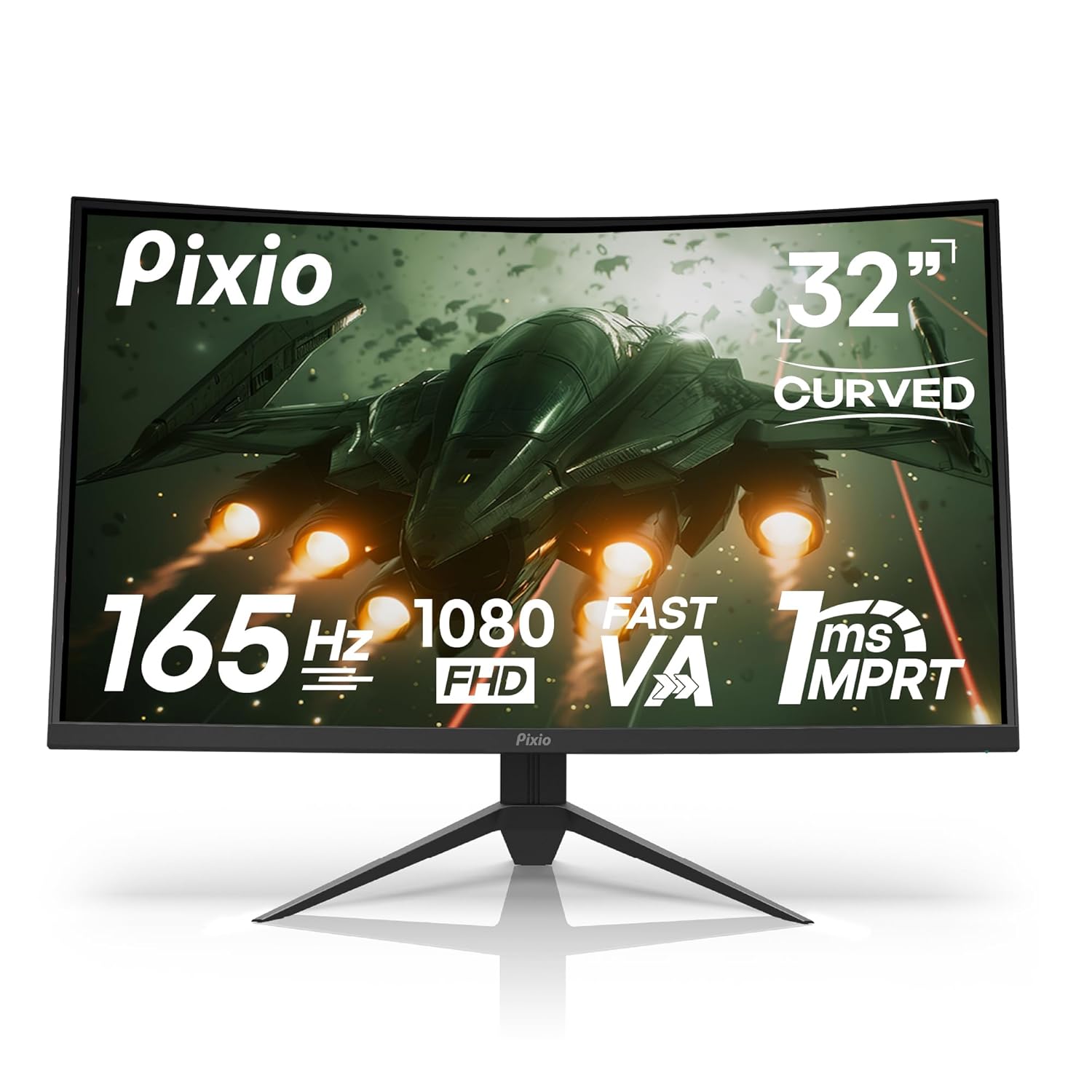
Pixio PXC325 32 inch 165Hz Refresh Rate FHD 1080p Resolution 1500R Curved VA Panel 1ms MPRT Response Time
 1 / 7
Prices are shown for browsing. Purchases are currently unavailable.
Pixio PXC325 32 inch 165Hz Refresh Rate FHD 1080p Resolution 1500R Curved VA Panel 1ms MPRT Response Time, $287.98, Availability unknown. Image 1 of 7.
- Selected option
- Pixio PXC325 32 inch 165Hz Refresh Rate FHD 1080p Resolution 1500R Curved VA Panel 1ms MPRT Response Time
- SKU
- JC18303
Source specifications
- Brand
- Pixio
- Screen Size
- 32 Inches
- Resolution
- FHD 1080p
- Aspect Ratio
- 16:9
- Screen Surface Description
- Glossy
- Product Dimensions
- 9.9 x 27.99 x 20.7 inches
- Item Weight
- 13.01 pounds
- Manufacturer
- Pixio
- Item model number
- PXC325
- Standing screen display size
- 32 Inches
- Voltage
- 19 Volts
- Resolution
- 1920 x 1080 Pixels
- Image brightness
- 350 Candela
The details
About this item
Product description Previous page Next page 1 Fast Refresh Rate 2 Speedy Response Time 3 Adaptive Sync 4 Wide Color Gamut Previous page Next page 1 Game Assist 2 Blue Light Filter 3 Display Input 4 Measurements Technical Specifications Screen Size 32" Panel Type VA Curved Resolution 1920x1080p Frequency 165Hz Brightness 350nits (Max) Aspect Ratio 16:9 Viewing Angle H:178º,V:178º (CR>10) Response Time 1ms (GTG) Contrast Ratio 4000:1 Color Gamut 132.38% sRGB | 97.58% DCI-P3 | 93.76% NTSC Connectivity DP1.4(165Hz) x2 | HDMI2.0(165Hz) x1 | Earphone Jack x1 Mount Pattern 100mmx100mm Mount Screw Size M4*15mm Speakers No Dimensions (W x H x D) 27.99'' x 20.70'' x 9.90'' (With Stand) Dimensions (W x H x D) 27.99'' x 16.64'' x 3.85'' (Without Stand) My monitor shows No Signal then goes into power saving mode. How do I fix this? There is Curved 1500R Panel - Experience a more immersive and engaging gaming experienced with the curved panel monitor wrapping around your field of vision. You'll feel like you're right in the middle of the action, with no distractions.; 165Hz Refresh Rate - Experience smoother gameplay and more immersive visuals in fast-paced games and high-action scenes with the
- Curved 1500R Panel - Experience a more immersive and engaging gaming experienced with the curved panel monitor wrapping around your field of vision. You'll feel like you're right in the middle of the action, with no distractions.
- 165Hz Refresh Rate - Experience smoother gameplay and more immersive visuals in fast-paced games and high-action scenes with the 165Hz refresh rate of the Pixio PXC325 monitor.
- Vibrant HDR for Richer Colors - High Dynamic Range (HDR) support enhances color contrast, brightness, and detail, delivering more lifelike visuals with deeper blacks and brighter whites for an immersive viewing experience.
- 1ms MPRT Response Time - Eliminate ghosting and blurring with the 1ms MPRT response time of our monitor. Experience no motion blur, even in fast-paced games and videos. 1ms response time MPRT provides immersive viewing eperience by reducing motion blur and making images crisp and clear.
- Supports both HDMI and DisplayPort - Therea re two DisplayPort 1.4 and HDMI 2.0 connections, each supporting up to 1920x1080@165Hz. This assures maximum compatibility for PC desktops, laptops, consoles, or any device that supports DisplayPort or HDMI.
- The PXC325 is the perfect budget-friendly option for gamers who want a wide, curved gaming monitor with a high refresh rate. With its 1500R curved VA panel, 165Hz refresh rate, and 1ms MPRT response time, the PXC325 delivers immersive and responsive gameplay at a fraction of the cost of other ultrawide gaming monitors. If you're looking for an affordable ultrawide gaming monitor with a high refresh rate, the PXC325 is the perfect choice for you.
From the manufacturer
Product details
Product description Previous page Next page 1 Fast Refresh Rate 2 Speedy Response Time 3 Adaptive Sync 4 Wide Color Gamut Previous page Next page 1 Game Assist 2 Blue Light Filter 3 Display Input 4 Measurements Technical Specifications Screen Size 32" Panel Type VA Curved Resolution 1920x1080p Frequency 165Hz Brightness 350nits (Max) Aspect Ratio 16:9 Viewing Angle H:178º,V:178º (CR>10) Response Time 1ms (GTG) Contrast Ratio 4000:1 Color Gamut 132.38% sRGB | 97.58% DCI-P3 | 93.76% NTSC Connectivity DP1.4(165Hz) x2 | HDMI2.0(165Hz) x1 | Earphone Jack x1 Mount Pattern 100mmx100mm Mount Screw Size M4*15mm Speakers No Dimensions (W x H x D) 27.99'' x 20.70'' x 9.90'' (With Stand) Dimensions (W x H x D) 27.99'' x 16.64'' x 3.85'' (Without Stand) My monitor shows No Signal then goes into power saving mode. How do I fix this? There is a shortcut key that allows you to enter the input selection menu, even when the monitor is in Power Saving mode. The key is different for each model, so please consult the manual to find the input selection shortcut key for your monitor. How do I turn off/on my monitor? There is usually a jog button behind the monitor or a power button along the bottom-bezel of the monitor. While it is off, pressing the button once will turn on
Highlights: Curved 1500R Panel - Experience a more immersive and engaging gaming experienced with the curved panel monitor wrapping around your field of vision. You'll feel like you're right in the middle of the action, with no distractions. 165Hz Refresh Rate - Experience smoother gameplay and more immersive visuals in fast-paced games and high-action scenes with the 165Hz refresh rate of the Pixio PXC325 monitor. Vibrant HDR for Richer Colors - High Dynamic Range (HDR) support enhances color contrast, brightness, and detail, delivering more lifelike visuals with deeper blacks and brighter whites for an immersive viewing experience. 1ms MPRT Response Time - Eliminate ghosting and blurring with the 1ms MPRT response time of our monitor. Experience no motion blur, even in fast-paced games and videos. 1ms response time MPRT provides immersive viewing eperience by reducing motion blur and making images crisp and clear. Supports both HDMI and DisplayPort - Therea re two DisplayPort 1.4 and HDMI 2.0 connections, each supporting up to 1920x1080@165Hz. This assures maximum compatibility for PC desktops, laptops, consoles, or any device that supports DisplayPort or HDMI. The PXC325 is the perfect budget-friendly option for gamers who want a wide, curved gaming monitor with a high refresh rate. With its 1500R curved VA panel, 165Hz refresh rate, and 1ms MPRT response time, the PXC325 delivers immersive and responsive
Key details: Product Dimensions: 9.9 x 27.99 x 20.7 inches | Item Weight: 13.01 pounds | Customer Reviews: 4.5 4.5 out of 5 stars (845) 4.5 out of 5 stars | Standing screen display size: 32 Inches | Aspect Ratio: 16:9 | Voltage: 19 Volts | Resolution: 1920 x 1080 Pixels | Image brightness: 350 Candela
What you can expect: Curved 1500R Panel - Experience a more immersive and engaging gaming experienced with the curved panel monitor wrapping around your field of vision. You'll feel like you're right in the middle of the action, with no distractions. 165Hz Refresh Rate - Experience smoother gameplay and more immersive visuals in fast-paced games and high-action scenes with the 165Hz refresh rate of the Pixio PXC325 monitor. Vibrant HDR for Richer Colors - High Dynamic Range (HDR) support enhances color contrast, brightness, and detail, delivering more lifelike visuals with deeper blacks and brighter whites for an immersive viewing experience. 1ms MPRT Response Time - Eliminate ghosting and blurring with the 1ms MPRT response time of our monitor. Experience no motion blur, even in fast-paced games and videos. 1ms response time MPRT provides immersive viewing eperience by reducing motion blur and making images crisp and clear. Supports both HDMI and DisplayPort - Therea re two DisplayPort 1.4 and HDMI 2.0 connections, each supporting up to 1920x1080@165Hz. This assures maximum compatibility for PC desktops, laptops, consoles, or any device that supports DisplayPort or HDMI. The PXC325 is the perfect budget-friendly option for gamers who want a wide, curved gaming monitor with a high refresh rate. With its 1500R curved VA panel, 165Hz refresh rate, and 1ms MPRT response time, the PXC325 delivers immersive and responsive gameplay at a fraction of the cost of other ultrawide gaming monitors. If you're looking for an affordable ultrawide gaming
Customer feedback: 4.5/5 average rating.
Customers say: Customers find the monitor to be well-made and good value for money, with positive feedback about its gaming capabilities and fast refresh rate.
Review snippets: Great monitor for the price! Really like it so far. No issues, easy setup. Read more / This is a perfect monitor for me, easy to set up, works really well, and has a really good picture and brightness, in the menus it has so much different adjustments the makes sorting threw everything really good, Read more
Product description Previous page Next page 1 Fast Refresh Rate 2 Speedy Response Time 3 Adaptive Sync 4 Wide Color Gamut Previous page Next page 1 Game Assist 2 Blue Light Filter 3 Display Input 4 Measurements Technical Specifications Screen Size 32" Panel Type VA Curved Resolution 1920x1080p Frequency 165Hz Brightness 350nits (Max) Aspect Ratio 16:9 Viewing Angle H:178º,V:178º (CR>10) Response Time 1ms (GTG) Contrast Ratio 4000:1 Color Gamut 132.38% sRGB | 97.58% DCI-P3 | 93.76% NTSC Connectivity DP1.4(165Hz) x2 | HDMI2.0(165Hz) x1 | Earphone Jack x1 Mount Pattern 100mmx100mm Mount Screw Size M4*15mm Speakers No Dimensions (W x H x D) 27.99'' x 20.70'' x 9.90'' (With Stand) Dimensions (W x H x D) 27.99'' x 16.64'' x 3.85'' (Without Stand) My monitor shows No Signal then goes into power saving mode. How do I fix this? There is a shortcut key that allows you to enter the input selection menu, even when the monitor is in Power Saving mode. The key is different for each model, so please consult the manual to find the input selection shortcut key for your monitor. How do I turn off/on my monitor? There is usually a jog button behind the monitor or a power button along the bottom-bezel of the monitor. While it is off, pressing the button once will turn on the monitor. To turn it off, press and hold the button for about 3-5 seconds. Where can I find firmware updates for my monitor? Check our website for monitor firmware updates. If not found, contact customer support. Do not use