ORQRQO / Remote Controls
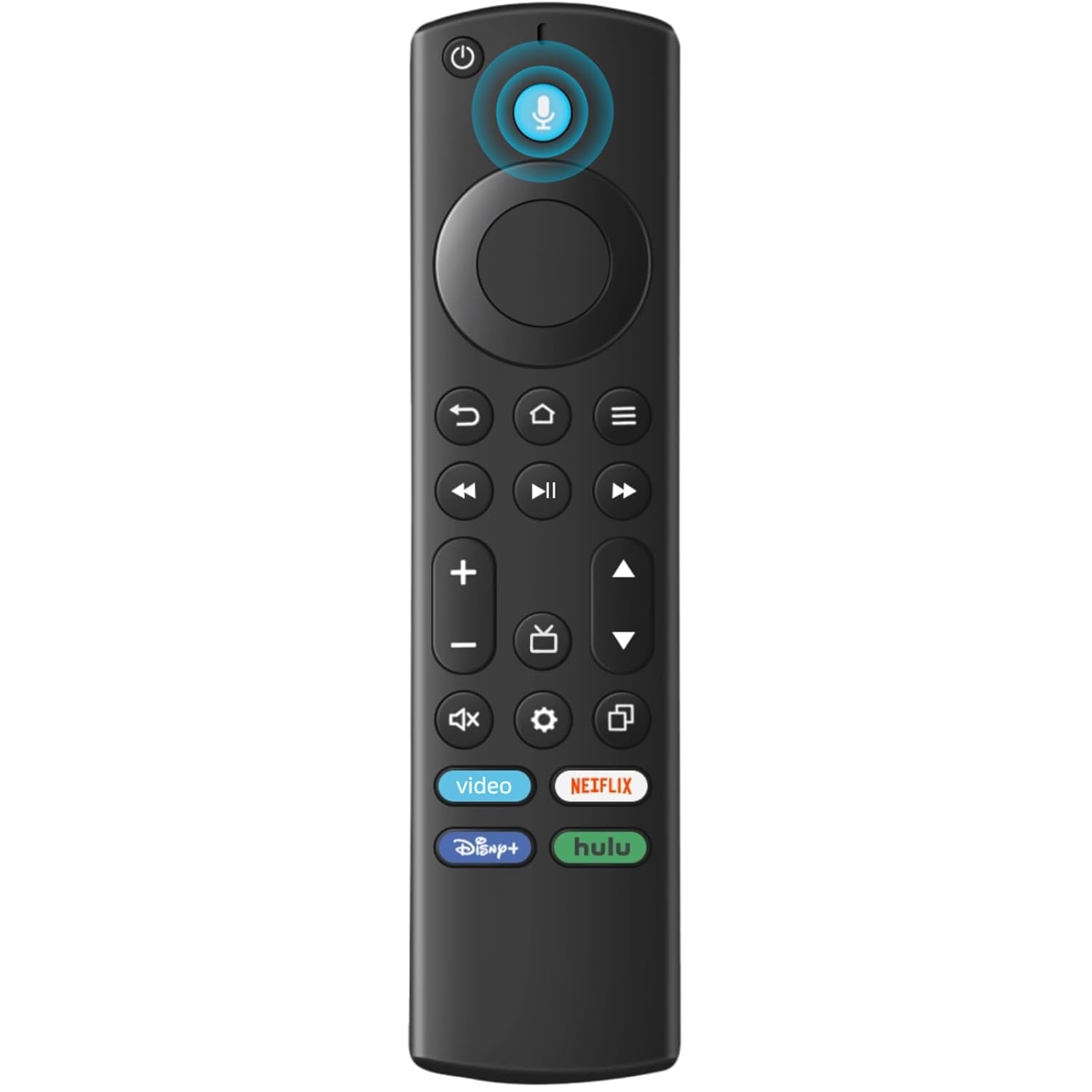
Replacement Remote for All Fire Series TV Stick HD 4K 4K Max Lite TV Cube and Omni Insignia
 1 / 6
Prices are shown for browsing. Purchases are currently unavailable.
Replacement Remote for All Fire Series TV Stick HD 4K 4K Max Lite TV Cube and Omni Insignia, $33.99, Availability unknown. Image 1 of 6.
- Selected option
- Replacement Remote for All Fire Series TV Stick HD 4K 4K Max Lite TV Cube and Omni Insignia
- SKU
- JC17504
Source specifications
- Brand
- ORQRQO
- Special Feature
- Ergonomic, Voice Search
- Color
- Black
- Max Number of Supported Devices
- 1
- Compatible Devices
- Television
- Package Dimensions
- 6.18 x 1.53 x 0.74 inches
- Item Weight
- 1.76 ounces
- Item model number
- B0DC3PZLRL
- Batteries
- 2 AAA batteries required.
- Manufacturer
- ORQRQO
The details
About this item
Product description QA: If the VOLUME+/-, MUTE , and Power buttons don't work after pairing the new remote with the TV stick or cube, how can I solve the problem? A: Press the HOME button first, then navigate to Settings at the top of the Screen, then select: > Equipment Control > Manage Equipment> TV > Change TV. Follow the prompts on the TV screen to learn the functions. Once learning is complete, the mentioned keys should work. Compatibile with TV Stick ( 2nd / 3rd Gen), TV Stick 4K (1st / 2nd Gen), TV Stick 4K Max (1st / 2nd Gen), TV Cube(1st / 2nd / 3rd Gen), TV Stick Lite( 1st / 2nd Gen), Smart TV (3rd Gen Pendant Design); Compatible with Insignia, Toshiba, Pioneer Smart TVs that support voice commands; This remote is compatible with streaming devices and smart TVs, and the pairing methods differ. Please refer to the instructions for pairing; Voice Function: Use voice commands to find your favorite content faster than ever before; Package Contents: 1 Replacement Voice Remote, 1 User Manual (Batteries not included: requires 2 AAA) Rated 4.4 out of 5. Customers find the remote control works perfectly and is better than the original Firestick model, with easy setup and good valu
- Compatibile with TV Stick ( 2nd / 3rd Gen), TV Stick 4K (1st / 2nd Gen), TV Stick 4K Max (1st / 2nd Gen), TV Cube(1st / 2nd / 3rd Gen), TV Stick Lite( 1st / 2nd Gen), Smart TV (3rd Gen Pendant Design)
- Compatible with Insignia, Toshiba, Pioneer Smart TVs that support voice commands
- This remote is compatible with streaming devices and smart TVs, and the pairing methods differ. Please refer to the instructions for pairing
- Voice Function: Use voice commands to find your favorite content faster than ever before
- Package Contents: 1 Replacement Voice Remote, 1 User Manual (Batteries not included: requires 2 AAA)
From the manufacturer
Product details
Product description QA: If the VOLUME+/-, MUTE , and Power buttons don't work after pairing the new remote with the TV stick or cube, how can I solve the problem? A: Press the HOME button first, then navigate to Settings at the top of the Screen, then select: > Equipment Control > Manage Equipment> TV > Change TV. Follow the prompts on the TV screen to learn the functions. Once learning is complete, the mentioned keys should work.
Highlights: Compatibile with TV Stick ( 2nd / 3rd Gen), TV Stick 4K (1st / 2nd Gen), TV Stick 4K Max (1st / 2nd Gen), TV Cube(1st / 2nd / 3rd Gen), TV Stick Lite( 1st / 2nd Gen), Smart TV (3rd Gen Pendant Design) Compatible with Insignia, Toshiba, Pioneer Smart TVs that support voice commands This remote is compatible with streaming devices and smart TVs, and the pairing methods differ. Please refer to the instructions for pairing Voice Function: Use voice commands to find your favorite content faster than ever before Package Contents: 1 Replacement Voice Remote, 1 User Manual (Batteries not included: requires 2 AAA)
Key details: Package Dimensions: 6.18 x 1.53 x 0.74 inches | Item Weight: 1.76 ounces | Batteries: 2 AAA batteries required. | Customer Reviews: 4.4 4.4 out of 5 stars (3,272) 4.4 out of 5 stars
How it fits your day: Use the key specs and highlights above to match it to your setup, space, or routine before you check out.
Customer feedback: 4.4/5 average rating.
Customers say: Customers find the remote control works perfectly and is better than the original Firestick model, with easy setup and good value for money.
Review snippets: This replacement remote paired instantly and works flawlessly with my Fire TV Stick. Voice control is responsive, buttons feel solid, and it performs just like the original. Great value! Read more / Boought to replace lost (more like misplaced and cant remember wher i place it 🤣😂😂). Very easy to set up. Follow instructions that come with it. I was able to also pair with my Samsing tv by long pressing the
Product description QA: If the VOLUME+/-, MUTE , and Power buttons don't work after pairing the new remote with the TV stick or cube, how can I solve the problem? A: Press the HOME button first, then navigate to Settings at the top of the Screen, then select: > Equipment Control > Manage Equipment> TV > Change TV. Follow the prompts on the TV screen to learn the functions. Once learning is complete, the mentioned keys should work.