Zyluria / Glasses
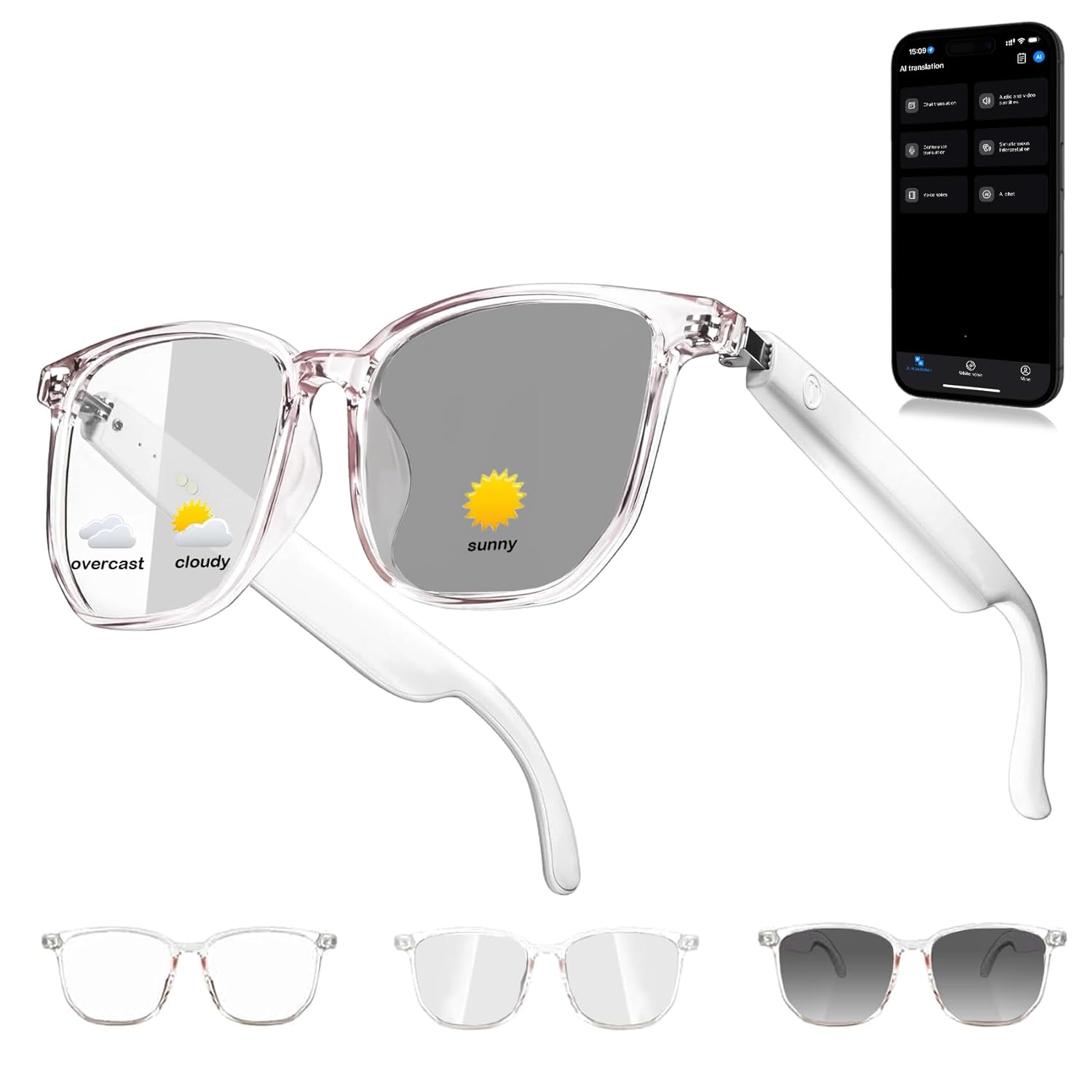
Smart Glasses for Men and Women Bluetooth Translation Sunglasses Open Ear Audio Listenable Songs
 1 / 7
Prices are shown for browsing. Purchases are currently unavailable.
Smart Glasses for Men and Women Bluetooth Translation Sunglasses Open Ear Audio Listenable Songs, $36.78, Availability unknown. Image 1 of 7.
- Selected option
- Smart Glasses for Men and Women Bluetooth Translation Sunglasses Open Ear Audio Listenable Songs
- SKU
- JC21227
Source specifications
- Item model number
- Smart Glasses
- Batteries
- 1 A batteries required.
- Manufacturer
- Zyluria
- Product Warranty
- For warranty information about this product, please click here
The details
About this item
Product description Do I need to pay extra for the translation app, or is it included for free? The translation app is completely free to use — just download it, connect your AI translation glasses, and enjoy instant translations at no extra cost. Why does it sometimes only work on one side? Both sides need to be powered on for proper pairing. Press and hold the buttons on both arms simultaneously. Once paired, one indicator light will turn off while the other flashes red and blue. After that, connect the device to your phone. The sound is too low — how can I fix it? Please increase the volume on both your phone and the device, and make sure the glasses fit snugly for the best sound experience. Why does the charging light turn off? Does that mean it’s not Rated 3.1 out of 5.
From the manufacturer
Product details
Product description Do I need to pay extra for the translation app, or is it included for free? The translation app is completely free to use — just download it, connect your AI translation glasses, and enjoy instant translations at no extra cost. Why does it sometimes only work on one side? Both sides need to be powered on for proper pairing. Press and hold the buttons on both arms simultaneously. Once paired, one indicator light will turn off while the other flashes red and blue. After that, connect the device to your phone. The sound is too low — how can I fix it? Please increase the volume on both your phone and the device, and make sure the glasses fit snugly for the best sound experience. Why does the charging light turn off? Does that mean it’s not charging? That’s completely normal. The red light stays on while charging and turns off automatically once fully charged — this helps prevent overcharging and protects the battery. The sound became distorted after one day of use — how can I fix it? This usually occurs when the battery is low. Once the power drops below 20%, you’ll hear a low-battery alert. Please recharge the device to restore clear, balanced sound.
Key details: Batteries: 1 A batteries required. | Product Warranty: For warranty information about this product, please click here | Customer Reviews: 3.1 3.1 out of 5 stars (21)
How it fits your day: Use the key specs and highlights above to match it to your setup, space, or routine before you check out.
Customer feedback: 3.1/5 average rating.
Review snippets: The Zyluria smart glasses are a neat idea, but they don’t fully deliver. The lenses do not transition as advertised, which was disappointing. The audio works, but the sound quality becomes distorted at higher volumes. They’re okay for casual use, / Like this for my daughter and she loves it!! Read more
Product description Do I need to pay extra for the translation app, or is it included for free? The translation app is completely free to use — just download it, connect your AI translation glasses, and enjoy instant translations at no extra cost. Why does it sometimes only work on one side? Both sides need to be powered on for proper pairing. Press and hold the buttons on both arms simultaneously. Once paired, one indicator light will turn off while the other flashes red and blue. After that, connect the device to your phone. The sound is too low — how can I fix it? Please increase the volume on both your phone and the device, and make sure the glasses fit snugly for the best sound experience. Why does the charging light turn off? Does that mean it’s not charging? That’s completely normal. The red light stays on while charging and turns off automatically once fully charged — this helps prevent overcharging and protects the battery. The sound became distorted after one day of use — how can I fix it? This usually occurs when the battery is low. Once the power drops below 20%, you’ll hear a low-battery alert. Please recharge the device to restore clear, balanced sound.