NEWQ / USB Hubs
USB C Video Splitter for USBC PD Monitor Portable Screen Type C Monitors 4-Port USB-C 3 2 Gen
 1 / 9
Prices are shown for browsing. Purchases are currently unavailable.
USB C Video Splitter for USBC PD Monitor Portable Screen Type C Monitors 4-Port USB-C 3 2 Gen, $61.99, Availability unknown. Image 1 of 9.
- Selected option
- USB C Video Splitter for USBC PD Monitor Portable Screen Type C Monitors 4-Port USB-C 3 2 Gen
- SKU
- JC10510
Source specifications
- Brand
- NEWQ
- Color
- Grey
- Hardware Interface
- USB Type C
- Special Feature
- Fast Charging, Lightweight, Pass Through Charge, Plug and Play, Portable
- Compatible Devices
- AR Glasses, Dell UltraSharp: U2720Q, U2723QE, U3223QE, U2422HE, U3425WE, P2723QE, P3223QE, P3421W LG UltraFine / UltraWide: UltraFine 5K (27EP950), 27EP950-B, 34WK95U-W, 40WP95C-W, 27EP850-B, 38WN95C-W ASUS ProArt: PA27DCE, PA32DCE, PA32DC, PA34DCE, PA27DCE-K HP: E27k G5, Z27k G3, E32k G5 Samsung ViewFinity: S80UA (LS27A800), S80PB (LS32B800), S9 (S90PC) BenQ: PD2725U, PD3220U, SW271C, EW2780U, EW2880U, PD2705U, Laptops,Tablet, Gaming Consoles, Smart Phone, Portable Monitor, USB C Monitor, USB C PD Monitor See more
The details
About this item
Product description The video showcases the product in use. The video guides you through product setup. The video compares multiple products. The video shows the product being unpacked. USB C Video HUB Merchant Video Note: Since dual display occupies the PD port, please connect your charger to the laptop for charging if both monitors lack 65W or higher reverse power delivery. Precautions For Dual Displays Desktop Monitor and Charging Diagram 1)For two USB-C Monitor (No PD-out), the PD charging port of the hub will be occupied, please connect charger directly to the laptop for charging. 2)For USB-C PD Monitor (65W+ PD Out), this is the perfect match to expand another monitor while charging laptop. For Portable Screen Previous page Next page 1 1 2 Must-Read Resolution Must-Read The hub uses 8W, so with a 65W PD adapter, your laptop gets 【For Type-C Powered Monitor】The usb c video out hub supports a USB-C reverse-powered monitor. Make sure your type-C monitor itself supports powering laptops; otherwise, you'll need to use a PD power adapter, such as Dell UltraSharp U2720Q(90W), LG 27UK850-W(60W), BenQ PD3220U(85W ).; 【Must read, how to achieve dual display without barriers?】1) For dua
- 【For Type-C Powered Monitor】The usb c video out hub supports a USB-C reverse-powered monitor. Make sure your type-C monitor itself supports powering laptops; otherwise, you'll need to use a PD power adapter, such as Dell UltraSharp U2720Q(90W), LG 27UK850-W(60W), BenQ PD3220U(85W ).
- 【Must read, how to achieve dual display without barriers?】1) For dual portable screens, please use chargers to power them, as laptops and the hub cannot provide sufficient power for both portable screens. 2) For two USB-C Monitor (No PD-out), the PD charging port of the hub will be occupied, so please connect your charger directly to the laptop for charging. 3) For USB-C PD Monitor (65W+ PD Out), this is the perfect match to expand another monitor while charging laptop.
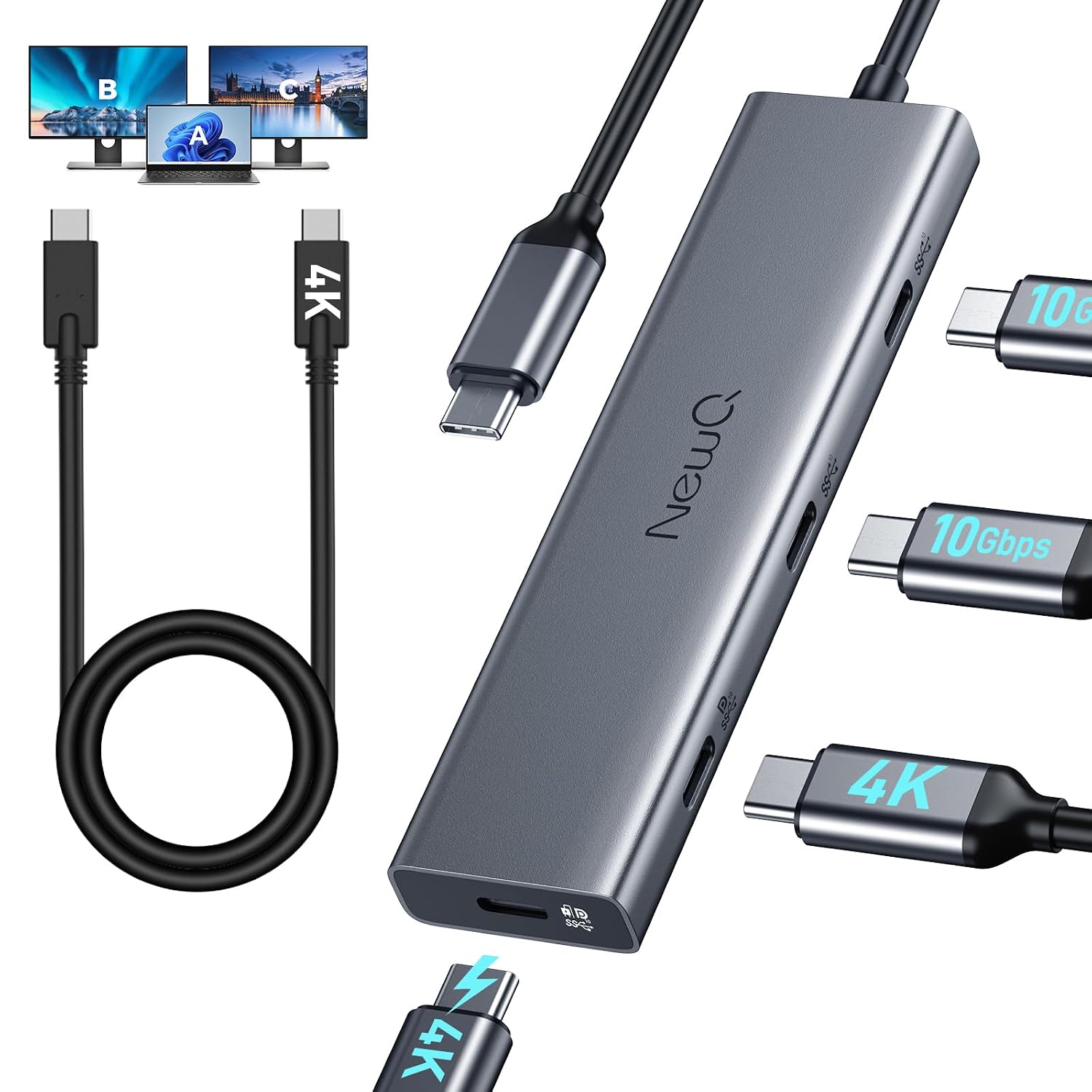
- 【Dual 4K of Display Support】The usb c video splitter supports dual 4K@30-60Hz, Ideal for DP1.4 laptops to extend to dual 4K@60Hz displays (Note: MacBook supports only one extended monitor).
- 【Support Portable Monitor】Equipped with a full-featured cable to replace Mini HDMI and USB cable, simplifies connections to portable screens.
- 【High-Speed of Data Transfer】All four USB-C ports support USB 3.2 gen 2 10gbps, ensuring high-speed data transfer for all devices.
- 【How to connect HDMI/DP Monitor?】If you want to connect an HDMI or DP monitor, you can also pair it with a C to HDMI/DP cable. The hub's USB C video interface supports converting to HDMI or DP signals. (HDMI/DP cable not included in the packaging, only C to C cable)
From the manufacturer
Product details
Product description The video showcases the product in use. The video guides you through product setup. The video compares multiple products. The video shows the product being unpacked. USB C Video HUB Merchant Video Note: Since dual display occupies the PD port, please connect your charger to the laptop for charging if both monitors lack 65W or higher reverse power delivery. Precautions For Dual Displays Desktop Monitor and Charging Diagram 1)For two USB-C Monitor (No PD-out), the PD charging port of the hub will be occupied, please connect charger directly to the laptop for charging. 2)For USB-C PD Monitor (65W+ PD Out), this is the perfect match to expand another monitor while charging laptop. For Portable Screen Previous page Next page 1 1 2 Must-Read Resolution Must-Read The hub uses 8W, so with a 65W PD adapter, your laptop gets about 57W. 4* Type-C share 8W and the third port is limited to 1.5A (no PD) or 1.8A (with PD). If your portable monitor can't reach full resolution or brightness on the third port, switch to the fourth or use an external monitor power supply to fix it. 1) About MacBook Compatibility: Does not support MacBook to extend to two monitors, only one monitor can be extended due to MacBook chip limitations. 2) About Type-C Monitor Support Reverse Power: If
Highlights: 【For Type-C Powered Monitor】The usb c video out hub supports a USB-C reverse-powered monitor. Make sure your type-C monitor itself supports powering laptops; otherwise, you'll need to use a PD power adapter, such as Dell UltraSharp U2720Q(90W), LG 27UK850-W(60W), BenQ PD3220U(85W ). 【Must read, how to achieve dual display without barriers?】1) For dual portable screens, please use chargers to power them, as laptops and the hub cannot provide sufficient power for both portable screens. 2) For two USB-C Monitor (No PD-out), the PD charging port of the hub will be occupied, so please connect your charger directly to the laptop for charging. 3) For USB-C PD Monitor (65W+ PD Out), this is the perfect match to expand another monitor while charging laptop. 【Dual 4K of Display Support】The usb c video splitter supports dual 4K@30-60Hz, Ideal for DP1.4 laptops to extend to dual 4K@60Hz displays (Note: MacBook supports only one extended monitor). 【Support Portable Monitor】Equipped with a full-featured cable to replace Mini HDMI and USB cable, simplifies connections to portable screens. 【High-Speed of Data Transfer】All four USB-C ports support USB 3.2 gen 2 10gbps, ensuring high-speed data transfer for all devices. 【How to connect HDMI/DP Monitor?】If you want to connect an HDMI or DP monitor, you can also pair it with a C to HDMI/DP cable. The hub's USB C video
How it fits your day: Use the key specs and highlights above to match it to your setup, space, or routine before you check out.
Customer feedback: 4.5/5 average rating.
Customers say: Customers find the USB hub works well with plug-and-play functionality and supports PS4 devices.
Review snippets: The NQ-HB-16 is a very versatile USB-C 3.2 Gen 2 MST display dock which works properly in all three modes depending on how much display bandwidth is needed. ✔ USB-C 3.2 Gen 2 mode (both SS lane-pairs to USB 3.2 / This excellent product works exactly as specified. Anything negative I’ve read in the reviews isn’t related to a missing feature—it’s well-built, and the size is highly portable. It’s the perfect companion to my iPad Pro M4 running iPadOS 26.3. I
Product description The video showcases the product in use. The video guides you through product setup. The video compares multiple products. The video shows the product being unpacked. USB C Video HUB Merchant Video Note: Since dual display occupies the PD port, please connect your charger to the laptop for charging if both monitors lack 65W or higher reverse power delivery. Precautions For Dual Displays Desktop Monitor and Charging Diagram 1)For two USB-C Monitor (No PD-out), the PD charging port of the hub will be occupied, please connect charger directly to the laptop for charging. 2)For USB-C PD Monitor (65W+ PD Out), this is the perfect match to expand another monitor while charging laptop. For Portable Screen Previous page Next page 1 1 2 Must-Read Resolution Must-Read The hub uses 8W, so with a 65W PD adapter, your laptop gets about 57W. 4* Type-C share 8W and the third port is limited to 1.5A (no PD) or 1.8A (with PD). If your portable monitor can't reach full resolution or brightness on the third port, switch to the fourth or use an external monitor power supply to fix it. 1) About MacBook Compatibility: Does not support MacBook to extend to two monitors, only one monitor can be extended due to MacBook chip limitations. 2) About Type-C Monitor Support Reverse Power: If you want to power your laptop via USB-C monitor, use the fourth port and make sure your monitor have reverse power feature and is at least 45W, Such as Dell UltraSharp U2720Q(90W), LG 27UK850-W(60W), BenQ PD3220U(85W), ASUS ProArt PA278CV(65W). 3)