Westinghouse / Monitors
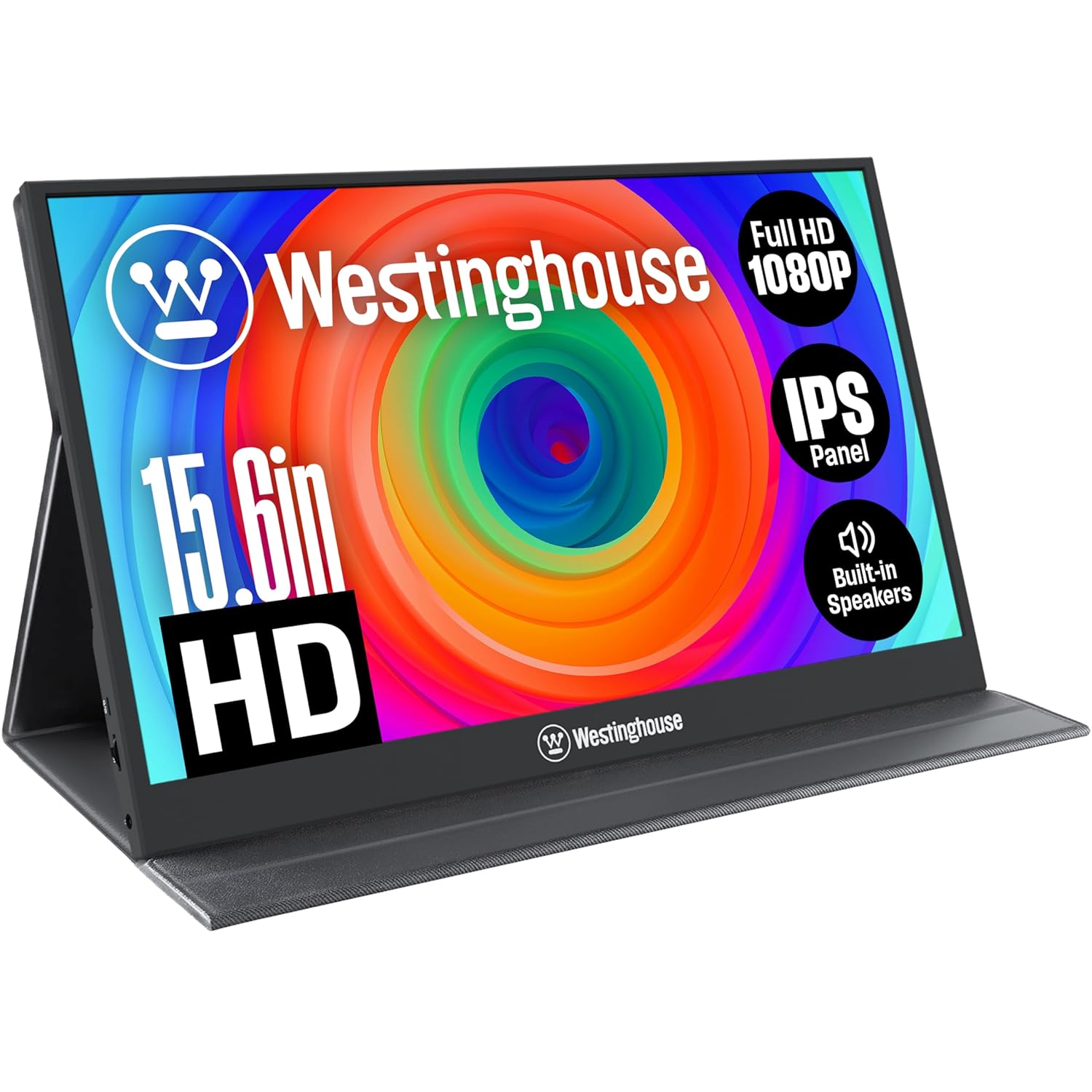
Westinghouse 15 6 Inch Portable Monitor for Laptop Travel 1080p 60Hz IPS Display Full HD Screen with Magnetic
 1 / 7
Prices are shown for browsing. Purchases are currently unavailable.
Westinghouse 15 6 Inch Portable Monitor for Laptop Travel 1080p 60Hz IPS Display Full HD Screen with Magnetic, $139.98, Availability unknown. Image 1 of 7.
- Selected option
- Westinghouse 15 6 Inch Portable Monitor for Laptop Travel 1080p 60Hz IPS Display Full HD Screen with Magnetic
- SKU
- JC25598
Source specifications
- Brand
- Westinghouse
- Screen Size
- 15.6 Inches
- Resolution
- FHD 1080p
- Aspect Ratio
- 16:9
- Screen Surface Description
- Matte
- Product Dimensions
- 0.46 x 14.04 x 8.82 inches
- Item Weight
- 1.65 pounds
- Manufacturer
- Westinghouse
- Item model number
- WH156FP
- Standing screen display size
- 15.6 Inches
- Voltage
- 5 Volts
- Resolution
- 1920 x 1080 Pixels
- Image brightness
- 250 Candela
- Total Usb Ports
- 1
The details
About this item
Product description What’s the easiest way to connect this monitor to my laptop? If your laptop has a USB-C port that supports DisplayPort Alt Mode, the easiest method is to use the included USB-C to USB-C cable. It carries both power and video, so you only need one cable. My laptop only has HDMI. Can I still use this monitor? Yes! Use the included Mini HDMI to HDMI cable for video, and the included USB-C power cable to power the monitor. Both cables are required for proper operation in this setup. What are the included cables for? • USB-C to USB-C (3.1 Gen 2): Power + video in one cable (requires compatible device with DisplayPort Alt Mode). • Mini HDMI to HDMI: Video only — pair with USB-C power cable. • USB-C Power Cable + Power Block: Powers monitor (used FHD IPS DISPLAY: Our 15.6-inch monitor comes with a 1920x1080 full HD resolution at 60hz refresh rate and HDR technology. Boasts an IPS display that delivers superior visual clarity with its higher color accuracy, enhanced screen consistency, and 170° anti-glare viewing angle, resulting in the perfect portable gaming monitor.; TRAVEL FRIENDLY: Slim and compact, our portable laptop monitor is perfect for work from home, busines
- FHD IPS DISPLAY: Our 15.6-inch monitor comes with a 1920x1080 full HD resolution at 60hz refresh rate and HDR technology. Boasts an IPS display that delivers superior visual clarity with its higher color accuracy, enhanced screen consistency, and 170° anti-glare viewing angle, resulting in the perfect portable gaming monitor.
- TRAVEL FRIENDLY: Slim and compact, our portable laptop monitor is perfect for work from home, business trips, and general travel setups. It comes with a magnetic protective cover that doubles as a monitor stand.
- INCREASE YOUR PRODUCTIVITY: Easily connect to your laptop, smartphone or gaming console. Perfect for multitasking and managing multiple open windows. Ideal for temporary workspaces or small meetings to share your screen with colleagues or clients. Enjoy hassle-free plug-and-play functionality.
- WIDE COMPATIBILITY: Designed with mini-HDMI, USB Type-C, and a headphone input. The USB-C port supports video output and power delivery, enabling single cable connection for laptops with "Full-Featured" USB-C with DisplayPort Alt Mode support or Thunderbolt ports. Easy access to your favorite devices with a 1 cable solution. Cables included - Mini-HDMI to HDMI, Power Adapter with USB-C to USB-C and a USB-C to USB-C (3.1 v1, for one-wire connection).
- BUILT-IN SPEAKERS: Immerse yourself in rich audio with built-in speakers, delivering clear and crisp sound for virtual meetings, movies, gaming, and more, all without the need for external speakers or headphones, keeping your desk clutter-free.
From the manufacturer
Product details
Product description What’s the easiest way to connect this monitor to my laptop? If your laptop has a USB-C port that supports DisplayPort Alt Mode, the easiest method is to use the included USB-C to USB-C cable. It carries both power and video, so you only need one cable. My laptop only has HDMI. Can I still use this monitor? Yes! Use the included Mini HDMI to HDMI cable for video, and the included USB-C power cable to power the monitor. Both cables are required for proper operation in this setup. What are the included cables for? • USB-C to USB-C (3.1 Gen 2): Power + video in one cable (requires compatible device with DisplayPort Alt Mode). • Mini HDMI to HDMI: Video only — pair with USB-C power cable. • USB-C Power Cable + Power Block: Powers monitor (used with HDMI setup). Can I use my own USB-C cable instead of the one included? We recommend using the included USB-C cable that supports USB 3.1 Gen 2 for full power & video compatibility. The other USB-C cable is necessary to ensure the monitor receives enough power. Other cables may not support video or provide enough power. Does the USB-C to USB-C cable work with all laptops? Not necessarily. For the included USB-C to USB-C cable to carry both power
Highlights: FHD IPS DISPLAY: Our 15.6-inch monitor comes with a 1920x1080 full HD resolution at 60hz refresh rate and HDR technology. Boasts an IPS display that delivers superior visual clarity with its higher color accuracy, enhanced screen consistency, and 170° anti-glare viewing angle, resulting in the perfect portable gaming monitor. TRAVEL FRIENDLY: Slim and compact, our portable laptop monitor is perfect for work from home, business trips, and general travel setups. It comes with a magnetic protective cover that doubles as a monitor stand. INCREASE YOUR PRODUCTIVITY: Easily connect to your laptop, smartphone or gaming console. Perfect for multitasking and managing multiple open windows. Ideal for temporary workspaces or small meetings to share your screen with colleagues or clients. Enjoy hassle-free plug-and-play functionality. WIDE COMPATIBILITY: Designed with mini-HDMI, USB Type-C, and a headphone input. The USB-C port supports video output and power delivery, enabling single cable connection for laptops with "Full-Featured" USB-C with DisplayPort Alt Mode support or Thunderbolt ports. Easy access to your favorite devices with a 1 cable solution. Cables included - Mini-HDMI to HDMI, Power Adapter with USB-C to USB-C and a USB-C to USB-C (3.1 v1, for one-wire connection). BUILT-IN SPEAKERS: Immerse yourself in rich audio with built-in speakers, delivering clear and crisp sound for virtual meetings, movies, gaming, and more, all without the need for external
Key details: Product Dimensions: 0.46 x 14.04 x 8.82 inches | Item Weight: 1.65 pounds | Customer Reviews: 4.5 4.5 out of 5 stars (73) 4.5 out of 5 stars | Standing screen display size: 15.6 Inches | Aspect Ratio: 16:9 | Voltage: 5 Volts | Resolution: 1920 x 1080 Pixels | Image brightness: 250 Candela | Total Usb Ports: 1
How it fits your day: Use the key specs and highlights above to match it to your setup, space, or routine before you check out.
Customer feedback: 4.5/5 average rating.
Customers say: Customers find the monitor's picture quality excellent and appreciate its portability, particularly for travel and home use.
Review snippets: I recently purchased the Westinghouse Monitor and it has exceeded my expectations! I have limited desk space at home and when you're working with multiple spreadsheets having that extra screen saves SO MUCH TIME! I love how lightweight and portable / This was the third portable monitor I tried, and it's a winner! I have a Westinghouse Roku TV and this monitor's image has similar crispness. Colors are bright, can't notice when it refreshes. I guess my Dell laptop does not
Product description What’s the easiest way to connect this monitor to my laptop? If your laptop has a USB-C port that supports DisplayPort Alt Mode, the easiest method is to use the included USB-C to USB-C cable. It carries both power and video, so you only need one cable. My laptop only has HDMI. Can I still use this monitor? Yes! Use the included Mini HDMI to HDMI cable for video, and the included USB-C power cable to power the monitor. Both cables are required for proper operation in this setup. What are the included cables for? • USB-C to USB-C (3.1 Gen 2): Power + video in one cable (requires compatible device with DisplayPort Alt Mode). • Mini HDMI to HDMI: Video only — pair with USB-C power cable. • USB-C Power Cable + Power Block: Powers monitor (used with HDMI setup). Can I use my own USB-C cable instead of the one included? We recommend using the included USB-C cable that supports USB 3.1 Gen 2 for full power & video compatibility. The other USB-C cable is necessary to ensure the monitor receives enough power. Other cables may not support video or provide enough power. Does the USB-C to USB-C cable work with all laptops? Not necessarily. For the included USB-C to USB-C cable to carry both power and video, your laptop must supports DisplayPort Alt Mode. If your USB-C port is power-only or data-only, the monitor won’t display anything. Please check your device's specs.